I don’t know how you decided to update the IDE’s features. Are you sure you even use 2.0 yourselves?
Please show some respect to us who use it every day! The changes have rendered it completely unusable.
I don’t know how you decided to update the IDE’s features. Are you sure you even use 2.0 yourselves?
Please show some respect to us who use it every day! The changes have rendered it completely unusable.
Remove the terrible v2 version, go here GitHub - oslook/cursor-ai-downloads: All Cursor AI's official download links for both the latest and older versions, making it easy for you to update, downgrade, and choose any version. 🚀 and download 1.7 version.
Thanks a lot
What’s the best method to prevent Cursor to update, since I can’t find it in 2.* settings to set ‘none’
yep going back to 1.7 is the only fix. Also disable auto updates:
Type in the search bar settings.json and add
"update.enableWindowsBackgroundUpdates": false,

"update.mode": "none",
see above
Thanks 
in their official page you can download any version
Hey, if you face some issues, I really suggest opening a bug report here on the forum. 2.0 is a big release so it’s hard to avoid all the issues, but the team is reading all the bug reports and doing their best to fix it all.
Those links are NOT the official links just so you know.
No one listens, so there is no point asking for things to be changed. I don’t want AGENT EDITOR buttons where the File menu should be.
Those links ARE the official links, same as GitHub - accesstechnology-mike/cursor-downloads: Direct download links for the latest release of the Cursor AI-enabled IDE code editor
These automated scripts just collect the Cursor download links for convenience. Confirm by checking the download link addresses, they are direct to Cursor severs.
There have been many reports about the lost functionality, e.g., here: Cursor 2.0 removes token and git commit references in chat , here: 2.0 - A step in the wrong direction - #90 by Marcos_Escalona , and in many other places. Just consistently ignored by Cursor team. Apparently, returning these functions of fine-grained, from-the-keyboard control of the context of the original prompt rather than instructing agent to scavenge context by itself is not according to the “party line” for Cursor going forward. Sad.
Cursor staff have pointed out those links are not official.
{
"update.enableWindowsBackgroundUpdates": false,

"update.mode": "none"
}
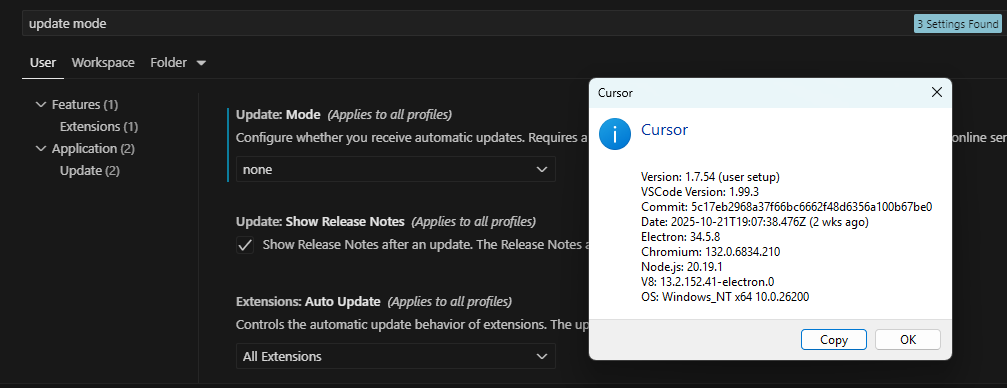
unfortunately this is not working in the settings.json in:
Version: 1.7.54 (user setup)
VSCode Version: 1.99.3
Commit: 5c17eb2968a37f66bc6662f48d6356a100b67be0
Date: 2025-10-21T19:07:38.476Z
Electron: 34.5.8
Chromium: 132.0.6834.210
Node.js: 20.19.1
V8: 13.2.152.41-electron.0
OS: Windows_NT x64 10.0.26200
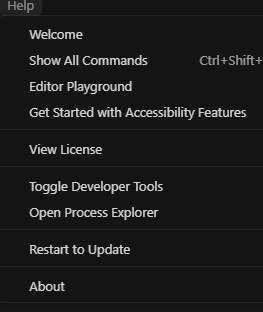
any ideas why it keeps showing…..:
Look into the normal VSCode Settings for “Update:Mode” and set it to manual… this helps.
It works for me, but I had to upgrade to 2.0, then put that in settings.json, then downgrade to 1.7 and check again to make sure its still in settings.json
If you are already on 1.7 and the program already knows a update exists, it doesn’t work, you have to put it in settings before the program knows there is an update.
I struggeld with the f*cking “Agent” layout for 2 hours, because every time you switch between Agent and Editor mode all the action Buttons and your file explorer switch from one side to the other … and it looks like it is hardcoded , no way to change it.
Did anybody look at it or test it before sending it out and going on vacation ?
I’m only interested in editor. I use cursor because it codes faster than me to save time, I still know how to code and need to review all the changes it makes. Sometimes AI does dumb things, or I want to make minor changes. I have no interest in anything 2.0 added.