I am developing a VSCode Extension,
Is it possible to install an extension in vsix format with cursor?
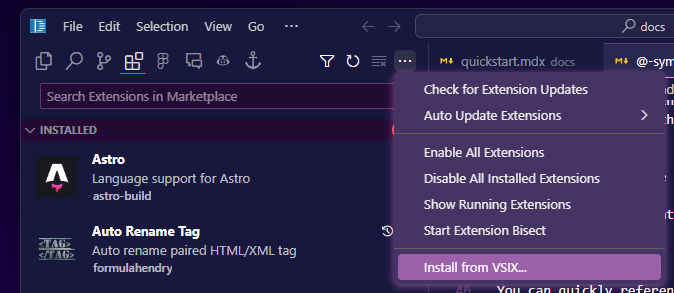
Yep, you should be able to drag the .vsix file into the Extensions tab, or you can use the Install from VSIX... button as well.
Thank you.
I was able to install it.

I also couldn’t find the guide on the view, but I tried dragging the vsix file in directly, and that worked.
@ Mingo-233 You can also drag and drop the .vsix file into the extensions tab.
I don’t know if it worked before, but it doesn’t work that way in today’s version
@truell20 why was this feature disabled? It is a dealbreaker for me to no be able to being my own .vsix extensions
The drag and drop is still here, and is correctly importing vsix files, I just tested a minute ago with 1.2.4.
Drag-and drop won’t work when using remote-ssh.
Actually you can use the command
>install from VSIX