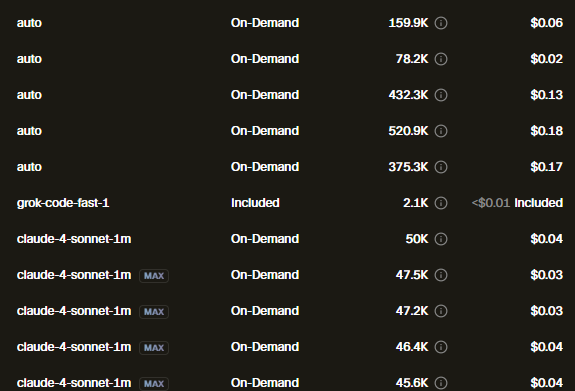
what is on demand or included. also some request are $0
how can I control it to just not use too much dollars or not use the on demand and use free for some task?
what is on demand or included. also some request are $0
how can I control it to just not use too much dollars or not use the on demand and use free for some task?
Hi @FCNVillangca, thank you for the great questions! Here is how billing works:
Included Usage: With a plan like Pro ($20/month), you get a monthly allowance for AI usage, so all your requests are covered up to that base amount. We also add a bonus, giving you more usage than the face value, without extra charge.
On-Demand Billing: If you use up your included and bonus credits, you can turn on On-Demand billing. This lets you keep using AI, but you’ll be billed at the same rate for any extra usage. You can set a spending limit in your Dashboard so you always control your maximum costs.
Let me know if you want additional suggestions for optimizing usage!
yes please I have the enterprise one on demand limit is 300usd
I want to know how to use the included or the ondemand. for simple fixes I want to use the free one of course. but I dont know how to switch it. does it transfer to ondemand on larger context or longer chats?
hi @FCNVillangca both the enterprise plan and on-demand are paid.
The difference is that the amount covered in the plan is fixed and on-demand uses as much as you need. Cursor uses first the amount on the plan and only once used up, it switches to on-demand. There is no manual switch.
For models, see the docs page that shows smaller models that are cheaper and may be enough for simpler tasks, therefore save money.
Check following page on tips how to use Cursor more efficiently: