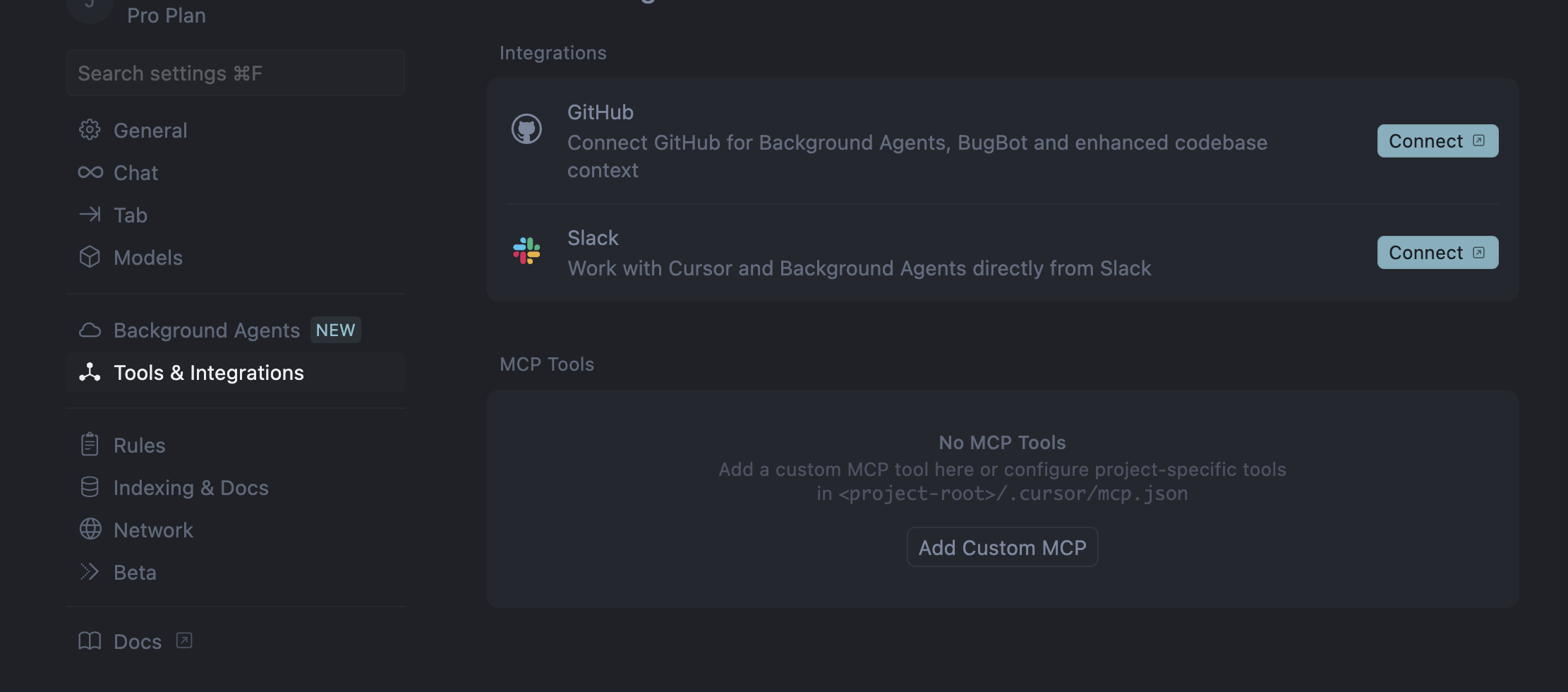
I’m probably missing something, but going to Cursor → Settings → Cursor settings - I can’t find in the tabs the MCP Servers option. I want to install a new MCP server.
What am I missing?
I’m probably missing something, but going to Cursor → Settings → Cursor settings - I can’t find in the tabs the MCP Servers option. I want to install a new MCP server.
What am I missing?
Hey, which version of Cursor are you using? The MCP servers section should be located a bit lower in the “Features” section, and in version 0.46, it already has its own tab.
Thank you! Updating Cursor resolved the issue
Not seeing it.
Version: 0.46.11
VSCode Version: 1.96.2
Commit: ae378be9dc2f5f1a6a1a220c6e25f9f03c8d4e10
Date: 2025-03-07T06:43:50.208Z
Electron: 32.2.6
Chromium: 128.0.6613.186
Node.js: 20.18.1
V8: 12.8.374.38-electron.0
OS: Darwin arm64 24.3.0
Hi - having the same issue as original OP
I’m on version .47 on mac but don’t see MCP
Version: 0.47.5 (Universal)
VSCode Version: 1.96.2
Commit: 53d6da1322f934a1058e7569ee0847b24879d180
Date: 2025-03-14T21:40:35.200Z
Electron: 32.2.6
Chromium: 128.0.6613.186
Node.js: 20.18.1
V8: 12.8.374.38-electron.0
OS: Darwin arm64 24.3.0
hahahaha cool, it’s there!
I was doing cmd + , since it’s the default for macOS apps.
I don’t see anything. This is the only one I see right now. Is MCP tool just the same?
Hey, yes, you can add any MCP server to the mcp.json file. You can check out an example here:
My MCP server config that was in .cursor/ disappeared out of the blue after merging a feature branch into the main branch. I added the config file to .gitignore because I put some API keys to use the MCP servers. It seems to me a bug. Does anyone have the same problem?
Version: 1.7.28 (Universal)
Hi @user751 can it be when you open up the MCP json that the file was broken or MCPs removed during merge? We may need a bit more info to see what occurred.