Where does the bug appear (feature/product)?
Cursor IDE
Describe the Bug
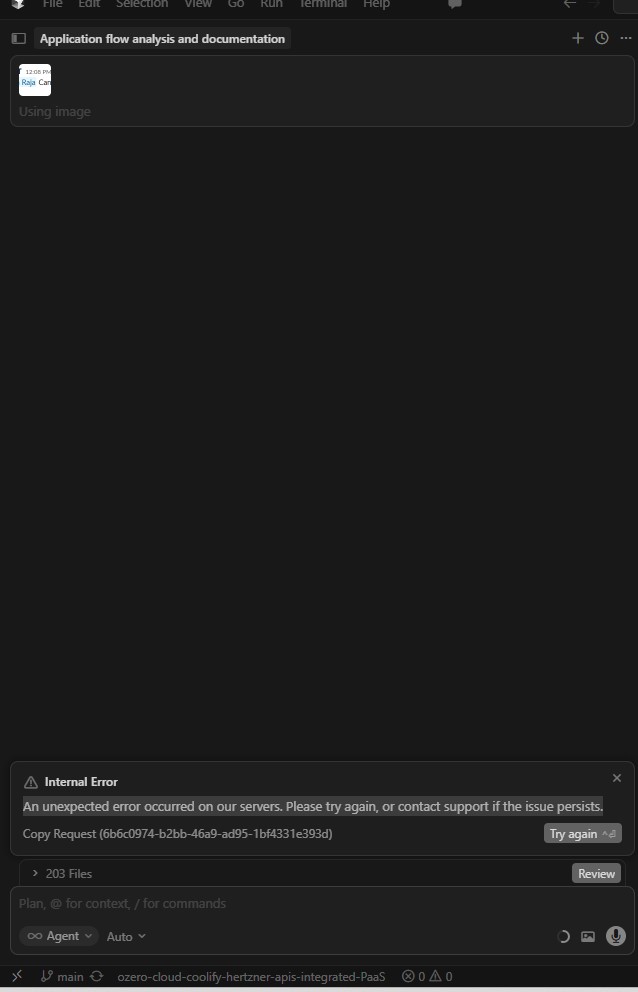
Request ID: 6b6c0974-b2bb-46a9-ad95-1bf4331e393d
[internal] Blob not found
die: [internal] Blob not found
at e9A (vscode-file://vscode-app/d:/cursor/resources/app/out/vs/workbench/workbench.desktop.main.js:34265:23755)
at Z5A (vscode-file://vscode-app/d:/cursor/resources/app/out/vs/workbench/workbench.desktop.main.js:34265:22658)
at a9A (vscode-file://vscode-app/d:/cursor/resources/app/out/vs/workbench/workbench.desktop.main.js:34266:6285)
at Xou.run (vscode-file://vscode-app/d:/cursor/resources/app/out/vs/workbench/workbench.desktop.main.js:34266:10400)
at async qOa.runAgentLoop (vscode-file://vscode-app/d:/cursor/resources/app/out/vs/workbench/workbench.desktop.main.js:46830:10206)
at async b5u.streamFromAgentBackend (vscode-file://vscode-app/d:/cursor/resources/app/out/vs/workbench/workbench.desktop.main.js:46884:9277)
at async b5u.getAgentStreamResponse (vscode-file://vscode-app/d:/cursor/resources/app/out/vs/workbench/workbench.desktop.main.js:46884:13663)
at async vMe.submitChatMaybeAbortCurrent (vscode-file://vscode-app/d:/cursor/resources/app/out/vs/workbench/workbench.desktop.main.js:34327:17597)
Steps to Reproduce
Internal error - An unexpected error occurred on our servers. Please try again, or contact support if the issue persists.
Screenshots / Screen Recordings
Operating System
Windows 10/11
Version Information
Version: 2.6.22 (user setup)
VSCode Version: 1.105.1
Commit: c6285feaba0ad62603f7c22e72f0a170dc8415a0
Date: 2026-03-27T15:59:31.561Z
Build Type: Stable
Release Track: Default
Electron: 39.8.1
Chromium: 142.0.7444.265
Node.js: 22.22.1
V8: 14.2.231.22-electron.0
OS: Windows_NT x64 10.0.22631
Does this stop you from using Cursor
Yes - Cursor is unusable