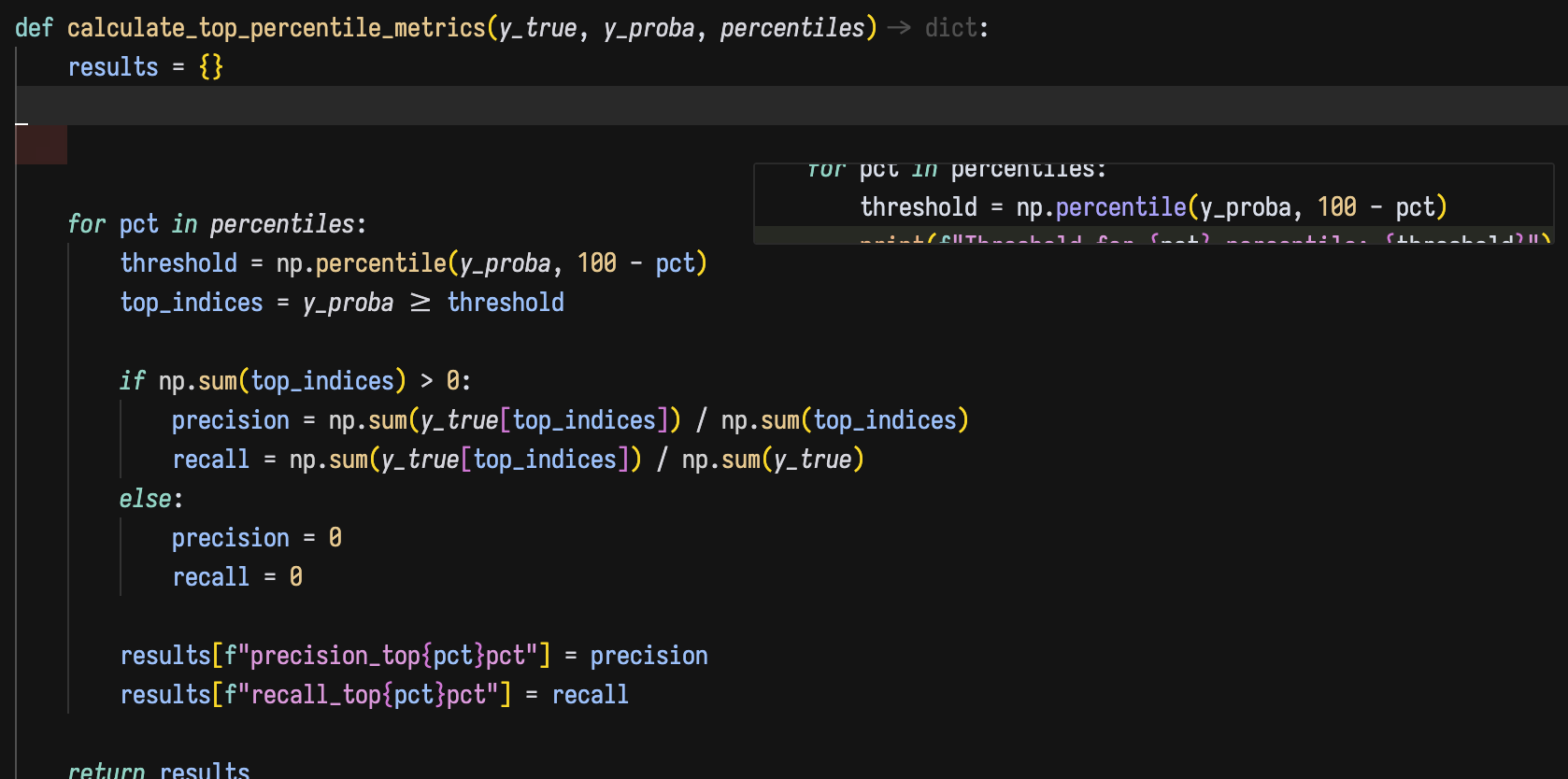
The code suggestion dropdown extends beyond the visible bounds of the code cell in Jupyter Notebook. See attached image:

I am using Cursor 1.0
The code suggestion dropdown extends beyond the visible bounds of the code cell in Jupyter Notebook. See attached image:
I am using Cursor 1.0
Even if I enlarge the cell, the full code suggestion is still not displayed properly
Hey, thanks for the report. We’ll investigate.
Yes, I’m still having the same issue on the version 1.01.
@deanrie Please fix this error because tab feature is basically unusable if i cant see a completion window
Same here, when I connect to server via SSH in Jupyter
Same, it’s been like this since 1.0.0.
still exists in 1.1.3
This bug sadly exists in version 1.2.0 too. I use Jupyter with the JupyterHub extension, if that’s relevant.
I am on v.1.1.7. It’s super annoying  . Please fix
For the love of god can we do something about this bug? Tab feature is so buggy in Jupyter Notebook and i forced to disable it because of this annoying bug
Bug is still replicable, but in general preview in separate mini-window (not in code one) started appearing rarer, so it’s harder to see. “add to chat” buttons is stull glitching under the ui if you do that on the first line of cell.
Version: 1.6.35 (user setup)
VSCode Version: 1.99.3
Commit: b753cece5c67c47cb5637199a5a5de2b7100c180
Date: 2025-09-19T17:39:38.846Z
Electron: 34.5.8
Chromium: 132.0.6834.210
Node.js: 20.19.1
V8: 13.2.152.41-electron.0
OS: Windows_NT x64 10.0.26100