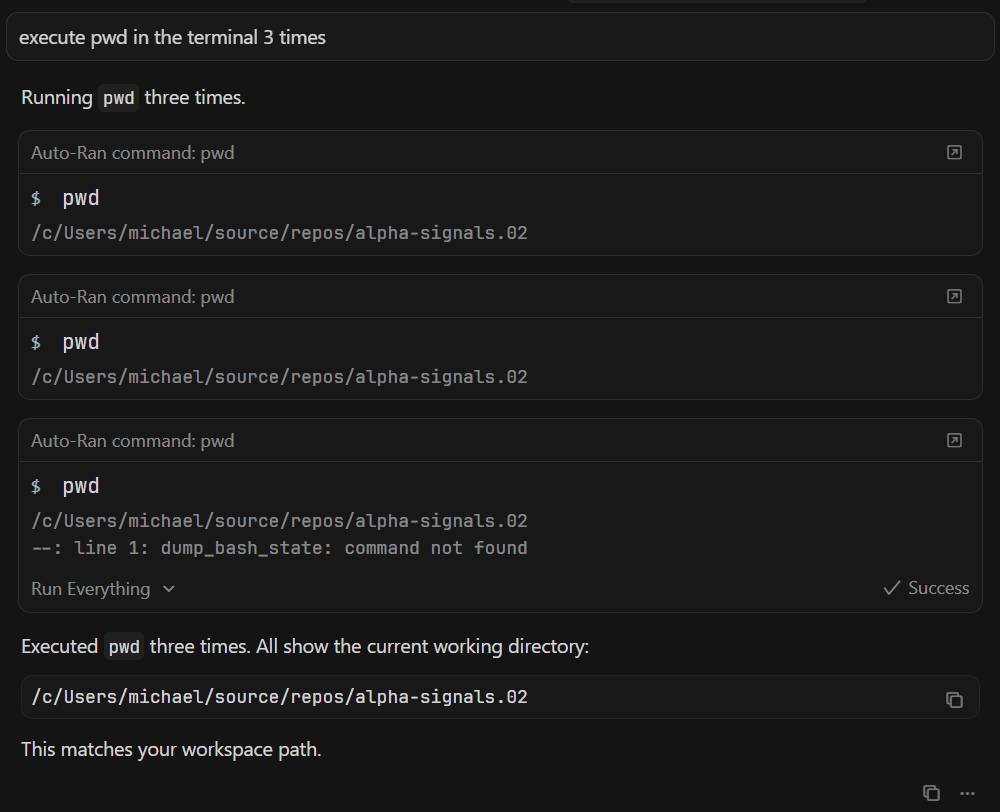
This matches a known issue with agent terminal initialization.
Quick things to try:
Settings → Agents → Inline Editing & Terminal → enable “Legacy Terminal Tool”, then Command Palette → “Terminal: Kill All Terminals” and restart Cursor.
In Git Bash, check your ~/.bashrc for lines like “exec zsh” or others that change shell/environment on non-interactive startup. Remove or limit these lines (only for interactive shells) and test again.
Could you please clarify:
Is this a local environment or Remote SSH?
Any customizations in ~/.bashrc or ~/.bash_profile?
Any errors in Help → Toggle Developer Tools → Console during the issue (screenshots or logs)?
Let me know if enabling Legacy Terminal Tool helps. If not, I’ll escalate this to the engineers.
I can now reproduce the issue, if I ask the LLM execute pwd on terminal three times or ask it to execute pwd on terminal 3 times, the issue will occur on the third command executed.
I expect this is the same behaviour for any command.
There, the cause was exec zsh in .bash_profile, which interrupted agent initialization. In your local Git Bash case, something similar might be happening - something in the environment interrupts dump_bash_state after a few commands.
Could you please check:
Are there lines like exec, source of other shells, or commands changing the environment in ~/.bashrc or ~/.bash_profile?
Does this reproduce with Legacy Terminal Tool enabled (Settings → Agents → Inline Editing & Terminal → “Legacy Terminal Tool”, then Ctrl+Shift+P → “Terminal: Kill All Terminals” and restart Cursor)?
Can you record a short video or screenshots of three commands in a row with full terminal output?
Share the info - if the pattern confirms, I’ll pass it to the engineers with details about Git Bash + third command.
Thanks for the question about zsh. Agent Mode often ignores terminal profile settings and launches bash or PowerShell (especially on Windows). This is a known issue.
Could you please clarify:
Are you using WSL (Ubuntu/Debian etc.) or native Windows with MSYS2/Cygwin/Git for Windows
If WSL: which distro (Ubuntu, Debian, other)
If native Windows: where is zsh installed (full path to the binary, e.g. C:\msys64\usr\bin\zsh.exe)
What works:
You can switch the regular built-in Cursor terminal to zsh via Settings > Terminal > Default Profile or in settings.json:
Jumping on the wagon here: I’m seeing the same issue on Mac OS with brew-served Bash 5.3.3. I have extensive Bash RC customization, which I’ve largely turned off when it detects that it’s running inside Cursor by checking $CURSOR_TRACE_ID or $VSCODE_GIT_IPC_HANDLE. The customization leaves tools like mise activated, so it can find the right binaries based on the working directory.
It looks like the dump_bash_state shell function gets undefined for some reason. It’s still hard to see where this is happening exactly.