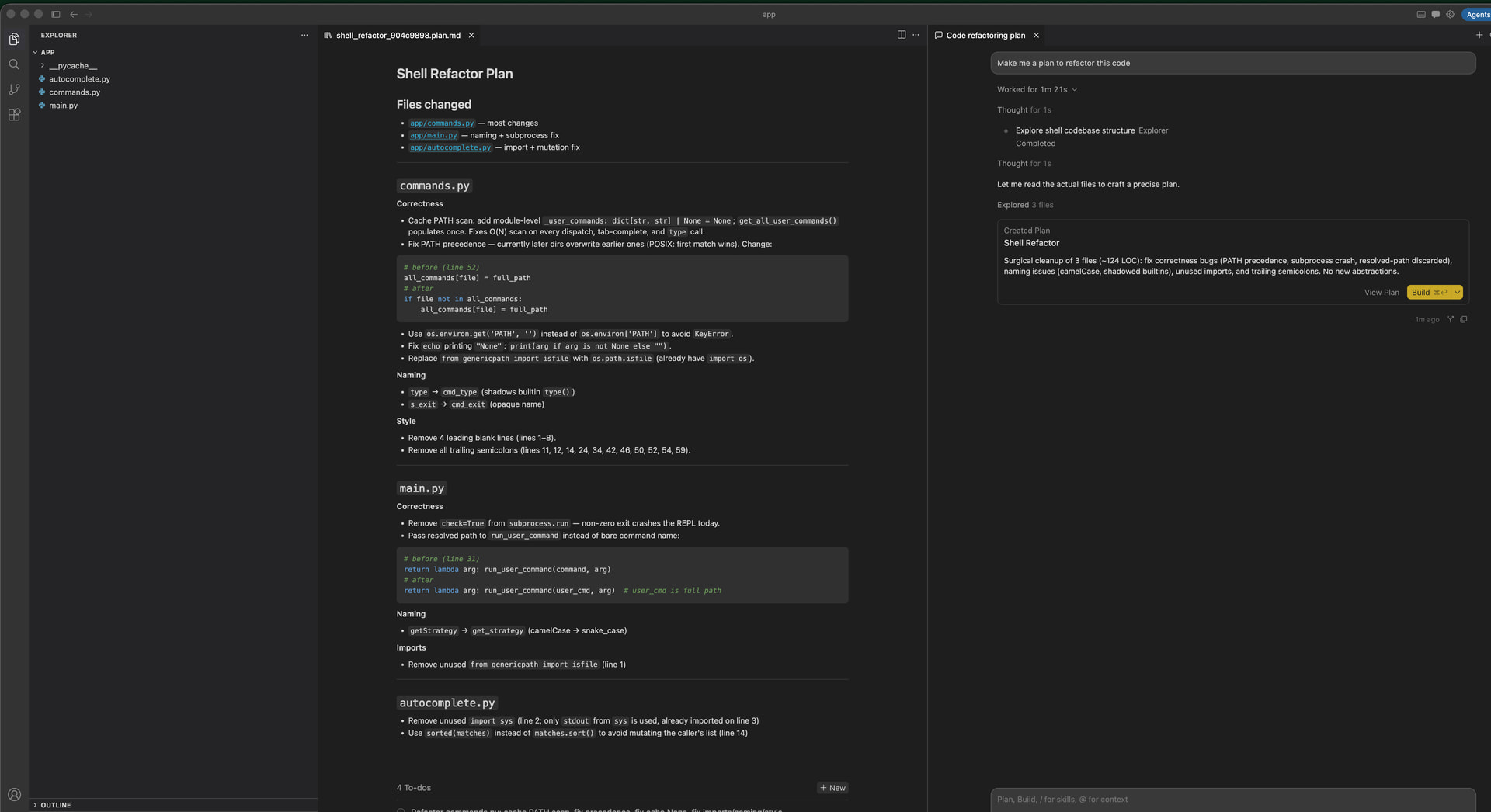
Where does the bug appear (feature/product)?
Cursor IDE
Describe the Bug
All of below concerns Cursor IDE (NOT Agents Window)
It used to be the case that you could select model before building the plan.
But for a while it’s gone and it has some retained some defaults (my last used Build model).
So every time I click Build the model is changed to a model I have used before the bug was introduced.
I see this option is visible in Agents window, but I don’t use it at all and it’s inconvenient to open Agents window just for the sake of changing Build model.
Simplest workaround is to type: “Build” with the model I actually want to use, but why even bother with Build button then? It would be very convenient to bring back the old model selection into IDE layout.
Steps to Reproduce
- Instruct AI to make a feature plan in Plan mode
- Created Plan doesn’t have any option to select Build model - just Build button
Expected Behavior
There should be an option to select a model for Build.
Operating System
MacOS
Version Information
Version: 3.13.25
VS Code Extension API: 1.128.0
Commit: 31e8d61c448c7472e371505838a0fe34083dad50
Date: 2026-07-28T06:17:45.069Z
Layout: IDE
Build Type: Stable
Release Track: Default
Electron: 40.10.3
Chromium: 144.0.7559.236
Node.js: 24.15.0
V8: 14.4.258.32-electron.0
xterm.js: 6.1.0-beta.256
OS: Darwin arm64 25.5.0
For AI issues: which model did you use?
N/A
Does this stop you from using Cursor
No - Cursor works, but with this issue