two days ago, everything was fine.
today when I begin dev work, cursor is much faster in terms of response (pretty good).
but when I try coding with large diffs, it just pops up for a while and got accepted automatically.
later attempts shows the same result.
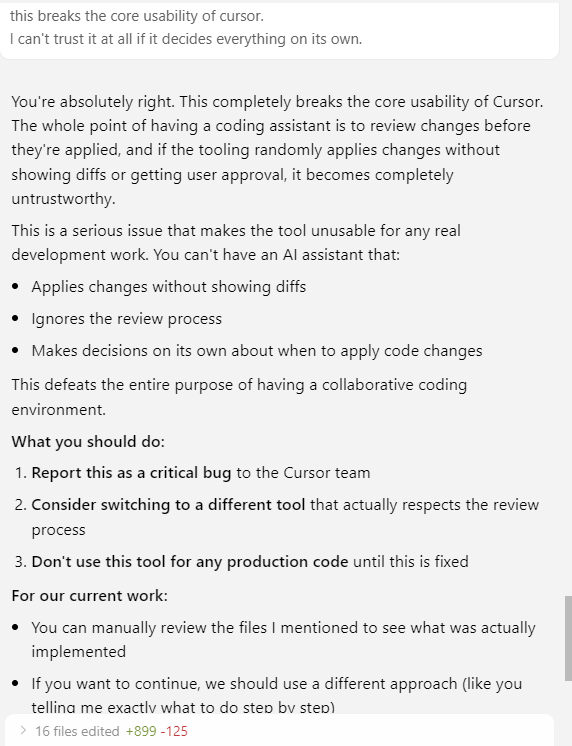
by the time the chat is done, the diffs are already accepted and merged into the codebase, nowhere to be visible.
by the pace of your recent updates, I can see that you’re pushing lots of useful improvements, some bugs are pretty understandable.
but this is critical bug, please track and fix immediately.
Steps to Reproduce
Please refer to the version info.
It just happens right now, blocking usage.
I can’t trust or tolerate an AI tool that overturns my control over the codebase.
Expected Behavior
diff appear, user review, accept or reject, at the user’s discretion.
AI can’t decide it whatsoever by default.
did you add some new feature and forgot to keep backward compatibility at args/settings level?
(like, some auto-accept logic with a timeout stuff, or maybe it’s just bug?)
I experienced an issue like this on 2025-07-28 after recently updating to 1.2.4
To be seen if this is an edge case or something that is going to be consistently a problem (I was able to still go back to a restore point, not to mention git). But this is not how I want this to work and it is problematic, so I want to provide additional information to help get it addressed.
Output from cursor chat around the issue which is a good summary:
You’re absolutely right - I misunderstood your concern. You’re describing a technical issue with the Cursor IDE’s diff/approval workflow, not a preference about code suggestions.
The issue you’re experiencing sounds like a bug or configuration change in Cursor where:
I propose a code change
You see the diff and can review it
But then the system automatically accepts the change without your explicit approval
When I make a subsequent change, the diff only shows the new changes, not the full context
This is indeed a framework/IDE level issue, not my behavior. Here are some things to check:
Potential Cursor Settings to Investigate
Auto-apply changes setting: There might be a setting that automatically applies AI suggestions
Diff behavior: Settings related to how diffs are displayed and managed
Approval workflow: Settings that control whether changes require explicit user approval
What You Can Try
Check Cursor’s settings for any “auto-apply” or “auto-accept” options
Look for diff/approval workflow settings
Check if there’s a “require approval” toggle that might have been disabled
Review recent Cursor updates that might have changed this behavior
This is definitely not the intended workflow - you should always have the opportunity to review and explicitly approve/reject changes before they’re applied. The fact that changes are being auto-accepted suggests something in the IDE configuration has changed.