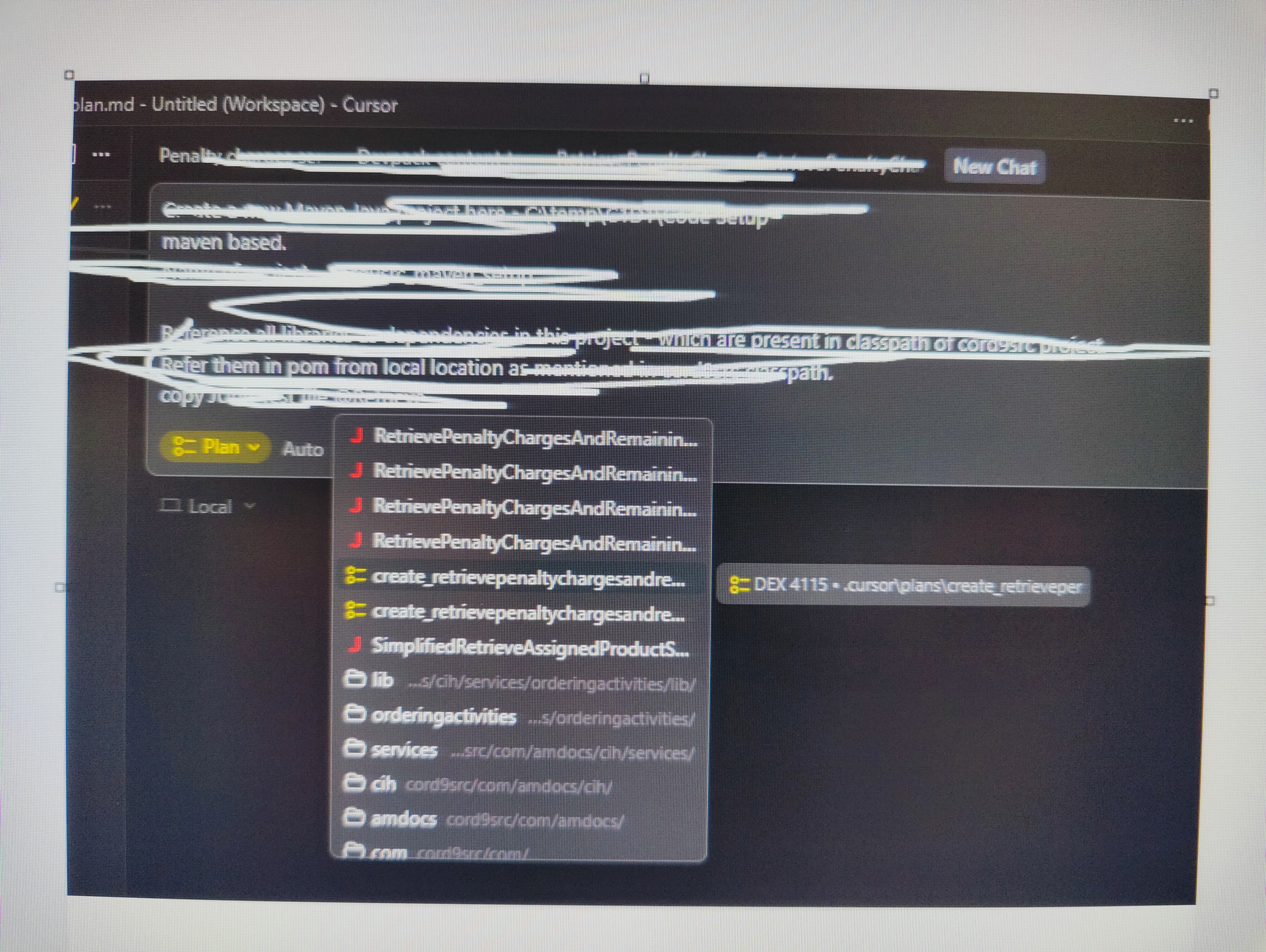
As seen in snapshot, my file names are starting with same first words.. in the end last word is diff
Eg. Service, Test, Input, Output as suffix.
When referencing the file in chat, not able to see full name and identify it properly.
Steps to Reproduce
As seen in snapshot, my file names are starting with same first words.. in the end last word is diff
Eg. Service, Test, Input, Output as suffix.
When referencing the file in chat, not able to see full name and identify it properly.
Expected Behavior
The popup should extend to handle the long length of text
Operating System
Windows 10/11
Current Cursor Version (Menu → About Cursor → Copy)
This looks like a legit UI issue. The popup should expand or show more text for long file names.
Can you share a screenshot? You mentioned a snapshot, but I don’t see any image attached. That’ll help the team understand the issue better.
For now, as a workaround, you can type more characters after @ to filter the list. For example, if the files are named “LongPrefix_Service” and “LongPrefix_Test”, type “@LongPrefix_S” or “@LongPrefix_T”.
Thanks for the screenshot. I see the issue. In the popup, files with the same prefixes get cut off, so you can’t see suffixes like Service/Test/Input/Output.
I’ll pass this to the team as a UI bug. The popup should either expand for long names, or show the end of the filename so they’re easier to tell apart.