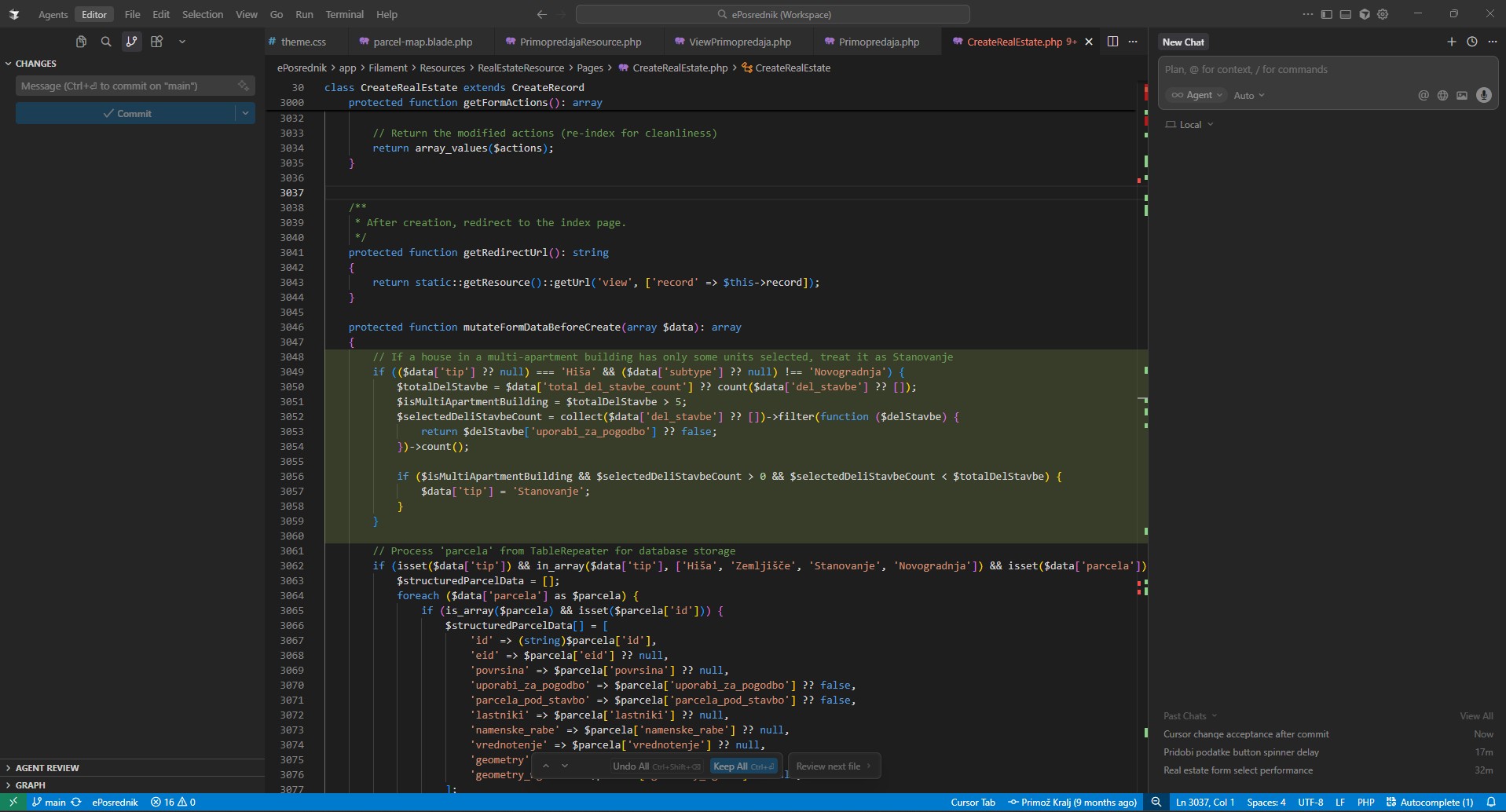
I am not able to click “Keep All” (nothing happens). These are old changes from old chats, and I already commited/pushed everything to git. I tried restarting, doesn’t help. How can I reset this markdown to not show any changes.
This is a known issue with the review UI. The “Keep All” button sometimes doesn’t work, and files can get stuck after a commit. The team is already tracking it.
Please try these workarounds:
Make a small new change in any file, then stage and commit. This can sometimes “wake up” the “Keep All” button.
Rename the affected file, fully close Cursor, reopen it, then rename the file back to the original name.
In the affected file, delete the highlighted blocks, save, then immediately Undo Ctrl+Z.
Press Ctrl+Shift+P → Developer: Reload Window.
If none of that helps, please share the Request ID from the last Agent action (chat context menu → Copy Request ID) and I’ll pass it to the engineers.
Thanks. I tried all but no success. Also, the changes are across MANY files (20+) and over 100 blocks. It’s not feasible to tackle this individually - I need to reset it all at once, somehow.
What I tried:
Make a small new change in any file, then stage and commit. This can sometimes “wake up” the “Keep All” button.
No, didn’t help. Also, “Review next file” doesn’t jump anywhere. “Undo All” also does nothing.
Rename the affected file, fully close Cursor, reopen it, then rename the file back to the original name.
YES, THIS WORKED, BUT, too many files to do this. I tried with one, and it worked.
In the affected file, delete the highlighted blocks, save, then immediately Undo Ctrl+Z.
I am having a similar problem, although my “Keep All” button generally works, sometimes it reverts changes that had already been committed. My expectation is that, when I commit changes from outside the devcontainer running in the Cursor IDE, those changes would be done. However, Cursor still shows the red and the green from prior changes that had already been committed. I went through and hit “Keep All” for them, and it turned out that Cursor reverted a bunch of the changes (although I could git reset –hard to fix that). All of the tricks mentioned above did not work. Eventually, accepting all of the changes within Cursor twice, I was able to get the ghosts of red and green to go away, for now.