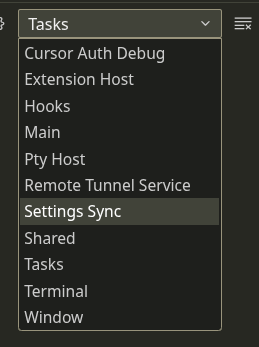
Today Source Control module stopped working. While a project with a .git folder is open in the IDE, the Source Control tab says ‘Scanning folder for Git repositories…’ and never completes.
The Search (Ctrl+Shift+F) is no longer working too. After searching for anything it goes into a loop and never resolves with a result.
Guys, help. I’m forced to switch to VS Code because of this.
Steps to Reproduce
Not really sure. Ask me for logs, if relevant.
Screenshots / Screen Recordings
Operating System
Linux
Current Cursor Version (Menu → About Cursor → Copy)
Version: 2.2.43
Commit: 32cfbe848b35d9eb320980195985450f244b3030
Date: 2025-12-19T06:06:44.644Z
Browser: Mozilla/5.0 (X11; Linux x86_64) AppleWebKit/537.36 (KHTML, like Gecko) Cursor/2.2.43 Chrome/138.0.7204.251 Electron/37.7.0 Safari/537.36
Does this stop you from using Cursor
Yes - Cursor is unusable
If it’s any help, I’m seeing this error in Cursor’s Dev Console:
workbench.desktop.main.js:139 Refused to create a TrustedTypePolicy named 'tokenizeToString' because a policy with that name already exists and the Content Security Policy directive does not 'allow-duplicates': "trusted-types amdLoader
					cellRendererEditorText
					defaultWorkerFactory
					diffEditorWidget
					diffReview
					domLineBreaksComputer
					dompurify
					editorGhostText
					editorViewLayer
					notebookRenderer
					stickyScrollViewLayer
					tokenizeToString
					safeInnerHtml
					editorCppGhostText
					standaloneColorizer
					tokenizeToString
					solidjs
					aibubble
					aibubble2
					aibubbleSearch
					streamingMarkdownPolicy
					notebookChatEditController
					mermaidDiagram
					mermaidDiagram2
					mermaidDiagramOuter".
In the past I have opened a few files from a private SSH FUSE mount in Cursor to edit them. The files obviously have been long closed, but the mount is still there.
I’ve tried to unmount now and the mount is currently locked. I’ve checked what process is holding the lock, and it’s rg the ripgrep process, spawned by Cursor. And there’s not one, but 161 of them and they are actively scanning through my mount. After closing Cursor the processes are still there, because they are spawned by the sandbox process!
I think this is the main reason why search and GIT are unresponsive. But why would Cursor even try to grep through the remote folder if no files from the FUSE mount are open?
After meticulously killing all cursor sandbox processes, unounting the FUSE FS and restarting Cursor, I can say that the Search and GIT discovery is now working. However, it took about 25 seconds after Cursor startup for it to ‘wake up’.
Thanks for the detailed diagnostics and the screenshot.
This is a known issue, and the team is already working on a fix. Your info about ripgrep with --no-ignore on FUSE mounts is really helpful, and I’ve already passed it on to the team.