Where does the bug appear (feature/product)?
Cursor CLI
Describe the Bug
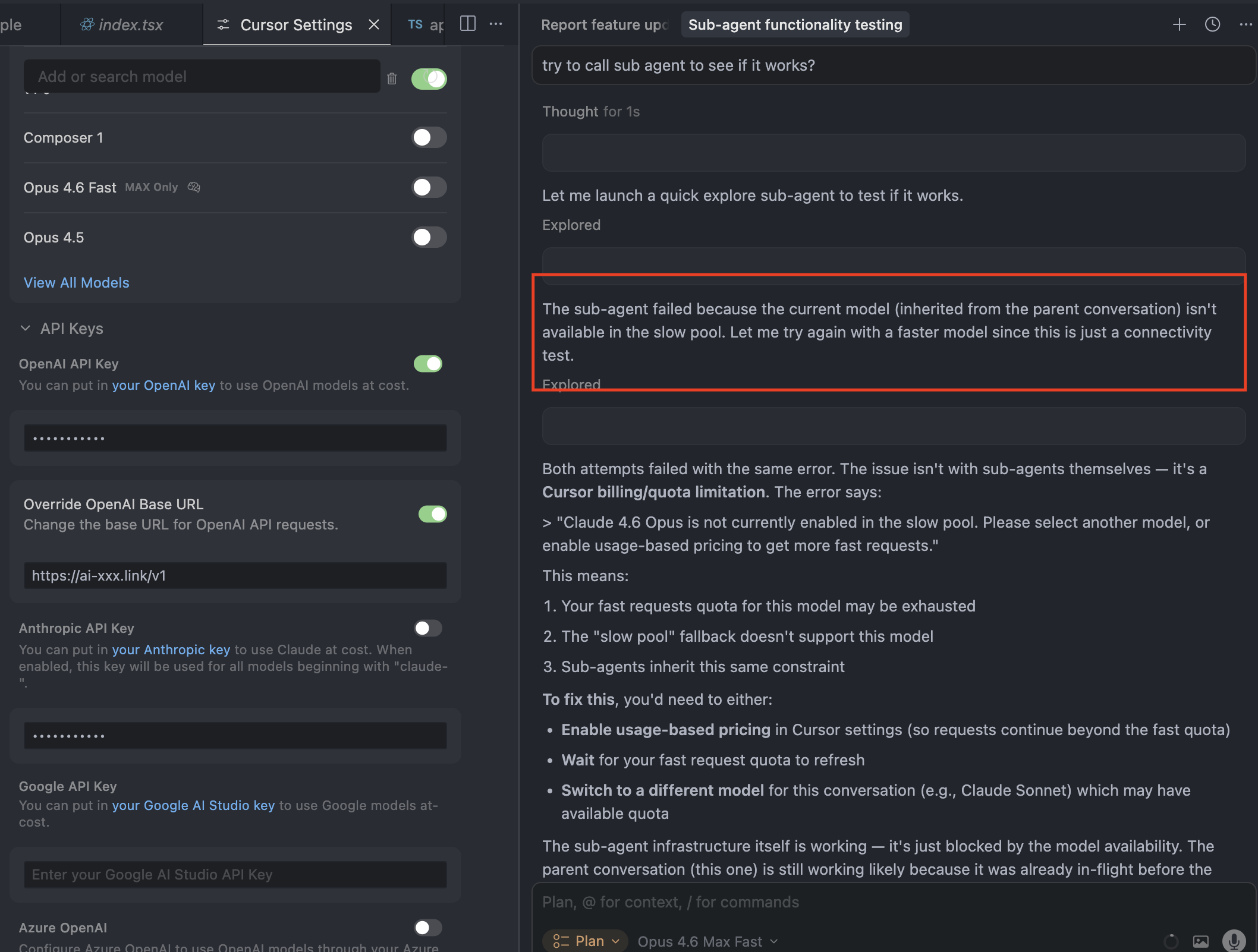
When using Cursor Agent, I get ERROR_NETWORK_ERROR with [resource_exhausted] in the stack. The stack traces runAgentLoop → streamFromAgentBackend → getAgentStreamResponse. I want OpenAI-compatible traffic to go to my LiteLLM gateway (self-hosted behind AWS ELB). curl from my environment to the same base URL works (GET /v1/models, POST /v1/chat/completions with stream: true). LiteLLM pod logs during Cursor failures often show only /health/liveliness and /health/readiness, not POST /v1/chat/completions, so it appears Cursor is not calling my gateway for this flow (or the failure happens before any request reaches LiteLLM).
Environment:
Cursor: 3.0.4 (Stable), VS Code 1.105.1, macOS Darwin arm64
Model: custom OpenAI-compatible (e.g. LiteLLM alias), base URL like http://:4000/v1 (HTTP)
Steps to reproduce:
Configure OpenAI API + Override OpenAI Base URL (or OpenAI-compatible provider) to LiteLLM.
Add/select custom model (e.g. my-sonnet).
Open Agent and use it until the error appears.
Expected:
Chat/Agent requests should hit LiteLLM (visible as POST /v1/… in LiteLLM access logs) when BYOK / custom base URL is configured.
Actual:
ERROR_NETWORK_ERROR / resource_exhausted; LiteLLM often does not log POST /v1/… when the error occurs.
Request IDs (examples):
a570bab3-81b9-4734-b2e1-ea1795ca4ce6
(add others from Copy Request ID in the chat menu if you have more)
Evidence:
Same base URL and model work with curl to /v1/models and /v1/chat/completions (streaming).
kubectl logs on LiteLLM during failure: no matching POST /v1/ lines.
Questions:
Does Agent use the cursor streamFromAgentBackend path for all model calls, or should OpenAI-compatible BYOK traffic go directly to my URL?
Are sub-agents or other Agent steps known not to inherit custom base URL (see forum thread on sub-agents)?
Is resource_exhausted here from Cursor’s side (quota) rather than my provider?
Request ID: a570bab3-81b9-4734-b2e1-ea1795ca4ce6
{“error”:“ERROR_NETWORK_ERROR”,“details”:{“title”:“Network Error”,“detail”:“We’re having trouble connecting to the model provider. This might be temporary - please try again in a moment.”,“isRetryable”:true,“additionalInfo”:{},“buttons”:,“planChoices”:},“isExpected”:true}
[resource_exhausted] Error
rae: [resource_exhausted] Error
at Ntw (vscode-file://vscode-app/Applications/Cursor.app/Contents/Resources/app/out/vs/workbench/workbench.desktop.main.js:43958:24479)
at Ptw (vscode-file://vscode-app/Applications/Cursor.app/Contents/Resources/app/out/vs/workbench/workbench.desktop.main.js:43958:23385)
at Htw (vscode-file://vscode-app/Applications/Cursor.app/Contents/Resources/app/out/vs/workbench/workbench.desktop.main.js:43959:6355)
at j5u.run (vscode-file://vscode-app/Applications/Cursor.app/Contents/Resources/app/out/vs/workbench/workbench.desktop.main.js:43959:11154)
at async qIn.runAgentLoop (vscode-file://vscode-app/Applications/Cursor.app/Contents/Resources/app/out/vs/workbench/workbench.desktop.main.js:56301:11753)
at async s0d.streamFromAgentBackend (vscode-file://vscode-app/Applications/Cursor.app/Contents/Resources/app/out/vs/workbench/workbench.desktop.main.js:56371:11057)
at async s0d.getAgentStreamResponse (vscode-file://vscode-app/Applications/Cursor.app/Contents/Resources/app/out/vs/workbench/workbench.desktop.main.js:56371:17161)
at async s3e.submitChatMaybeAbortCurrent (vscode-file://vscode-app/Applications/Cursor.app/Contents/Resources/app/out/vs/workbench/workbench.desktop.main.js:44070:19892)
at async mu (vscode-file://vscode-app/Applications/Cursor.app/Contents/Resources/app/out/vs/workbench/workbench.desktop.main.js:55354:4887)
Steps to Reproduce
my chosing my own custom model
Expected Behavior
I shud get an output.
Operating System
MacOS
Version Information
Version: 3.0.4
VSCode Version: 1.105.1
Commit: 63715ffc1807793ce209e935e5c3ab9b79fddc80
Date: 2026-04-02T09:36:23.265Z
Layout: editor
Build Type: Stable
Release Track: Default
Electron: 39.8.1
Chromium: 142.0.7444.265
Node.js: 22.22.1
V8: 14.2.231.22-electron.0
OS: Darwin arm64 24.6.0
For AI issues: which model did you use?
Custom Model Option pointing to litellm
Does this stop you from using Cursor
Yes - Cursor is unusable