Unable to find or change Agent Review settings in Cursor

Describe the Bug

Hello,
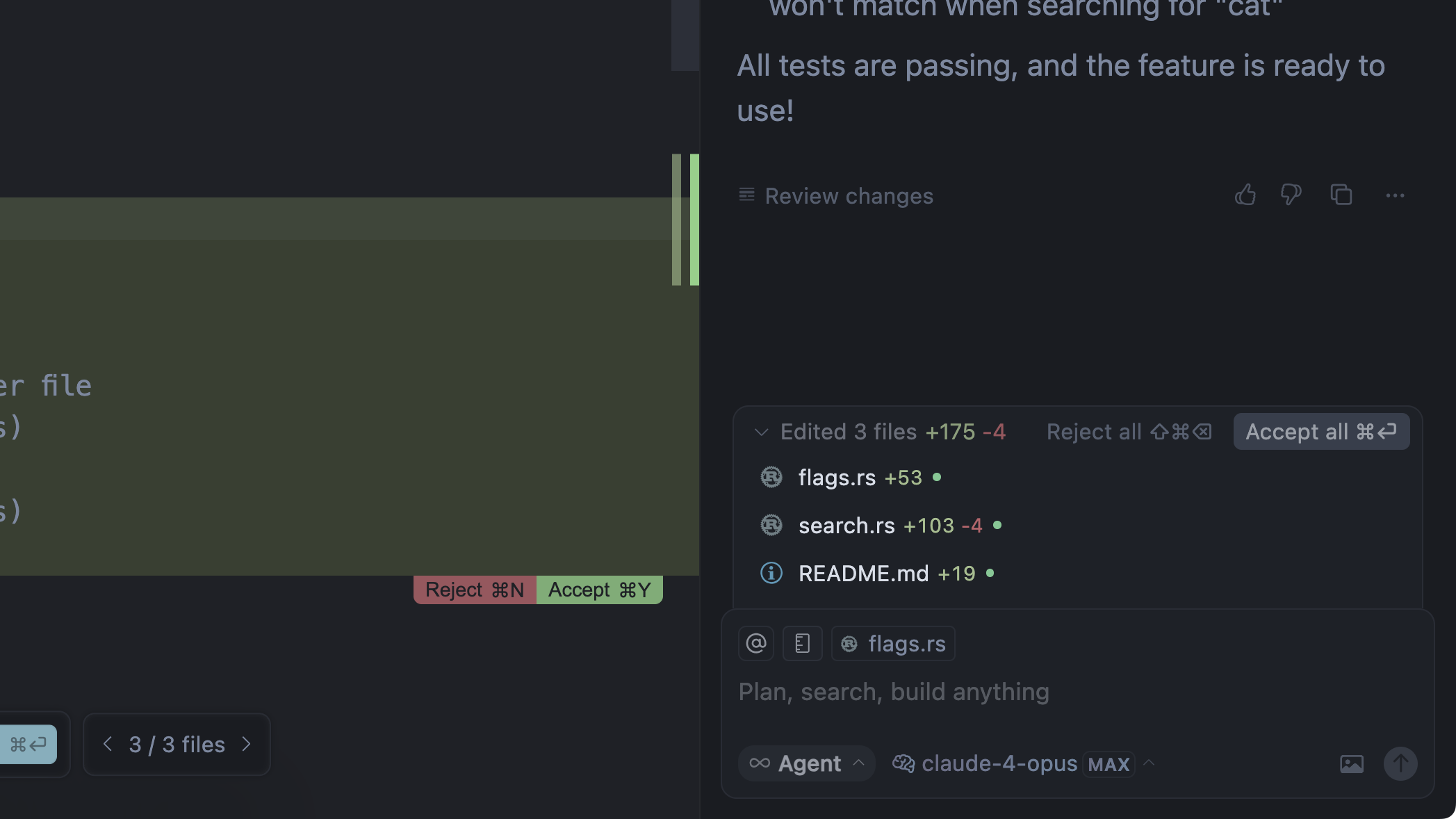
I’m reaching out because I can’t locate or change the Agent Review settings in Cursor. I currently cannot use the Agent Review feature and would like to adjust its settings; however, I only see “Undo all” and “Keep all.”

Could you let me know whether this feature has been removed from Cursor, or if I’m just looking in the wrong place? Thank you.

Steps to Reproduce

Run any code fixing

Expected Behavior

According to Cursor docs, i may see Agent Review, Undo All, and Keep All but only see Undo All and Keep All.

Operating System

MacOS

Current Cursor Version (Menu → About Cursor → Copy)
Version: 1.7.46 (Universal)
VSCode Version: 1.99.3
Commit: b9e5948c1ad20443a5cecba6b84a3c9b99d62580

Does this stop you from using Cursor

No - Cursor works, but with this issue

Hey, thanks for the report. The review interface was recently updated in version 1.7.

Review changes appear at the end of each of your requests where file modifications were made.

A couple more questions:

  • Are you using Agent mode or a custom mod?
  • Which models are you using?

Could you confirm if you can see this?

  • Are you using Agent mode or a custom mod? : I’m currently using Agent mode

  • Which models are you using?: claude-4.5-sonnet model

    Could you confirm if you can see this?: yes, i see those buttons about Reject and Accept, except Agent Review feature.

Thanks for the info. Could you share a screenshot and the request ID? To start, you’ll need to turn off Privacy Mode.

request ID: d1f1929e-3b7b-4334-ae74-7b00e803e13c

This topic was automatically closed 22 days after the last reply. New replies are no longer allowed.