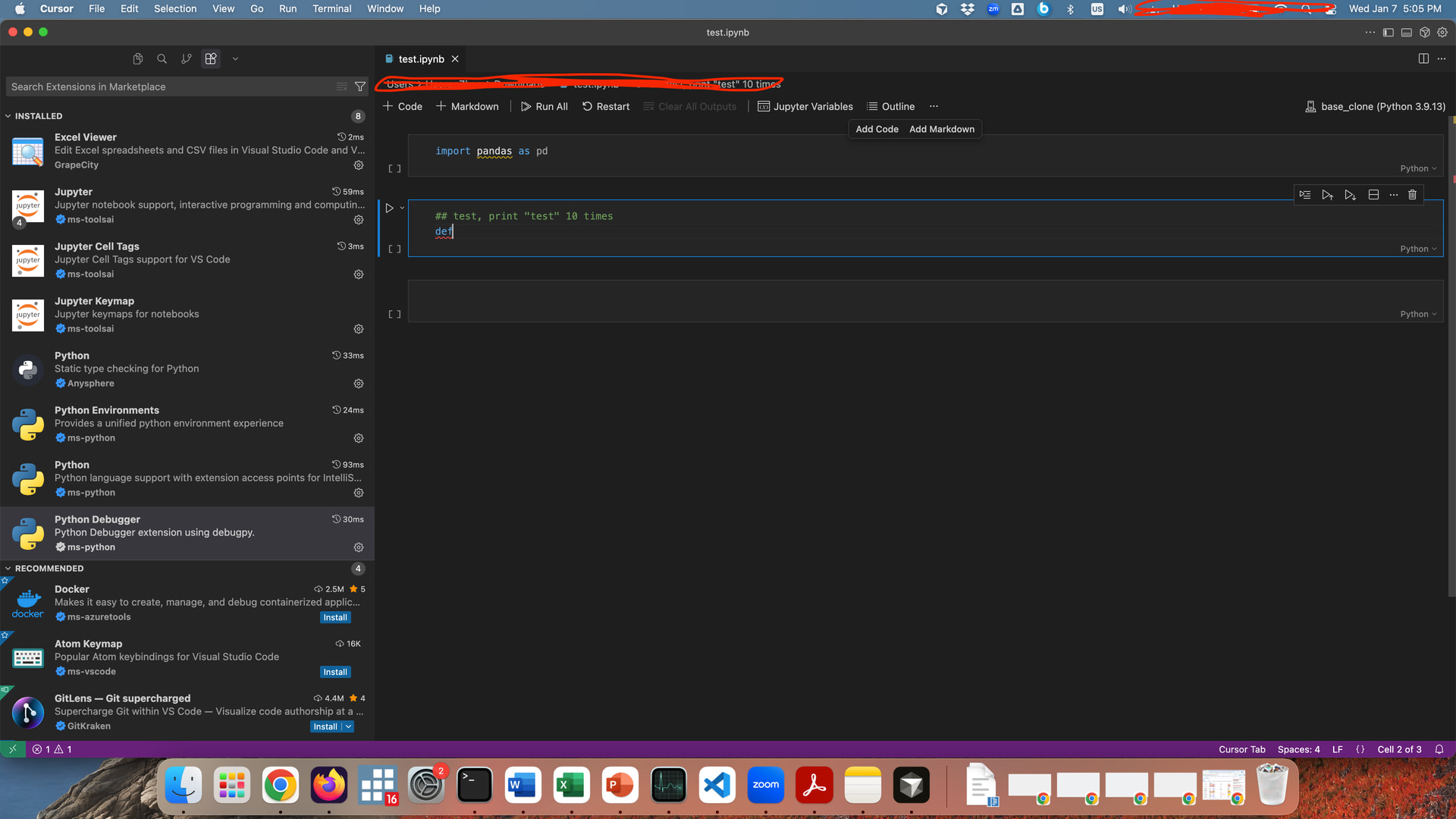
Where does the bug appear (feature/product)?
Cursor IDE
Describe the Bug
Works fine in .py file.
But not in .ipynb file. See screenshots. Tried multiple times, no matter I write an import line or simply prompt a function via a comment in a Notebook cell, it does not provide any autocompleting suggestions. Tried reinstall Cursor, clear cache, and reinstall Jupyter extesions.
Steps to Reproduce
Happens in any ipynb file
Operating System
MacOS
Current Cursor Version (Menu → About Cursor → Copy)
Version: 2.3.26
VSCode Version: 1.105.1
Commit: bdbdd3f2cf698f583c5cdd2a6dc0f5aec4ed5f90
Date: 2026-01-07T07:11:15.842Z (17 hrs ago)
Electron: 37.7.0
Chromium: 138.0.7204.251
Node.js: 22.20.0
V8: 13.8.258.32-electron.0
OS: Darwin arm64 21.6.0
Does this stop you from using Cursor
No - Cursor works, but with this issue