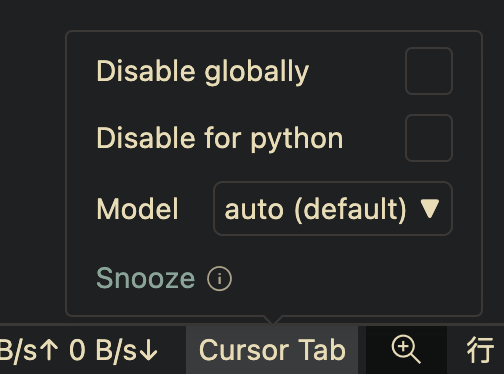
As the title says, yesterday I was happily writing code in .ipynb with Cursor Tab, but today Cursor Tab is completely unresponsive.
It worked again when I switched to a .py file, which is strange.
I searched through previous issues, and in 2024 someone said this was related to special Markdown blocks in notebooks, but I thought that should have been fixed by now, right? Also, I don’t recall any major changes to the Markdown sections of notebooks “yesterday” and “today”.
Steps to Reproduce
Don’t know.
Operating System
MacOS
Current Cursor Version (Menu → About Cursor → Copy)
Hey, thanks for the report. Since Tab works in .py but not in .ipynb, let’s check a few things:
Quick checks:
Status bar, open a .ipynb file and look at the bottom-right corner. Does it show Cursor Tab is enabled/active for notebooks?
Cell language, make sure the notebook cell is set to Markdown or Python as needed, not Plain Text. If Plain Text is selected, Tab suggestions might be disabled by your global settings.
Jupyter extension, confirm the Jupyter extension is installed and active.
If everything looks correct but Tab still doesn’t work in notebooks, it may be a regression. I’ll pass this to the team.
I have faced this problem before upgrading to the latest version, and then even I upgrade to the latest version, the tab function doesn’t work, either.
Same here, and it started today without having updated to the latest version. I’ve only updated after I’ve noticed it in the hope this would resolve the issue, but no luck.
I’m pretty sure that the type of each Cell is set correctly, because that’s the basis on which I’m developing.
Similarly, the Jupyter Extension is installed on my SSH: REMOTE machine, and functions provided by the Jupyter Extension, such as Debug Cell, are available.
 . Here i am, back to writing code like a caveman.