Cursor’s autocomplete isn’t working for me even though I’m on pro or have a pro tial.
To debug, please do the following:
- Check if Cursor tab is enabled in the status bar (bottom right of editor). If not, you should enable it.
. - If this doesn’t work, go to the cursor Tab (or Copilot++ in older builds) section of the output. Start coding and record the output


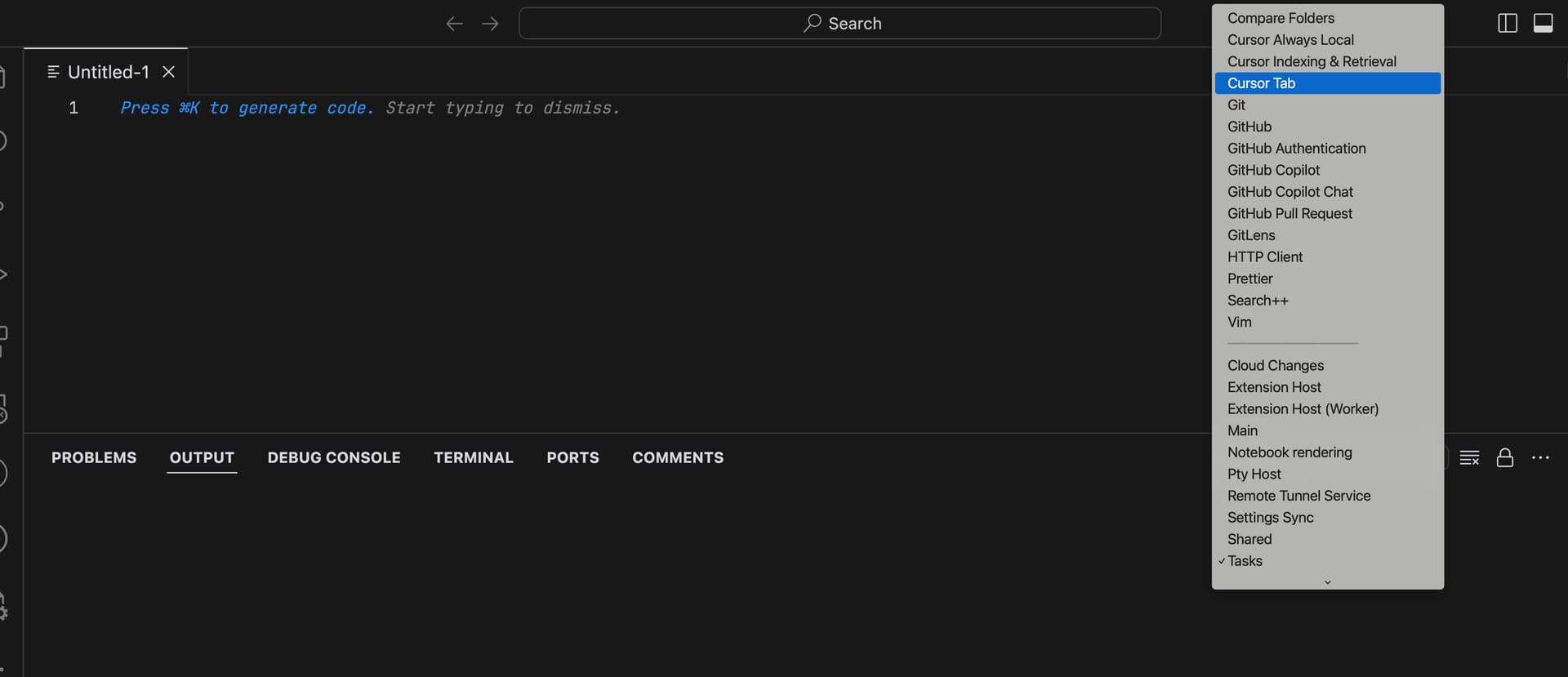
Please send the recording to [email protected] accompanying a forum post.
I have a pro plan, but my autocomplete is still not working.

But, when I click on Cursor Tab, I get an error “Requires Pro”
Suffice to say that my autocomplete is not working. I am behind zscaler though.
I have solved it. I hope you can solve it in the same way as me
go to cursor settings and logout and than login again. It helped me.
restart machine
Thank you. It worked for me.
I solved it by going to Command Palette > python.languageServer
The default value was None for me and I chose pylance