I get “Connection Error” for every request after 2.4.37 to 2.5.15 update.
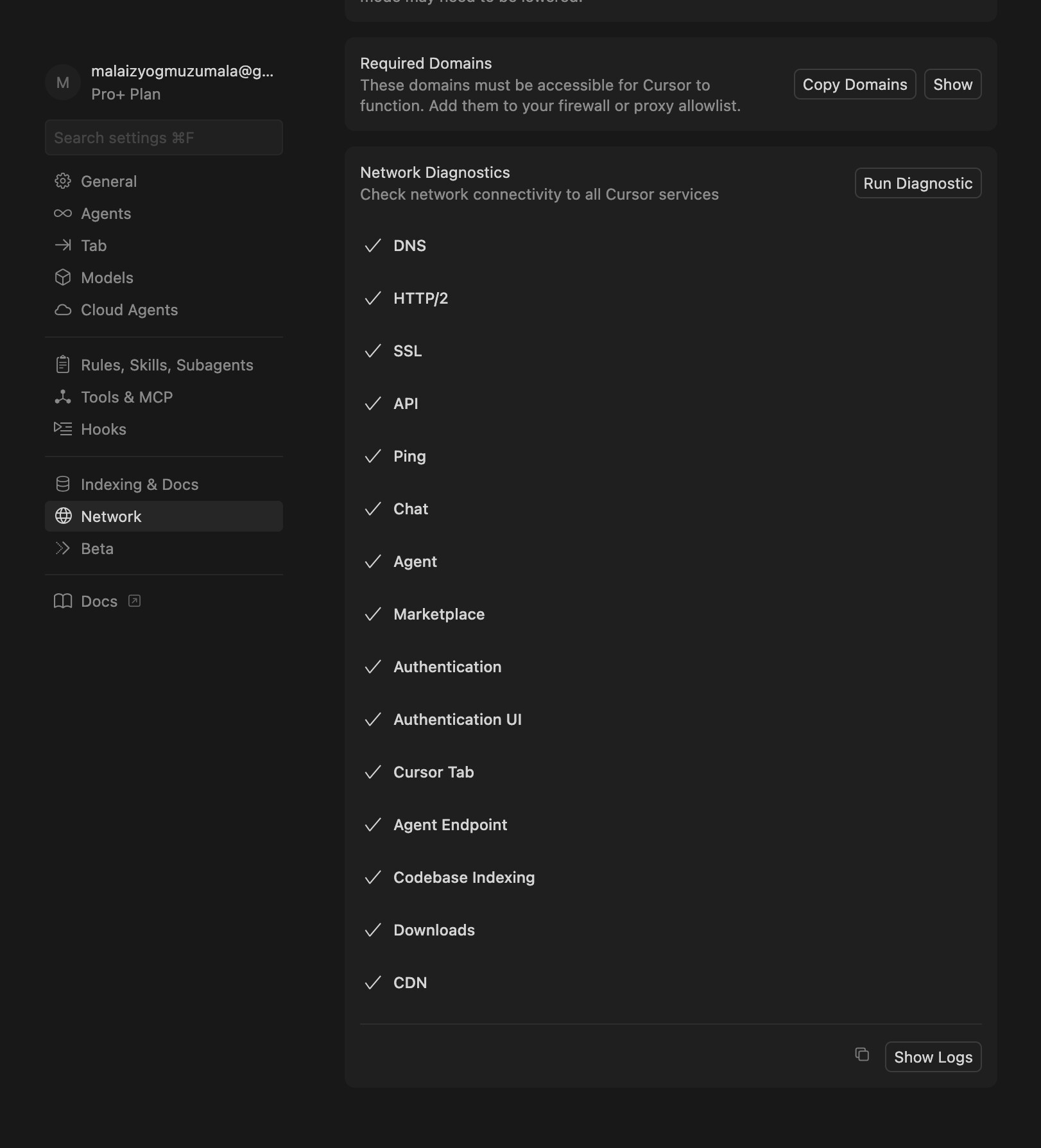
All ok in network diagnostics.
Request ID: 93e30f50-6c2a-4753-8baf-7620a19f0ae0
Failed to get request context: error
Error: Failed to get request context: error
at uOl.buildComposerRequestContext (vscode-file://vscode-app/c:/Users/rapha/AppData/Local/Programs/Cursor/resources/app/out/vs/workbench/workbench.desktop.main.js:44404:3889)
at async uOl.streamFromAgentBackend (vscode-file://vscode-app/c:/Users/rapha/AppData/Local/Programs/Cursor/resources/app/out/vs/workbench/workbench.desktop.main.js:44404:5384)
at async uOl.getAgentStreamResponse (vscode-file://vscode-app/c:/Users/rapha/AppData/Local/Programs/Cursor/resources/app/out/vs/workbench/workbench.desktop.main.js:44404:9837)
at async bLe.submitChatMaybeAbortCurrent (vscode-file://vscode-app/c:/Users/rapha/AppData/Local/Programs/Cursor/resources/app/out/vs/workbench/workbench.desktop.main.js:32178:15752)
Hey, thanks for the report. I can see a screenshot with repeated Failed to get request context errors, and also 403/404 responses from downloads.cursor.com / cursor-cdn.com at the bottom, which could be important.
A few things to try:
Sign out and sign back in: Open Cursor Settings (the gear icon in the top right), sign out, then sign back in. This can fix auth token issues after a big update.
Disable HTTP/2: Open Settings Ctrl + ,, search for “HTTP/2”, and enable “Disable HTTP/2”. Then restart Cursor.
Test without extensions: Run cursor --disable-extensions from the command line to rule out an extension conflict.
Clean reinstall: If none of the above helps, uninstall Cursor completely, including %APPDATA%\Cursor and %LOCALAPPDATA%\Programs\Cursor, then install version 2.5.15 again.
Try rolling back to a stable version.
You mentioned you’ve “already tried a lot”. Can you tell me exactly what you’ve tried so we don’t go in circles?
Also, are you using a VPN, a corporate proxy, or a firewall?
Request ID: e2f01879-4574-43a5-9114-fdc1236b5246
Failed to get request context: error
Error: Failed to get request context: error
at uOl.buildComposerRequestContext (vscode-file://vscode-app/Applications/Cursor.app/Contents/Resources/app/out/vs/workbench/workbench.desktop.main.js:44404:3889)
at async uOl.streamFromAgentBackend (vscode-file://vscode-app/Applications/Cursor.app/Contents/Resources/app/out/vs/workbench/workbench.desktop.main.js:44404:5384)
at async uOl.getAgentStreamResponse (vscode-file://vscode-app/Applications/Cursor.app/Contents/Resources/app/out/vs/workbench/workbench.desktop.main.js:44404:9837)
at async bLe.submitChatMaybeAbortCurrent (vscode-file://vscode-app/Applications/Cursor.app/Contents/Resources/app/out/vs/workbench/workbench.desktop.main.js:32178:15752)
same version with 2.5.15 update, already login and logout and change network in 1.0 , yes i use proxy from company but before update 2.5.15. its work
Request ID: 38080975-a010-44a7-a870-910424239c23
Failed to get request context: error
Error: Failed to get request context: error
at uOl.buildComposerRequestContext (vscode-file://vscode-app/c:/Users/me/AppData/Local/Programs/cursor/resources/app/out/vs/workbench/workbench.desktop.main.js:44404:3889)
at async uOl.streamFromAgentBackend (vscode-file://vscode-app/c:/Users/me/AppData/Local/Programs/cursor/resources/app/out/vs/workbench/workbench.desktop.main.js:44404:5384)
at async uOl.getAgentStreamResponse (vscode-file://vscode-app/c:/Users/me/AppData/Local/Programs/cursor/resources/app/out/vs/workbench/workbench.desktop.main.js:44404:9837)
at async bLe.submitChatMaybeAbortCurrent (vscode-file://vscode-app/c:/Users/me/AppData/Local/Programs/cursor/resources/app/out/vs/workbench/workbench.desktop.main.js:32178:15752)
Only started after upgrading to 2.5.15, was working fine previous version.
The Version: 2.5.15 issue is global. After updating my Mac OS, I can’t send a single request, and all support tips don’t work. They’re suggesting completely deleting all chats and scrapping the entire code base! Are they completely insane? Two years of work down the drain?
Request ID: ac66ddad-1ef9-4cd6-a307-a617b80796cf
Failed to get request context: error
Error: Failed to get request context: error
at uOl.buildComposerRequestContext (vscode-file://vscode-app/Applications/Cursor.app/Contents/Resources/app/out/vs/workbench/workbench.desktop.main.js:44404:3889)
at async uOl.streamFromAgentBackend (vscode-file://vscode-app/Applications/Cursor.app/Contents/Resources/app/out/vs/workbench/workbench.desktop.main.js:44404:5384)
at async uOl.getAgentStreamResponse (vscode-file://vscode-app/Applications/Cursor.app/Contents/Resources/app/out/vs/workbench/workbench.desktop.main.js:44404:9837)
at async bLe.submitChatMaybeAbortCurrent (vscode-file://vscode-app/Applications/Cursor.app/Contents/Resources/app/out/vs/workbench/workbench.desktop.main.js:32178:15752)
Can confirm downgrading to 2.5.14 solves the issue.
Upgrading back to Nightly and 2.5.15 brings it back again.
I’ve tried everything:
Disabling HTTP2
Sign out and back in
Test without extentions
Clearing Cursor Cache
Flush DNS cache
Only download the dmg from cursor.com and reinstall helped to downgrade to 2.5.14
And btw, Network Diagnostics run succeeded, but CDN and Downloads are 404/403 (but probably that’s not the case, cause 2.5.14 has the same - but it works)
Rolling back to Version 2.4.37 helped.
For Mac: Download the version below from the cursor website, copy it into the applications, and replace it.
For Windows: I can’t say anything about it, I have a Mac. But I think it’s just a reinstallation. Be careful not to lose chats and the codebase.
Got exactly the same issue, off to bed as it’s late here in NZ, will see if there is a fix in the morning. Good luck guys, Cursor really need to work on the release testing… did someone send them a jira ticket for this ? JK have a good one
This is the reason why I don’t want to enable auto updates. Reverting back to 2.4.37 solves the issue. I even deleted all of cursor-related files just to learn that the fix is to downgrade. What a mess
I’m unable to work. I am the sole frontend at a startup with extreme deadlines. this is absurd, don’t you have tests?? how such a basic thing broke? the whole idea of Cursor is integrated AI and it’s unusable currently. This is immensely frustrating. I am long-time user of over 2 years and this is the most I’ve been disappointed.
I reverted back to the latest stable version and it’s now working. If you use Windows, you should simply use download the 2.4 installer and run it - I didn’t have to clear cache/appdata or anything like that.
Same issue, all network tests seem to be passing for me though
Request ID: 30d058a9-e127-4f99-b097-ec117b34331a
Failed to get request context: error
Error: Failed to get request context: error
at uOl.buildComposerRequestContext (vscode-file://vscode-app/Applications/Cursor.app/Contents/Resources/app/out/vs/workbench/workbench.desktop.main.js:44404:3889)
at async uOl.streamFromAgentBackend (vscode-file://vscode-app/Applications/Cursor.app/Contents/Resources/app/out/vs/workbench/workbench.desktop.main.js:44404:5384)
at async uOl.getAgentStreamResponse (vscode-file://vscode-app/Applications/Cursor.app/Contents/Resources/app/out/vs/workbench/workbench.desktop.main.js:44404:9837)
at async bLe.submitChatMaybeAbortCurrent (vscode-file://vscode-app/Applications/Cursor.app/Contents/Resources/app/out/vs/workbench/workbench.desktop.main.js:32178:15752)
at async zs (vscode-file://vscode-app/Applications/Cursor.app/Contents/Resources/app/out/vs/workbench/workbench.desktop.main.js:43411:4782)


 JK have a good one