Where does the bug appear (feature/product)?
Cursor IDE
Describe the Bug
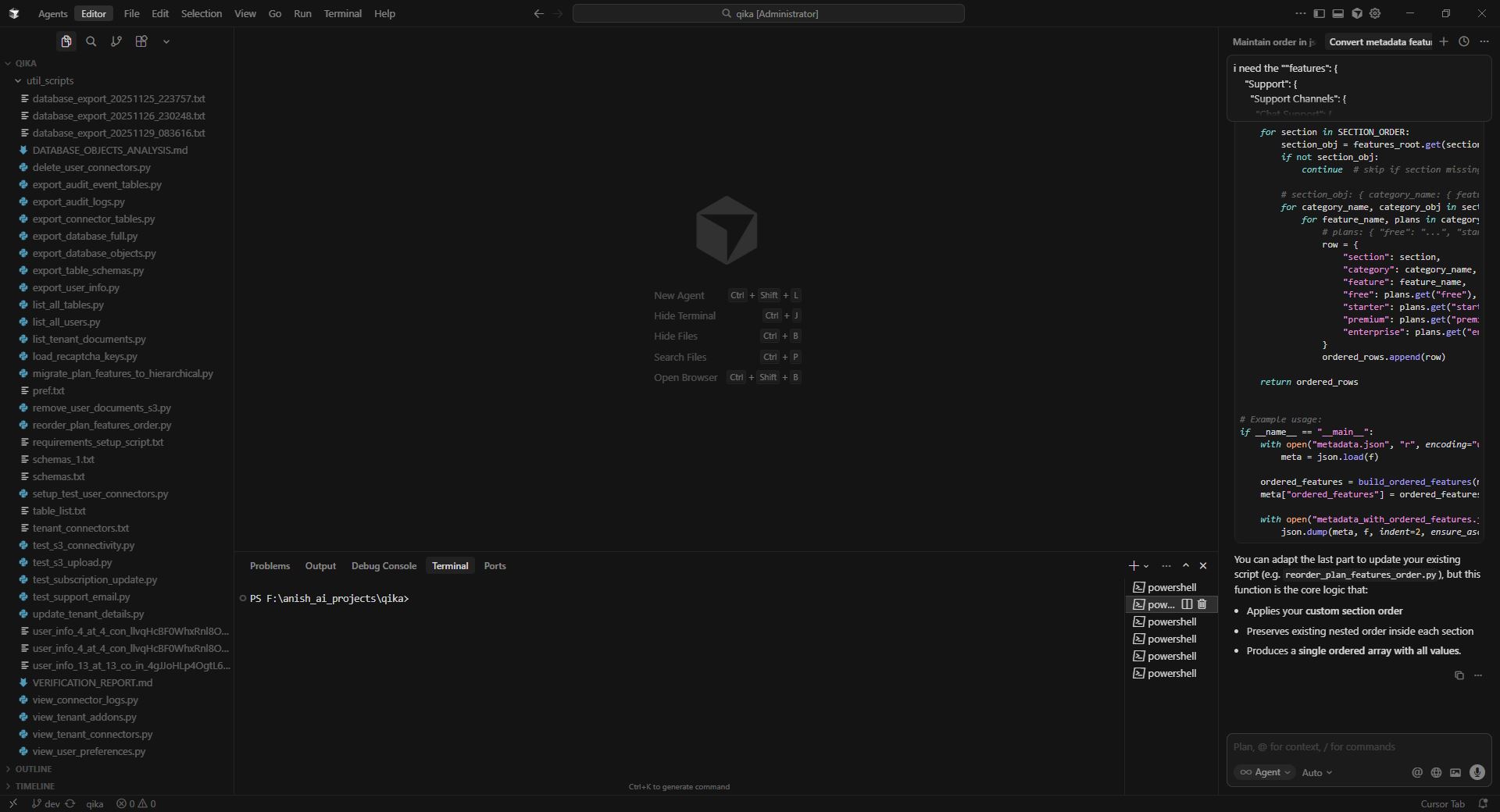
Whether you use the agent mode, it provides response like when you use “Ask” mode. It doesn’t update or create any files.
Steps to Reproduce
Use agent mode and give any prompt and it doesn’t make any edits.
Expected Behavior
It should update/create code and corresponding files rather than giving suggestions.
Screenshots / Screen Recordings
Operating System
Windows 10/11
Current Cursor Version (Menu → About Cursor → Copy)
Version: 2.1.39 (system setup)
VSCode Version: 1.105.1
Commit: 60d42bed27e5775c43ec0428d8c653c49e58e260
Date: 2025-11-27T02:30:49.286Z
Electron: 37.7.0
Chromium: 138.0.7204.251
Node.js: 22.20.0
V8: 13.8.258.32-electron.0
OS: Windows_NT x64 10.0.19045
Does this stop you from using Cursor
Yes - Cursor is unusable
deanrie
(Dean Rie)
2
Hey, thanks for the report. It seems you’re in Editor layout, we need to understand why the Agent isn’t suggesting/applying edits.
Please check the following:
- Layout/mode:
- Click Switch to Agent (top panel)
- Give a simple prompt: “create a file test.txt with the text hello” and check if the steps/edits panel appears.
- Permissions:
- Ensure the folder is not read-only (Folder Properties in Windows) and has write permissions.
- Repeat:
- Create a new empty project in a new folder → perform the same test.
- Developer: Reload Window and repeat.
- Diagnostics for investigation:
- Request ID from the chat menu (⋯) → Copy Request ID.
- Help > Toggle Developer Tools → Console (errors around edit/apply/fs) - screenshot/log.
- Settings > Network > Run Diagnostics; if there are errors - screenshot.
Let me know the results. If it reproduces with a new project and no network errors, I’ll pass it to the team.
Apologies for the late reply. It started working after an hour without me doing anything special. Thanks for the response.
system
(system)
Closed
4
This topic was automatically closed 22 days after the last reply. New replies are no longer allowed.