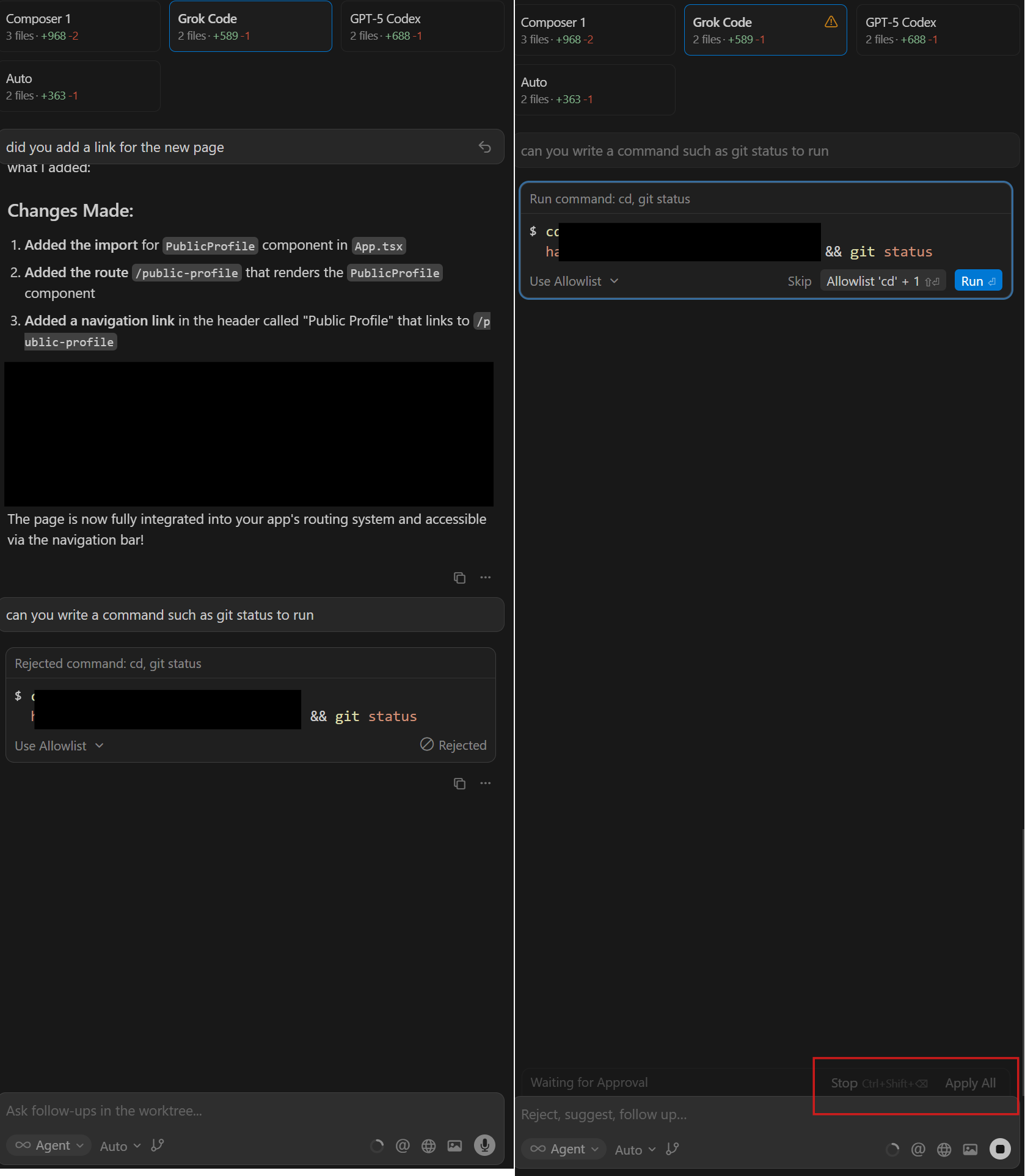
After updating to the latest version, I have lost the ability to apply and unapply changes made in the worktree mode.
I have found a hacky workaround that involves getting the agent to run a command, which brings up the option to apply and unapply before you accept or reject the command.
Before the update, there was always an apply/unapply button just above the chat box.
The apply button seems to show after new code is created for the first time, but it is gone for old chats and after you first apply the changes.
Steps to Reproduce
Make a change with worktree mode.
Press apply.
The unapply button doesn’t show up.
Expected Behavior
When you apply the changes, an unapply all button should show up.
Hey, thanks for the report. It looks like a UI regression introduced in v2.0.54 where the Unapply button doesn’t persist after applying changes in worktree mode.
I’ll pass this to the team for investigation. Your screenshot and repro steps are very helpful.
In the meantime, your workaround (triggering an agent command to bring back the apply/unapply options) should let you keep working.
Reapply button does not show in worktree chat after the first time you use it. I can review/accept the change or click “Undo Apply”, but clicking “Accept” only accepts it relative to the worktree. “Reapply” button should be available to easily merge changes from your worktree to your main repo at any point in time.
Steps to Reproduce
If I start an agent in a worktree and then follow up requesting a change, it will give me option to “Reapply” changes. However, upon subsequent requests for changes in the chat, the “Reapply” button is gone and I am not able to put further changes into my main repo.
Expected Behavior
Reapply should always be available to merge over worktree changes at any point in time.
Operating System
MacOS
Current Cursor Version (Menu → About Cursor → Copy)
After the first time you apply, it never shows an apply/reapply button again. It always just shows Undo Apply and Review.
If you click Review, it only shows the files from the first time you ran it in the chat. And it only shows Undo Apply at top.
Experiencing the exact same issue - I can apply the first changes the agent makes in the worktree, but subsequent changes cannot be applied to the main branch. This issue makes the entire ‘worktree’ flow unusable
After running a multiple models agents, I have applied changes from one of them, then revert applied changes from another, but I can’t re-apply the first one (composer-1 in my exemple).
Steps to Reproduce
run a multiple models agent, apply one, revert, apply another.
Expected Behavior
the button “apply” to be back on the first model applied (then reverted).