Describe the Bug
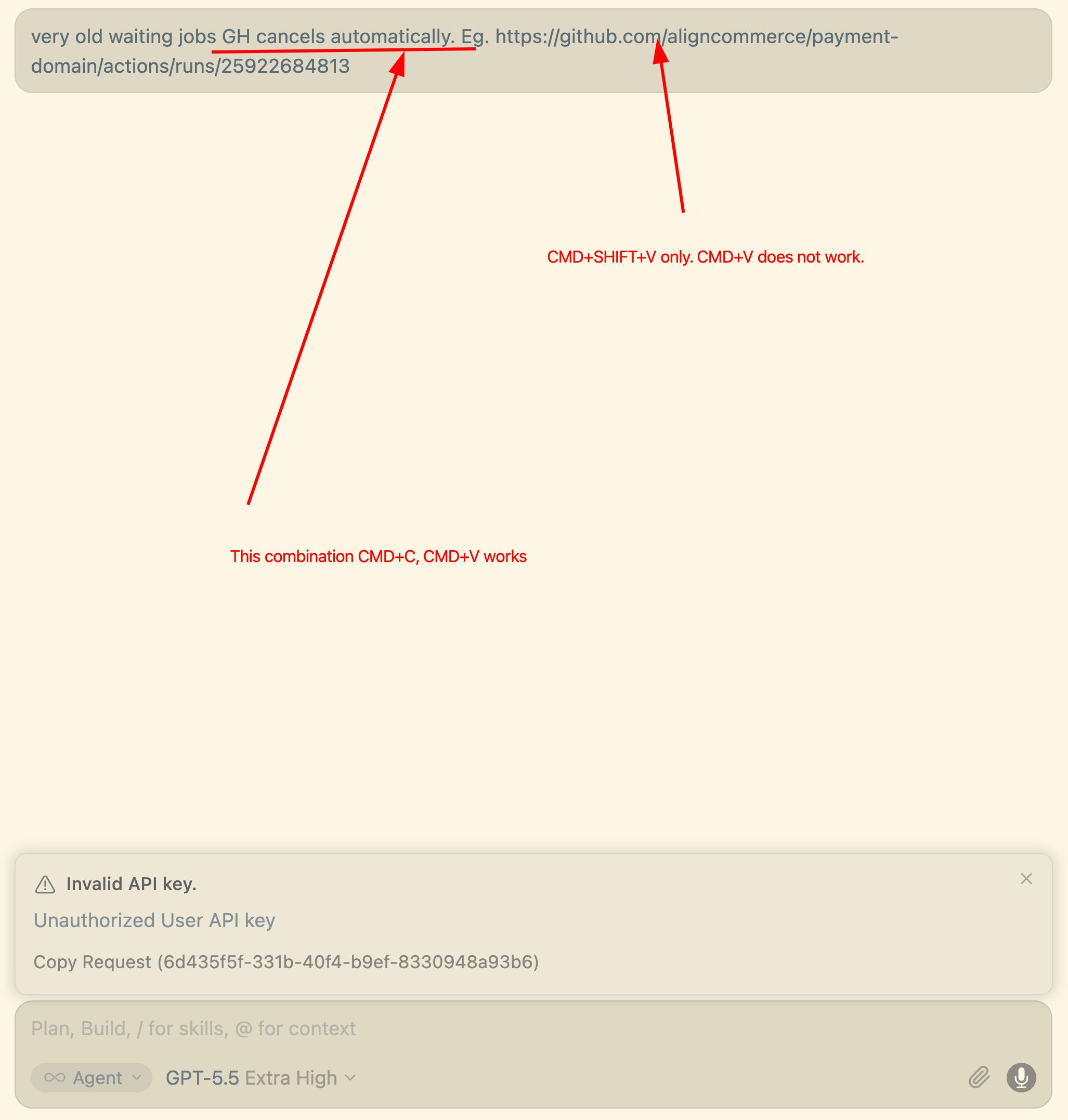
I copied an URL from address bar from FF and tried to insert it into cursor chat. And it does not work, though CMD+SHIFT+V does. Also if I select text at chat “cancels automatically. Eg.” and do CMD+C, CMD+V, this works too.
Steps to Reproduce
- COpy an URL From address bar
- try to use invalid key for OpenAI and ChatGTP-5.5
- do request, get the error
- go to the previous message, edit it
- Try to paste the copied URL
Expected Behavior
CMD+V should work
Operating System
MacOS
Version Information
v3.7.24 xxxx
Does this stop you from using Cursor
No - Cursor works, but with this issue
hm… another bug is that all the text I edited for the previous message . It is “very old wainting jobs … xxxx” was last when I sent it.
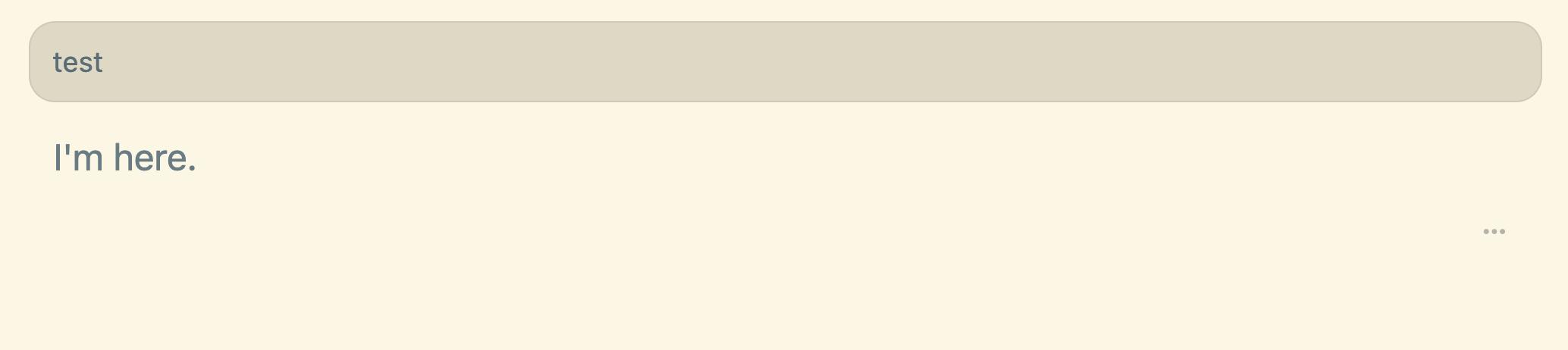
This what I saw after I sent the message above:
I go back to this “test” message, edited and sent again. All my edits are lost again: a5b80856-df12-4d49-a076-ad345daccc91
I repeated this a few times with the same result.
Two separate things going on here, so let me take them one at a time.
Pasting the URL (⌘V vs ⌘⇧V): this part is actually intended. When you paste a URL into the chat box, Cursor turns it into a clickable link chip so the agent can use the page as context, rather than dropping in the raw text. ⌘⇧V (paste without formatting) skips that and inserts the literal URL, which is why it works for you. Text you copy from inside the chat isn’t a URL, so it pastes normally with ⌘V. So nothing is broken there, ⌘⇧V is the right shortcut when you want the raw text.
Edits getting lost when you re-send an earlier message: this one is a real bug, and a known one our team is actively working on. When you go back to a previous message, change it, and re-send, the edit can silently get dropped and the original text comes back, which is exactly what you’re seeing. There isn’t a reliable fix on your side yet.
As a workaround in the meantime, instead of editing and re-sending the earlier message, you can send your revised prompt as a new message in the conversation. It won’t fork from that point the way an edit would, but it avoids the broken re-send path so your text actually goes through.
I’ll keep an eye on this and follow up here once the fix lands.
Please note, when Iam pasting URL with ⌘V nothing is happening or nothing is displayed.
As a workaround in the meantime, instead of editing and re-sending the earlier message, you can send your revised prompt as a new message in the conversation.
This does not work. because this message will be queued, but I need to send it now.
Thanks for the extra detail, that changes my answer on both.
Pasting the URL (⌘V): if it shows up as nothing at all (no link chip and no text), that’s not the intended behavior. Pasting a URL should turn it into a link chip, and ⌘⇧V should always drop in the literal URL. Two things that help: click into the box to place your cursor first, then paste, since the chip can get dropped if the paste fires before the box has focus. ⌘⇧V stays the reliable way to get the raw URL in, which you’ve already found works. If ⌘V still shows nothing even with the cursor placed in the box, a quick screen recording of that would help me pin it down.
Sending while the agent is busy: you’re right that a new message gets queued while the agent is still working. To send one right away instead, use ⌘⏎ (Cmd+Enter), which stops the current response and sends yours immediately. If you’d rather make that the default so plain Enter sends right away, open Cursor Settings, find Queue Messages, and switch it from “Send after current message” to “Stop & send right away.”
The edit-and-resend problem you hit earlier is still being worked on, so for now ⌘⏎ on a fresh message is the cleanest way to get your prompt through immediately. Let me know if the paste issue continues with the cursor-placed step above.
Sorry, no all details provided before.
I can not send new message, because I have a queue already.
anyway, I need to work with the current request and not new one. I done my task. Here I just reporting the issue I faced.
For the original it seems happens only when Invalid API key error exists. Edit the request sent, try to CMD+V url.