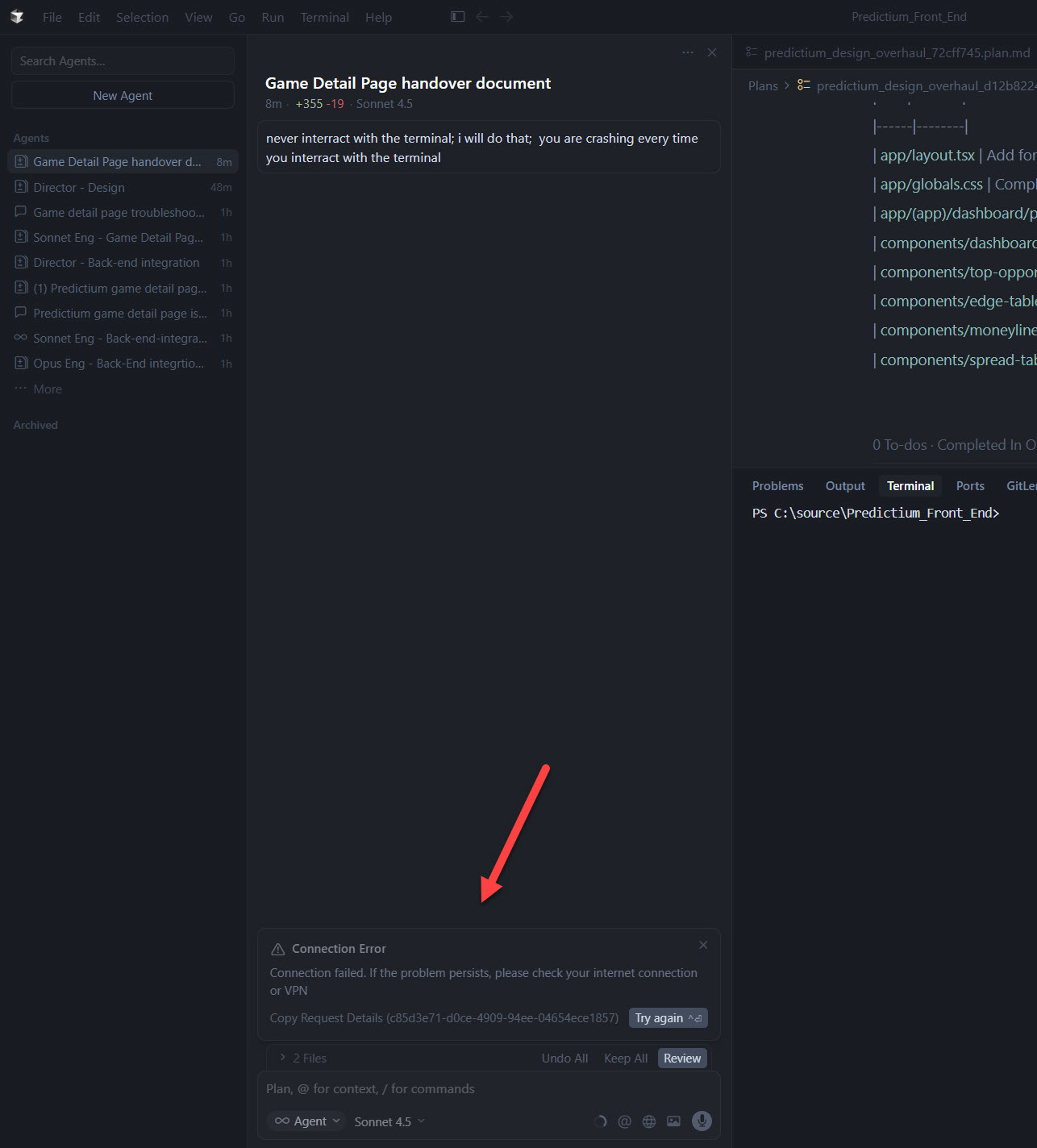
every time a Sonnet or Composer agent interracts with a terminal; a Connection Error occurs and the agent’s chat becomes useless and I have to start a new chat entirely; i was not having this issue with Opus agents; the issue is forcing me to use Opus even for menial tasks which of course is driving my usage through the roof; i have to instruct these agents to NOT interact with terminals at all
Steps to Reproduce
just by telling an agent chat to do something and then it inevitably wants to run a test or read terminal output
Expected Behavior
i expect these agents to be able to interract with terminals without Connection Errors that kill chats
This is a known issue on Windows when agents interact with a PowerShell terminal. The team is already working on a fix. It shows up most often when the agent reads terminal output or runs certain commands.
Workaround: try setting Git Bash or another shell (not PowerShell) as the default terminal in Cursor:
Open Settings Ctrl+,
Search for terminal.integrated.defaultProfile.windows
Change it to “Git Bash” or “Command Prompt”
Also, to help us diagnose it, can you share which exact commands the agent runs right before it crashes? Please check the terminal history right before the Connection Error shows up.
the crashing doesn’t stop - its happening with Opus too; its basically any time it needs to run a python script; its impossible to work like this because I cannot figure out how to keep the chat alive; it just continuously says connection failed, connection failed, connection failed any time i try to communicate with the agent; here is the latest request ID 91ca44fd-eb65-4e4f-b2e2-aa1e2e5692a1
the issue appears to be with agents trying to read terminal outputs; if i tell the agents to run in the background and produce all required output in a file; i instruct them to not try and read terminal output but wait for me to tell them when a script finishes, then they read the file output - that seems to avoid the issue
Thanks for the extra info. Yep, this is a known issue with the PowerShell terminal on Windows.
You found one workaround, where the agent writes to a file instead of reading from the terminal. Another option is to change the default terminal:
Open Settings with Ctrl+,
Find terminal.integrated.defaultProfile.windows
Change it to “Git Bash” or “Command Prompt”
Restart Cursor
The team is working on a fix.
For debugging, can you share an example script that triggers the issue? Also, what exact commands is the agent trying to run right before the crash? Please check the terminal history.