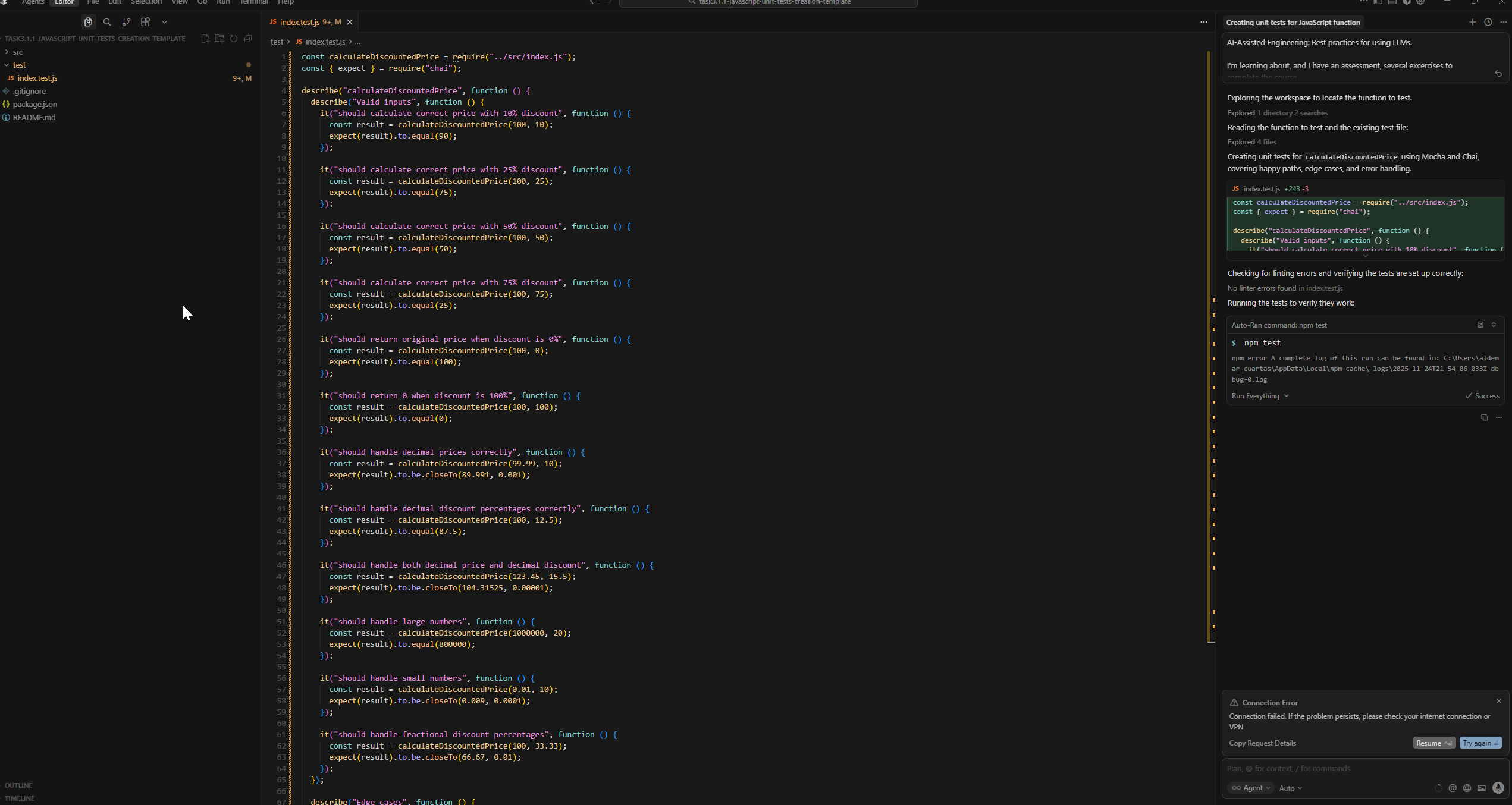
This is a really annoying issue that have happened several occasions.
I have internet, I tested with several pages, but if this is a problem caused by a different situation, cursor should be clear with what is happening. This is really annoying and doesn’t let me to move forward.
Steps to Reproduce
In this case the agent helped me with a javascript code, and after that it tried to run the npm test command, which generated errors, and immediately started having connection error.
Expected Behavior
This shouldn’t happen.
Screenshots / Screen Recordings
Operating System
Windows 10/11
Current Cursor Version (Menu → About Cursor → Copy)
Version: 2.1.20
VS Code version: 1.105.1
For AI issues: which model did you use?
Auto
For AI issues: add Request ID with privacy disabled
Request ID: a98837d0-234e-4a62-b9d7-d47da4df5904
ConnectError: [internal] Serialization error in aiserver.v1.StreamUnifiedChatRequestWithTools
at vscode-file://vscode-app/c:/Users/aldemar_cuartas/AppData/Local/Programs/cursor/resources/app/out/vs/workbench/workbench.desktop.main.js:6330:404567
Hey, thanks for the report. Let’s try these steps:
Quick checks:
Disable HTTP/2 (most common fix):
Open Settings (Ctrl+,)
Search for “HTTP/2”
Enable “Disable HTTP/2”
Restart Cursor
Start a new Agent session. In similar reports, the error sometimes gets stuck in a specific session, but everything works fine in a new one.
Check MCP servers (if you have any configured):
Cursor has a limit of 80 tools
Disable any MCP servers you’re not actively using
Some users found this fixed intermittent connection issues
Run network diagnostics:
Cursor Settings → Network → Run Diagnostics
Please try these steps and let me know if the issue persists. If disabling HTTP/2 doesn’t help, let me know whether a new Agent session works and what Network Diagnostics shows.
I attached a video with the issues. I configured what you recommended and it didn’t solve the problem.
The last part of the video shows how the chat keeps planning next moves without any advance.
I noticed this issue happens randomly in any part of the process, but also, most of the time, in the last part before showing Keep All button, when it’s trying to build or test.