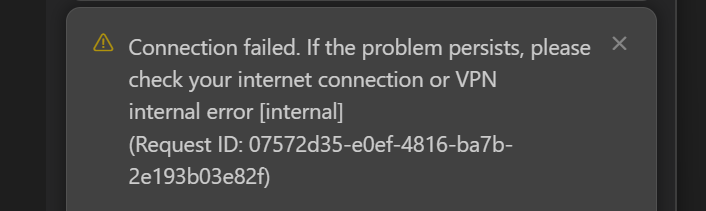
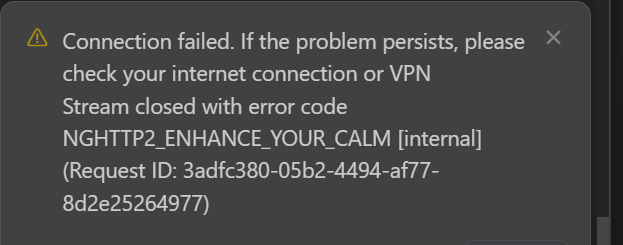
Was working along fine tonight (yup, took the latest update)and about 20 minutes ago, i get a message saying connection is down/check my connection. well, my connection to the internet is “fine” (other nodes, servers in the building, etc.).
Restarted Cursor (losing the prompt and media that was in queue ) and now the agents just hanging with “…” on prompt.
Your service page shows “now issues” - however im getting this after a while (and just now) as a type, so im pretty sure my connection is “ok”
Hey, thanks for the report. Could there be issues with your internet connection? Are you using a VPN or proxy? Also, try running a network diagnostic in the Cursor settings.
So, i think that this ‘standard method of triage” and response is a bit “insulting” and demonstrates that, i feel, that we arent reading or evaluating the content of the message, nor in fact the 1000s of message on stability that have been written
IN fact, during the time that message came up I was posting the post, as well as i already indicated that in our DC, we had all our other services working, both in an outbound.
I would really suggest rather than pushing back at the standard “did you check your connection”, when as outlined in the post it was working and then “stopped”, perhaps maybe take a less “it must be the end-user approach” and perhaps trust in the fact that more senior people wouldnt write something unless there was an actual issue.
My feeling, after spending 4 months now, and having uploaded error messages, a full network trace using speedtest.net, Fast and other connection tools and still seeing “almost nothing’ but '- “try the next update”, can you send more is a pain point that is going to cause you guys to fail.
I provided the time stamps,. a clear printout of the fact that I was getting back a NGHTTP2 server message and still you came back with “check your connection”.
Can you please explain why CURSOR server is throwing TCP RST’s whenever we are trying to send a prompt? You can see clearly that when i click the button to send a prompt,we are getting back TCP RST from your server. You can see clearly this your public IP address as well.,
Can you please provide the method to show why your service is not responding properly now that I have spent another 20 m inutes debugging your service?