I have seen several threads about this, but pretty much radio silence from Cursor themselves. I find it a really strange decision to remove support for referencing code symbols (function names, types, classes etc. etc.) using @ in the agent prompt window. This really slows down my development because I have sometimes many similarly named functions in different classes and typing MyFunc in @ SomeFile.cs is just so much more annoying than how it used to be (@ MyFunc and click the correct one in the list).
If Cursor devs use their own IDE to develop their product, then I am surprised that they did not flag this as a major annoyance!
Also, it’s just stupid from a context perspective, because the agent has to then search for the referenced piece of code, rather than being handed it on a platter.
Is there something I am missing? What is the trade-off here? Or is it a genuine bug (although I read somewhere it was in the release notes).
This is a serious retrograde step in my opinion and will lose people.
This is a fundamental feature that they have removed. They are simply making Cursor dumber and less productive than before for real projects. And they don’t care, I don’t know if it’s because of their new business model: less productivity with more tokens so you can spend more money.
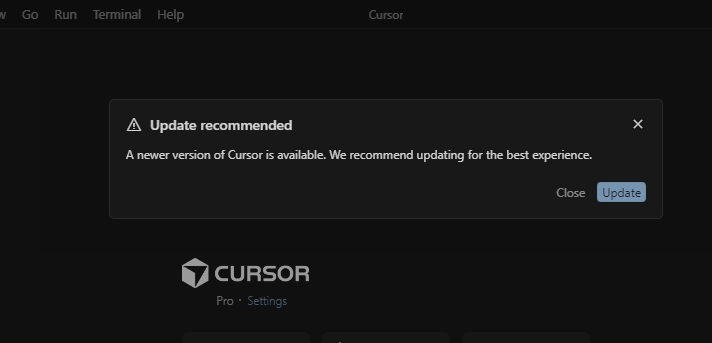
They recently implemented an annoying permanent pop-up window in Cursor 1.7 that recommends updating for a “better experience,” which it is not.
Internally, the symbol reference involves reading the entire file(it should), so it is not more resource-efficient; it is only an improvement in DX or productivity.
These people clearly don’t use Cursor or aren’t interested in DX; they’re just trying to make it attractive to people who do VibeCoding.
For now, the closest thing to this is Windsurf (I haven’t researched it further). It still allows you to use symbol references.
The only “quick” way to use symbol references at the moment is using the editor window, select the symbol, and press Ctrl+L. But it’s a far from what it used to be.
It would help if you shared versions. I am on Early Access but not Nightly and have (2.2.20) the ‘@’ symbol has behaved the same as far as I can remember, still works right now.
Just to be clear, I can @Files (that still works of course) but not symbols anymore. Are you definitely able to type @MyFunc and reference the exact piece of code you want?
Good clarification no that does not but I stopped using that a long time go, @ is not needed, I just type the symbol name and it autocompletes it, have been doing this way for over a month and the agents have no issue figuring out what I am talking about.
Fair enough. Maybe I have to adapt. But I really liked the clarity of @ing symbols directly. It also meant I could click through to the symbol in question and instantly be at the piece of code I was talking about (autocomplete cannot do this).
Yes I’ve raised this issue in another thread, it’s definitely not something that was meant to disappear as it’s still in the Cursor doc.
It’s also widely used in other UIs of competitors, e.g., Antigravity.
The autocomplete is still experimental and doesn’t always work. I can be faster @ and fuzzy search the dedicated symbol and I’m sure the LLM gets the exact code as context.
Even if writing the name can work, it’s safer imo (for context, hallucination etc…) to provide exactly the codeblock you want.
@deanrie did you get any news for this? It’s been quite some updates now and it’s still not back
Hey, thanks for your interest in this feature. The @Code symbol reference (autocomplete for functions/classes by name) was removed in Cursor 2.0 as part of the UI update. This is a known issue many users have faced - we are looking into it.
For now, there are a few workarounds:
Use @Files instead and specify the file where the function is located
Select code in the editor and press Cmd/Ctrl+Shift+L to add it to Chat
Describe the function in text instead of by name, for example: “change logging in handleWebsocket to debug”
Try Agent Autocomplete in Settings > Beta - it might help with autocomplete
I’ll pass on to the team that this seriously affects productivity.