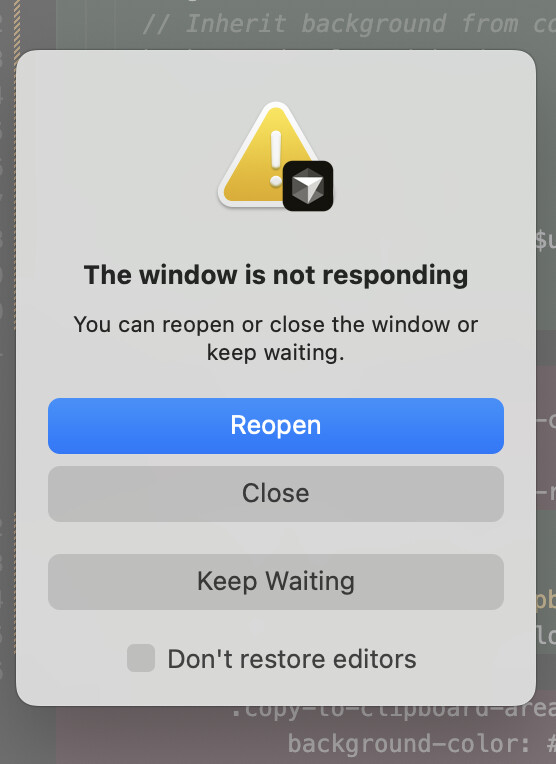
After opening my project (React), Cursor becomes almost completely unresponsive within ~30–60 seconds. The UI freezes, typing lags heavily, and eventually macOS shows the “The window is not responding” dialog.
In some cases, I had a few longer sessions of about 5–10 minutes where everything worked normally, and then suddenly the app stopped responding without any clear trigger.
I also tried closing the chat thread inside Cursor to see if it helps, but the freeze still happens.
Sometimes the crash happens immediately after launching the project, sometimes after about a minute.
Frequency:
Happens consistently every time I open a project.
Started on 23/11 around noon
Steps to Reproduce
1.	Open Cursor.
2.	Open a project (without running anything) .
3.	Wait 20–60 seconds.
4.	UI becomes frozen / extremely slow.
5.	macOS crash dialog appears.
Expected Behavior
Cursor should remain responsive and not freeze/crash while editing or immediately after opening a workspace.
Hey, thanks for the report. I know this is pretty frustrating. Let’s collect some diagnostic info to find the cause.
Please check these before the next crash:
Extensions: run cursor --disable-extensions from your terminal and see if the freeze still happens
Process Explorer: CMD+Shift+P → “Developer: Open Process Explorer” → take a screenshot of any processes using a lot of CPU or memory during the freeze
Console errors: Help → Toggle Developer Tools → Console tab (open this before reproducing the issue) → share any errors you see there
Settings check: CMD+Shift+P → “Preferences: Open User Settings (JSON)” → look for "workbench.editor.showTabs": "single" and change it to "multiple" if it’s there
Quick things to try:
Clean storage:
Close Cursor
Rename the files at ~/Library/Application Support/Cursor/User/globalStorage/state.vscdb and state.vscdb.backup
Start Cursor again
Similar crashes are often caused by problematic extensions or the showTabs setting.
Thanks for the quick response and detailed instructions!
In the meantime, I did a bit more investigation on my side.
GPT recommended a few ways to handle large repos, and one of the suggestions was to close all open tabs/files. It was a bit difficult because the app was almost completely unresponsive, but after I managed to do so, the crashes stopped happening.
So it looks like the issue may be related to having many tabs open at the same time.
(I also clicked on “clear all chats”.. so maybe thats can be another related thing)