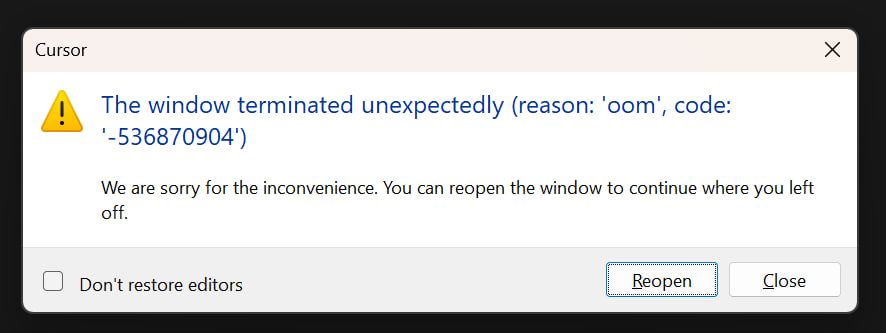
Hey, thanks for the report. OOM crashes with multiple chats open can be caused by extensions or very long chat history consuming a lot of memory.
Please try the following diagnostics:
Safe mode test: run cursor --disable-extensions from your terminal and use Cursor as usual. Does the crash still happen?
Process check: before the crash occurs, press Ctrl+Shift+P → Developer: Open Process Explorer and take a screenshot showing which process is using the most memory.
Clear long chats: if your 3 chats are very long, try temporarily clearing the chat history and see if that helps.
Also, please share:
Which extensions you have installed
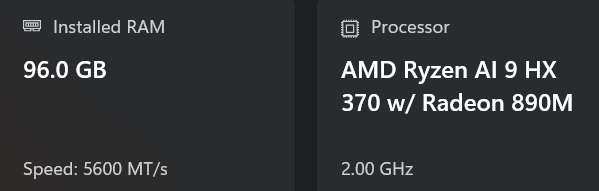
How much RAM your system has
The approximate length of those 3 chats (number of messages)
Thanks, I’ll make sure to take a screenshot next time when I feel Cursor becoming sluggish.
In the meantime:
* Number of messages in the chat: Is there an easy way to check this? I have no idea.
* Extensions: very few
Great info! With only 2 minimal extensions and 96GB of RAM, it’s unlikely this is caused by extensions, but the safe mode test will confirm.
In the meantime, to estimate chat length: there’s no built-in counter, but you can scroll through the chat to get a rough sense. Very long chats (100+ messages with large code blocks) can use a significant amount of memory.
When you’re able to grab a Process Explorer screenshot right before the next crash, please share it here along with the safe mode test results. That will help us see which process is using the memory and whether it’s extension-related or a core issue.