tianzeliu
November 7, 2025, 2:21am
1
Cursor IDE
I am using Cursor on a remote server that requires a VPN connection. I noticed that Cursor Tab tends to go on and off in this setting, and it is getting worse in recent weeks.
You need to connect to a server through VPN.
MacOS
Version: 2.0.64
Sometimes - I can sometimes use Cursor
1 Like
arun
November 7, 2025, 5:03am
2
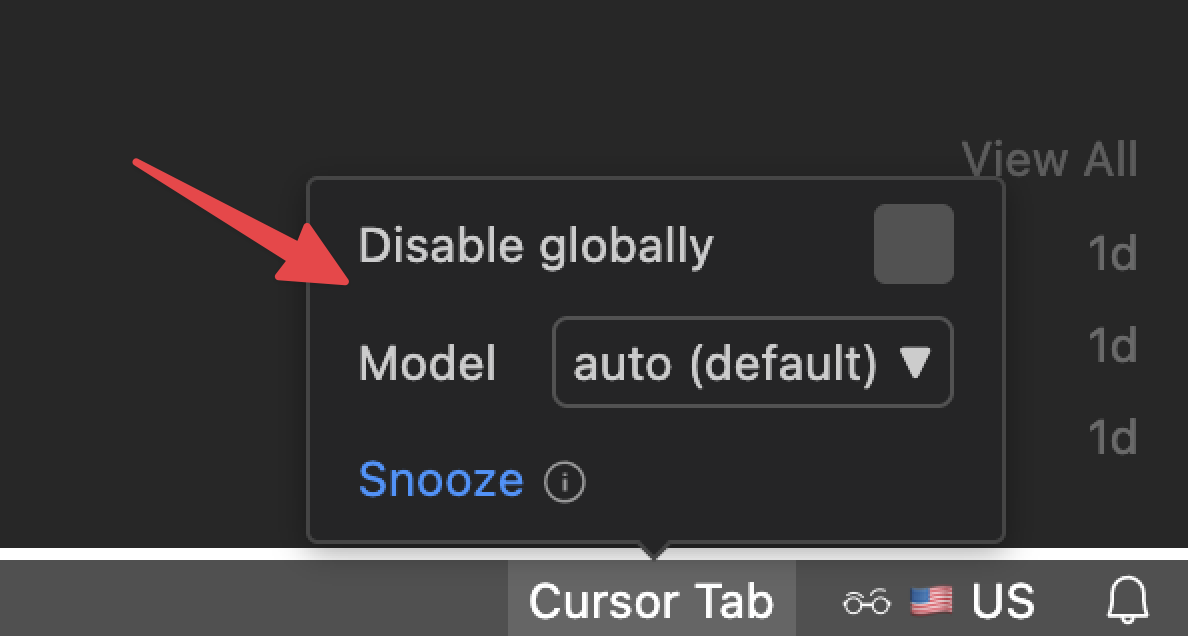
Hey @tianzeliu , could you clarify whether the Tab Completion setting itself is being switched off/on (as in the image below), or if the completion just stops working?
If it’s the completion that stops working, try these steps:
Run Network Diagnostics: Cursor Settings → Network → Run Diagnostics and share the results. Is it all green?
Disable HTTP/2: Cursor Settings → Network → HTTP/2, disable it, and then restart Cursor. Does that help?
Test with extensions disabled: run cursor --disable-extensions from a terminal and see if the issue persists.
Also, could you let me know:
Does this happen in a fresh project?
Any errors shown in the DevTools console (`Help → Toggle Developer Tools`)?
Let me know what you find; we can figure out the next steps from there.
sanjeed5
November 7, 2025, 11:24am
3
Thanks @arun @tianzeliu Please share more info as arun mentioned to help figure this out. Thanks!
tianzeliu
November 11, 2025, 2:10am
4
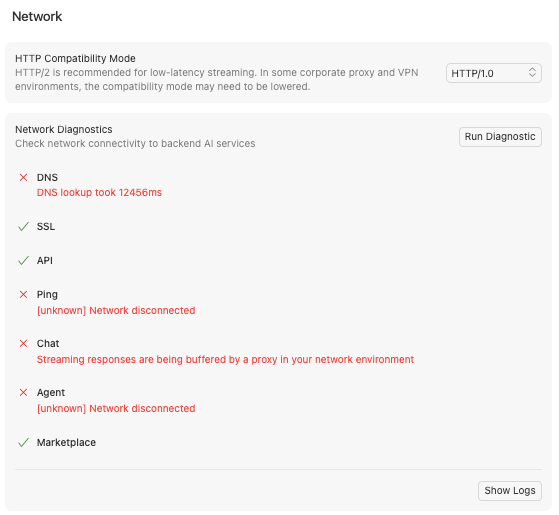
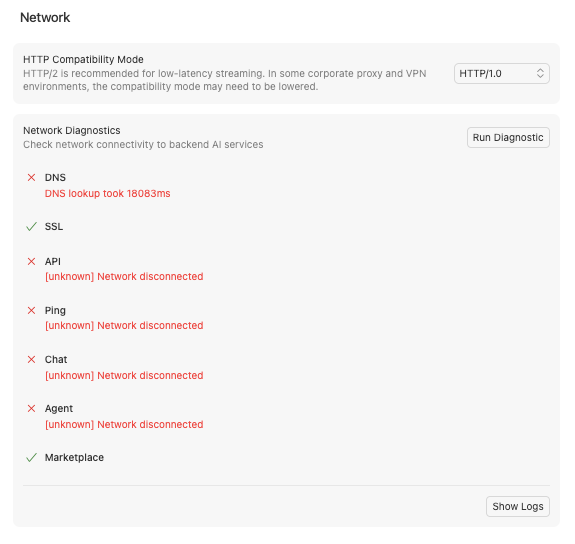
This is the result of the network diagnostics when the HTTP compatibility is set to 1.0. It looks like both Chat and Agent have network issues.
arun
November 17, 2025, 3:50pm
5
Hi again @tianzeliu , if you set HTTP 1.1 in the compatibility setting, what do you see?
HTTP/1.1 usually works better than HTTP/2 when a VPN is involved.
HTTP/1.0 generally isn’t needed for this issue.
Could you switch the setting to HTTP 1.1 , restart Cursor, and let me know whether tab completion stays on?
FinDevAI
November 17, 2025, 4:55pm
6
I have been running Cursor over Wireguard VPN’s for many many month with excellent reseults. Try Wireguard on a Netgate device with a CAT6 cable
tianzeliu
November 18, 2025, 3:18pm
7
It still doesn’t work even after I changed the compatibility mode to HTTP 1.0. Is that because my VPN is particularly bad?
arun
November 18, 2025, 4:30pm
8
There seems to be a misunderstanding - could you try switching the HTTP compatibility to HTTP 1.1 (instead of 1.0), then restart Cursor and test both with the VPN on and off? While you’re at it, check whether Agent and tab‑completion all work as expected. Let me know what you see.
tianzeliu
November 20, 2025, 4:17pm
9
Setting the compatibility to HTTP 1.1 doesn’t work when I am connected through VPN, but it works without it.
system
December 12, 2025, 4:18pm
10
This topic was automatically closed 22 days after the last reply. New replies are no longer allowed.