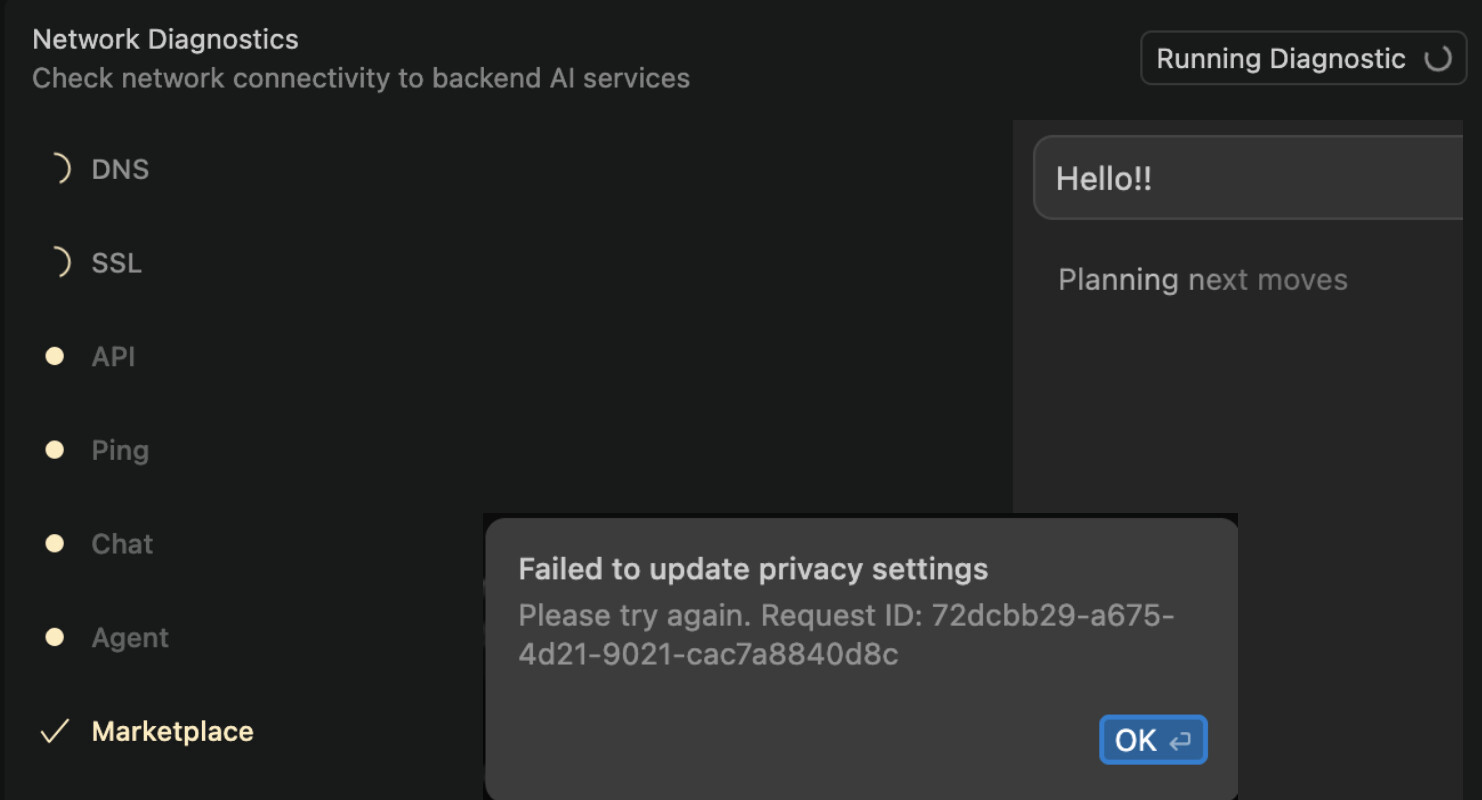
When I try to use any model, it thinks indefinitely. When going to Settings > Network > Network Diagnostics, it does not connect, even if a Try https1.1. On Settings > General > Privacy Mode, it appears a circle spinning also indefinitely. The weird thing is that on another computer, the same account, connected to the same network, works fine, and I’m able to use Cursor normally. The computer where this Cursor does not work, I can connect to the internet and the connection is fine, it’s just Cursor that is failing. I’ve reinstalled Cursor ( removing config folders) a thousand times and still does not connect.
After disabling HTTP/2, the problem continues to be the same. I used the chat moments ago with the following Request ID: [68433e1a-32fa-4e3b-897f-f3bc045043bb] the chat says Planning next moves and is there stuck.
I have Firewall deactivated, and I’m not using any Proxy or VPN.
I tried creating a new user on the same computer, and for that user everything works as normal (connecting to the same network). Which makes me think that something is wrong with my user, but I do not find on Mac Settings or Cursor anything suspicious or who or what is blocking Cursor connecting to the AI services. I do not know what I could provide to you to reproduce the error. Cursor is the only application that is unable to connect, other applications are performing normally.
I’ve uploaded an image showing the run diagnostics in cursor, the chat I’m referring and also when I try to change Privacy mode is unable to do that.
Short question, are you running your devcontainer in a docker container? I had the same issue and it was the docker image blocking the traffic. costed me some life-time to figure this out.
After adjusting the image to a more common one and doing a rebuild and reopen in container, it is now working again.