Just saw this little easter egg drop with Claude 4.5. How does one use this capability?

Hi @charles some beta testers may have already be trying it out but not yet generally available. For those using Early Access version (beta) it would be available as Browser in Settings and in the Agent Chat. Note that Early Access is not as stable as Default release channel and feature may change.
What would be really cool and good is if Cursor had computer use for basically literally anything. I hope this happens in the near future!! I can’t wait!
Any chance to get this running within a wsl workspace?
You should be able to! What’s not working? Also, you could try agent window + cursor browser from beta settings
Cursor cant seem to connect or find chrome when inside something wsl related, with regular local files it works:
”Chrome Required
Browser automation requires Chrome to be installed. Please install Google Chrome and try again.”
The agent window & beta browser worked without an issue.
Working on this
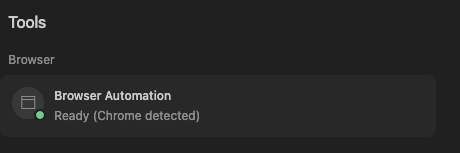
it seem can’t open a link even though cursor all ready found chrome
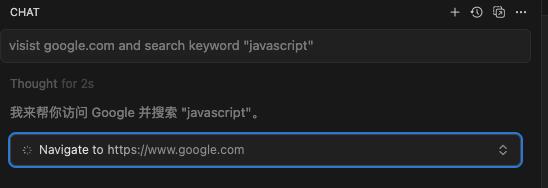
Version: 1.7.23
Commit: 5069385c5a69db511722405ab5aeadc01579afd0
Date: 2025-09-30T02:52:09.100Z
Browser: Mozilla/5.0 (Macintosh; Intel Mac OS X 10_15_7) AppleWebKit/537.36 (KHTML, like Gecko) Cursor/1.7.23 Chrome/132.0.6834.210 Electron/34.5.8 Safari/537.36
Second this, it is not working at all currently. On WSL2. Claude says “The browser is trying to run in headed mode but there’s no X server available in WSL2” but it cannot solve it.
No that does not help either.
Hey just a small friendly question, but when do you think we’ll see the AI enable computer use for any window in Windows 11/MacOS/Linux?
My patience is wearing thin for how insanely awesome this computer use browser thing is!! I wish I could try to make it automate my whole desktop at this point, for example I was building an Atari 2600 game with the Stella emulator, couldn’t it just capture the screen from the window and do it that way, if we had this new PC automated implementation inside Cursor?
I wonder if it’s possible yet, or if there needs to be a more better high-end sophisticated AI model that can do that and it needs to be released like a year or a few years…
Just let me know, thanks!
P.S. Use my message as a question and good feedback.
What is this “Computer use“ feature for ? is there any documentation about it ?


Im using an M1 Mac and this ‘Browser’ option does not do anything when I click it:

Cursor Ask said a browser tab should be open within Cursor when I click it.
I have it enabled in the settings:

It has also detected Chrome in the tools section here:

Despite all this and following all other troubleshooting steps the ‘Browser’ feature does not work.
There is definitely a bug here somewhere!
Hey everyone, thanks for the report. We’ll investigate this.
I used the Computer Use feature. it seems to only take screenshots of the browesr, so its hardly computer use. more like browser Use.
and it coukd only see static images, but i was trying to prompt it to fix an popout animation i had, but it cant even see the animation taking place in the browser. it keeps say it looks all good. i am like but its flicker like crazy.
is there a setting where i could have it take 60 screenshots in 60 frames per second. so that it can see the issue i am facing? a setting like that would be very handy.