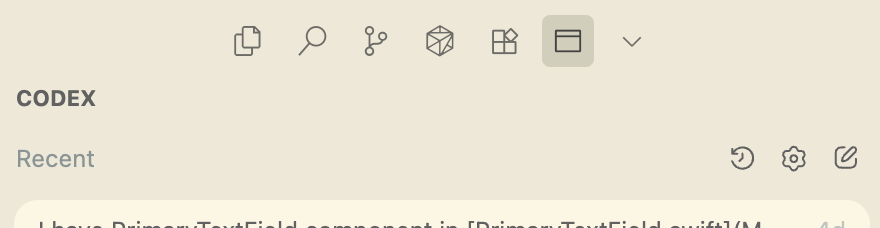
Where does the bug appear (feature/product)?
Cursor IDE
Describe the Bug
Hey, I was playing around with the Codex extension’s placement in the IDE interface, and something seems to have broken.
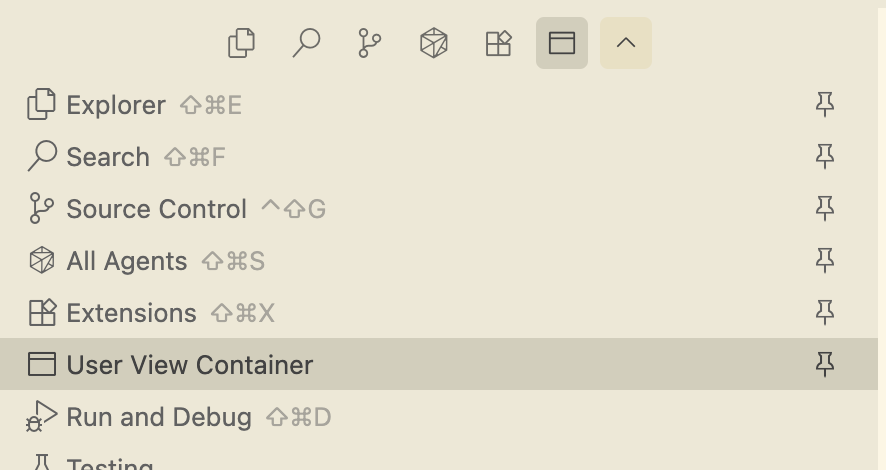
Now the extension appears as “User View Container” with a generic folder icon, instead of its normal name and icon.
I’ve already tried reinstalling the extension and reloading the window, but that didn’t fix it.
Any idea how to restore the original name and icon?
Steps to Reproduce
- Select Codex extension on the left sidebar
- Drag the title of the extension that says CODEX (uppercased) from the left sidebar to the right one (to Cursor chats)
- Then remove the Codex chat from the right sidebar
Screenshots / Screen Recordings
Operating System
MacOS
Current Cursor Version (Menu → About Cursor → Copy)
Version: 1.7.54 (Universal)
VSCode Version: 1.99.3
Commit: 5c17eb2968a37f66bc6662f48d6356a100b67be0
Date: 2025-10-21T19:07:38.476Z
Electron: 34.5.8
Chromium: 132.0.6834.210
Node.js: 20.19.1
V8: 13.2.152.41-electron.0
OS: Darwin arm64 25.0.0
Does this stop you from using Cursor
No - Cursor works, but with this issue