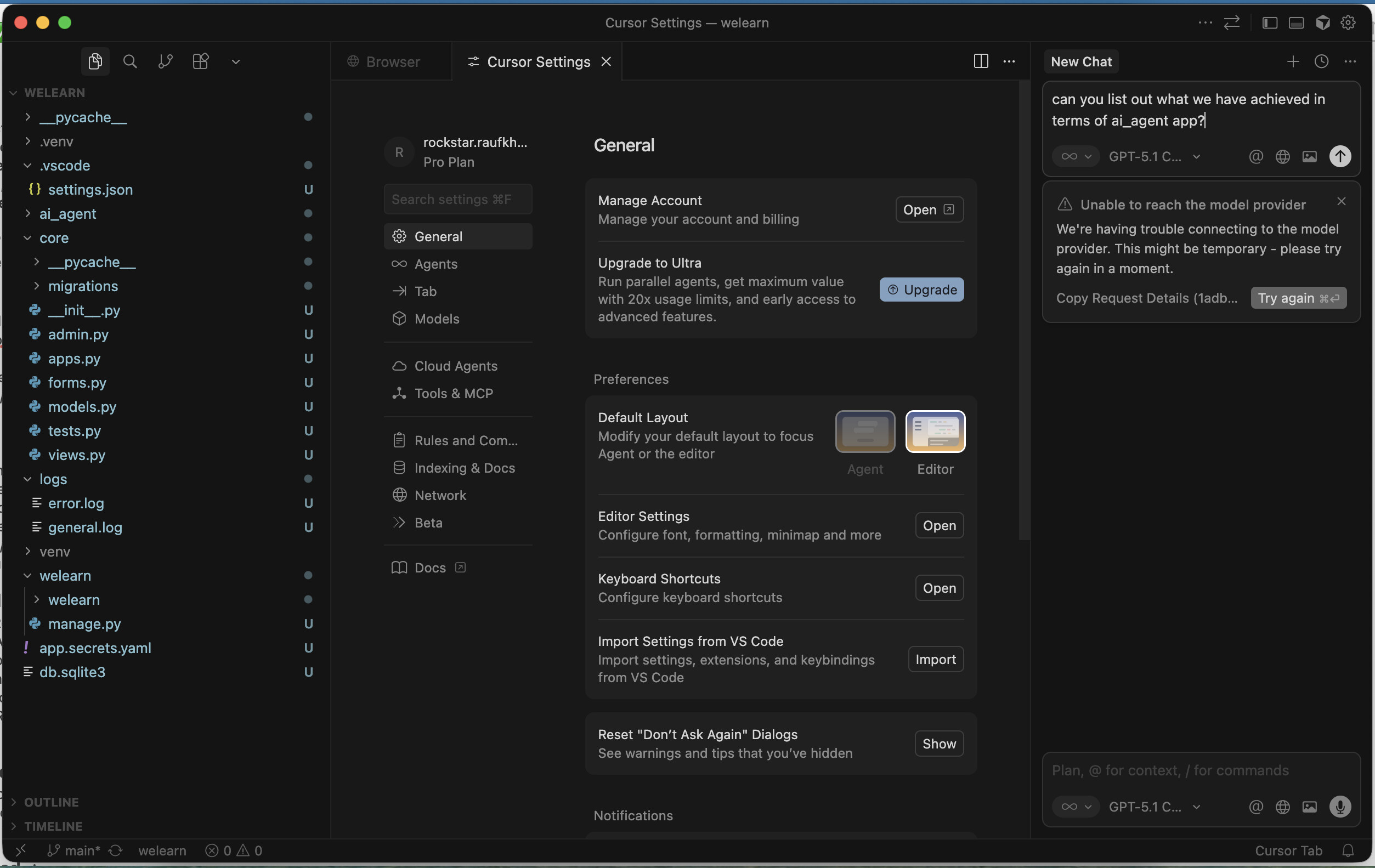
We’re having trouble connecting to the model provider. This might be temporary - please try again in a moment.
Error Log:
Request ID: 1adbd029-54e0-4cdf-871d-3b647efe6df8
{“error”:“ERROR_OPENAI”,“details”:{“title”:“Unable to reach the model provider”,“detail”:“We’re having trouble connecting to the model provider. This might be temporary - please try again in a moment.”,“additionalInfo”:{},“buttons”:,“planChoices”:},“isExpected”:false}
ConnectError: [unavailable] Error
at isu.$endAiConnectTransportReportError (vscode-file://vscode-app/Applications/Cursor.app/Contents/Resources/app/out/vs/workbench/workbench.desktop.main.js:6409:408775)
at rMo._doInvokeHandler (vscode-file://vscode-app/Applications/Cursor.app/Contents/Resources/app/out/vs/workbench/workbench.desktop.main.js:7026:21873)
at rMo._invokeHandler (vscode-file://vscode-app/Applications/Cursor.app/Contents/Resources/app/out/vs/workbench/workbench.desktop.main.js:7026:21615)
at rMo._receiveRequest (vscode-file://vscode-app/Applications/Cursor.app/Contents/Resources/app/out/vs/workbench/workbench.desktop.main.js:7026:20377)
at rMo._receiveOneMessage (vscode-file://vscode-app/Applications/Cursor.app/Contents/Resources/app/out/vs/workbench/workbench.desktop.main.js:7026:19194)
at zPt.value (vscode-file://vscode-app/Applications/Cursor.app/Contents/Resources/app/out/vs/workbench/workbench.desktop.main.js:7026:17286)
at _e._deliver (vscode-file://vscode-app/Applications/Cursor.app/Contents/Resources/app/out/vs/workbench/workbench.desktop.main.js:49:2962)
at _e.fire (vscode-file://vscode-app/Applications/Cursor.app/Contents/Resources/app/out/vs/workbench/workbench.desktop.main.js:49:3283)
at Lpt.fire (vscode-file://vscode-app/Applications/Cursor.app/Contents/Resources/app/out/vs/workbench/workbench.desktop.main.js:6394:12156)
at MessagePort. (vscode-file://vscode-app/Applications/Cursor.app/Contents/Resources/app/out/vs/workbench/workbench.desktop.main.js:8973:18439)
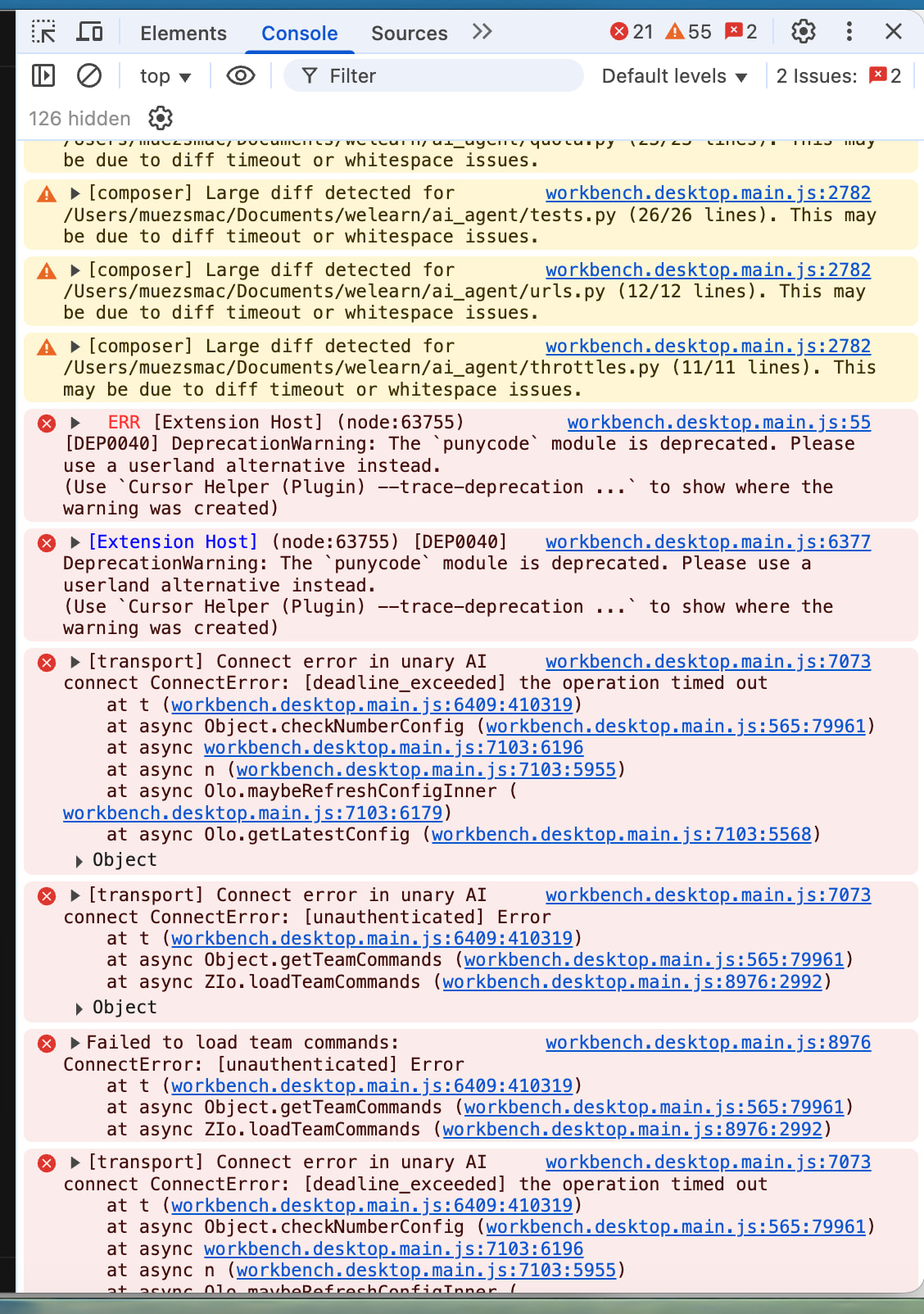
Following is the error log, i hope that may help you to identify the problem:
Request ID: 4ae16710-3155-4281-8fd6-126521910c1e
{“error”:“ERROR_OPENAI”,“details”:{“title”:“Unable to reach the model provider”,“detail”:“We’re having trouble connecting to the model provider. This might be temporary - please try again in a moment.”,“additionalInfo”:{},“buttons”:,“planChoices”:},“isExpected”:false}
ConnectError: [unavailable] Error
at isu.$endAiConnectTransportReportError (vscode-file://vscode-app/Applications/Cursor.app/Contents/Resources/app/out/vs/workbench/workbench.desktop.main.js:6409:408775)
at rMo._doInvokeHandler (vscode-file://vscode-app/Applications/Cursor.app/Contents/Resources/app/out/vs/workbench/workbench.desktop.main.js:7026:21873)
at rMo._invokeHandler (vscode-file://vscode-app/Applications/Cursor.app/Contents/Resources/app/out/vs/workbench/workbench.desktop.main.js:7026:21615)
at rMo._receiveRequest (vscode-file://vscode-app/Applications/Cursor.app/Contents/Resources/app/out/vs/workbench/workbench.desktop.main.js:7026:20377)
at rMo._receiveOneMessage (vscode-file://vscode-app/Applications/Cursor.app/Contents/Resources/app/out/vs/workbench/workbench.desktop.main.js:7026:19194)
at zPt.value (vscode-file://vscode-app/Applications/Cursor.app/Contents/Resources/app/out/vs/workbench/workbench.desktop.main.js:7026:17286)
at _e._deliver (vscode-file://vscode-app/Applications/Cursor.app/Contents/Resources/app/out/vs/workbench/workbench.desktop.main.js:49:2962)
at _e.fire (vscode-file://vscode-app/Applications/Cursor.app/Contents/Resources/app/out/vs/workbench/workbench.desktop.main.js:49:3283)
at Lpt.fire (vscode-file://vscode-app/Applications/Cursor.app/Contents/Resources/app/out/vs/workbench/workbench.desktop.main.js:6394:12156)
at MessagePort. (vscode-file://vscode-app/Applications/Cursor.app/Contents/Resources/app/out/vs/workbench/workbench.desktop.main.js:8973:18439)
start a clean profile: GPT-5.1 Codex high worked in clean profile.
Disable HTTP/2 : chatbox stuck at planning the next move.
Re-login: gave the same “Unable to reach the model provider“ msg in chatbox.
Request ID: aaca8cf1-dc48-4c63-903e-96cbee93d550
Request ID: 89283025-2f9e-428d-8c35-05a37dfb8c50
list of installed extensions:
Python from cursor(dot)com (anyshpere)
Python from microsoft(dot)com (ms-python)
Python Debugger (ms-python) from microsoft(dot)com
Thank you for checking the details. From the findings it looks like the issue is your configuration/profile folder. While I can not pinpoint a specific cause on your device, it is usually simpler to clear it and setup fresh as we can not reproduce the issue on our side without much more information.
Could you backup the App Data folders as described in the link below and clear it, then setup the profile fresh with existing app. A basic setup would be sufficient to see if adding the extensions and core settings caused it to go wrong again.