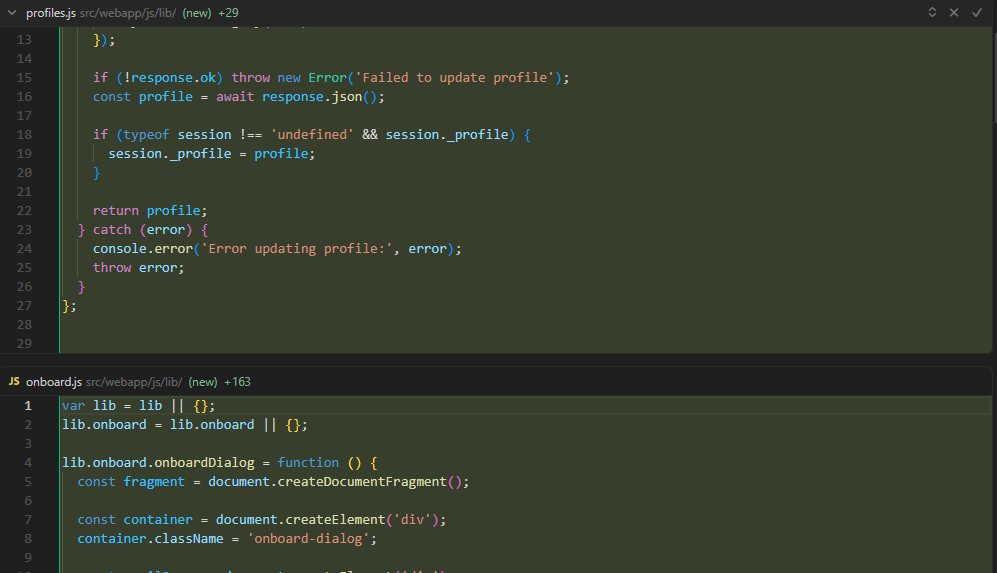
Hey, thanks for the report. Based on your screenshots, the green highlighting is actually working correctly. Both files are marked as “(new)”, which means they’re completely new files:
profiles.js: +29 new lines
onboard.js: +163 new lines
When a file is entirely new, Cursor shows all lines in green because everything is an addition. There’s no old version to compare against.
This would only be a bug if:
You’re editing existing files and see everything in green (instead of red for deletions and green for additions), or
These files previously existed and you expected to see diffs
Could you please try this:
Open an existing file (not a new one)
Make a small change
Review the changes in Agent
Do you see proper line‑by‑line red/green diffs, or is everything still fully highlighted in green?