Closing the agents sidebar then makes it function very similar to Editor layout. Why even have different layouts (agents vs editor) if we can just choose which panels are open. That seems so much more straightforward then having “layouts”. Are people supposed to switch between layouts based on what they are doing? And still, we cant switch back to Editor (when using double arrows), so is Cursor going to get rid of the whole layout concept and just get everyone using the “Agent” layout where we can close the panes we don’t, which is fine as long as our UI settings are consistent after updates.
We’re not looking to get rid of layouts - the new toggle menu in the top right is meant to help you customize/save what you want (even per workspace). Going to post soon with some more ideas.
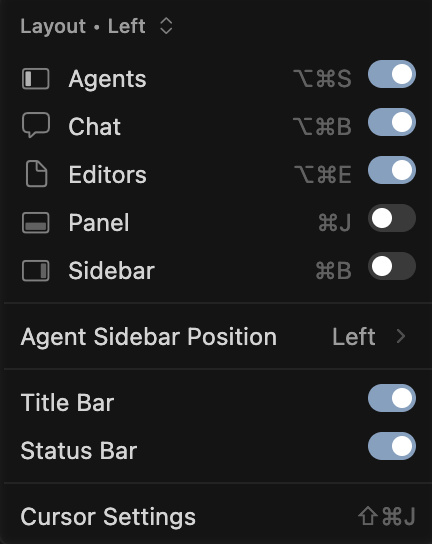
Few annoyances
- Review next file is not being shown.
- When resizing the chat window it doesn’t stretch. Just the margin becomes bigger
- previously ctrl-t added new tab and ctrl-n replaced the current chat. Now both create new chat tabs. Now the shortcuts are not even displayed.
- when I go on to scroll the chat, an agent window appears and doesn’t let me scroll.
If hiding the Agents pane, there does not seem to be an easy way to create a new chat/agent. I have to hover over the right edge of the window perfectly for the Agents pane to reappear so I can click “New Agent”. Not easy when the Cursor window is not on the edge of the screen.
Seems like adding the little + seem in Editor layout would suffice:
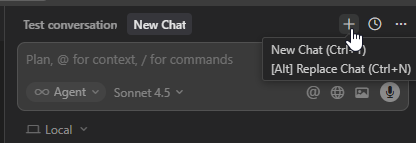
I am not 100% sure what the goal of each layout is, so maybe this suggestion undermines that goal.
Interesting decisions being taken. Disrupt workflows with ineffective, puzzling UI changes..check.
2 Likes
Can you please bring back the old UI to go to next file and next code block for agent changes, that shows up in the bottom of the editor rather than top?
If not, can you please give a setting option to go back to the old UI
3 Likes
Ahhh. I was wondering WTF as well. I updated my NixOS, so I thought I broke something, but no it’s just a Cursor update! So stupid! Thanks
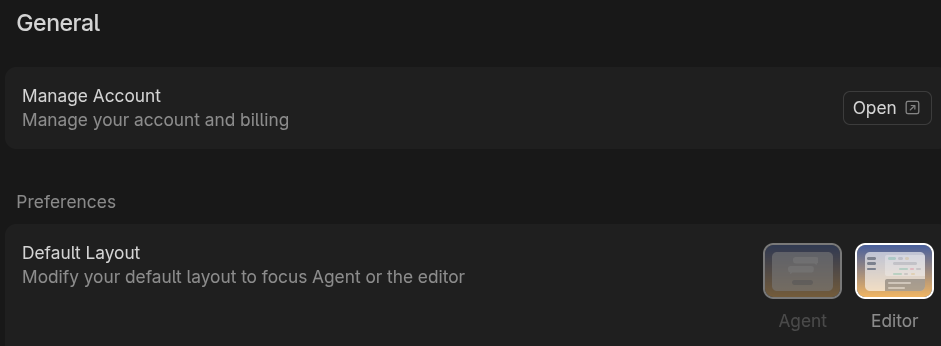
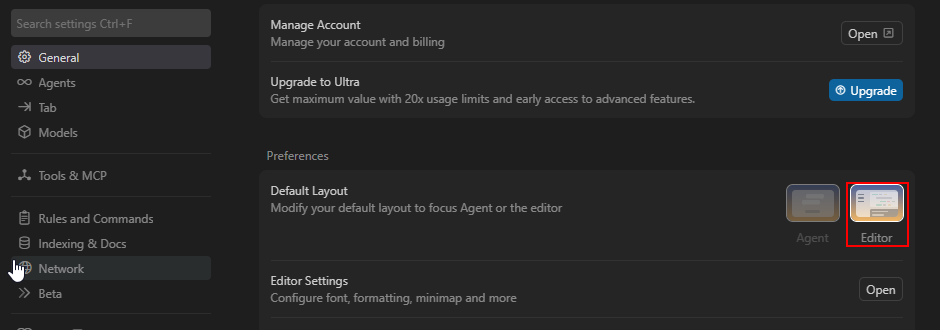
yea somehow forgot to mention that one. Conveniently slipped his mind. It was also the most common complain lol
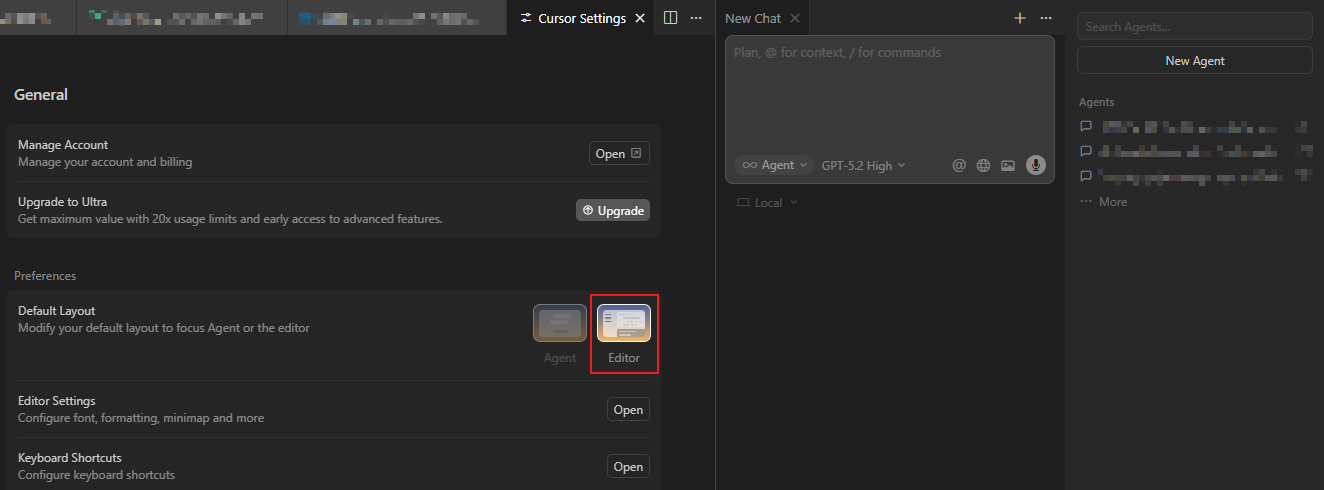
Are these changes related only to the user interface, or do they also affect memory usage and the number of tokens sent when starting a new agent or a new chat?
For example, if only a small section is updated, is there any difference in how chats or agents behave in this version?
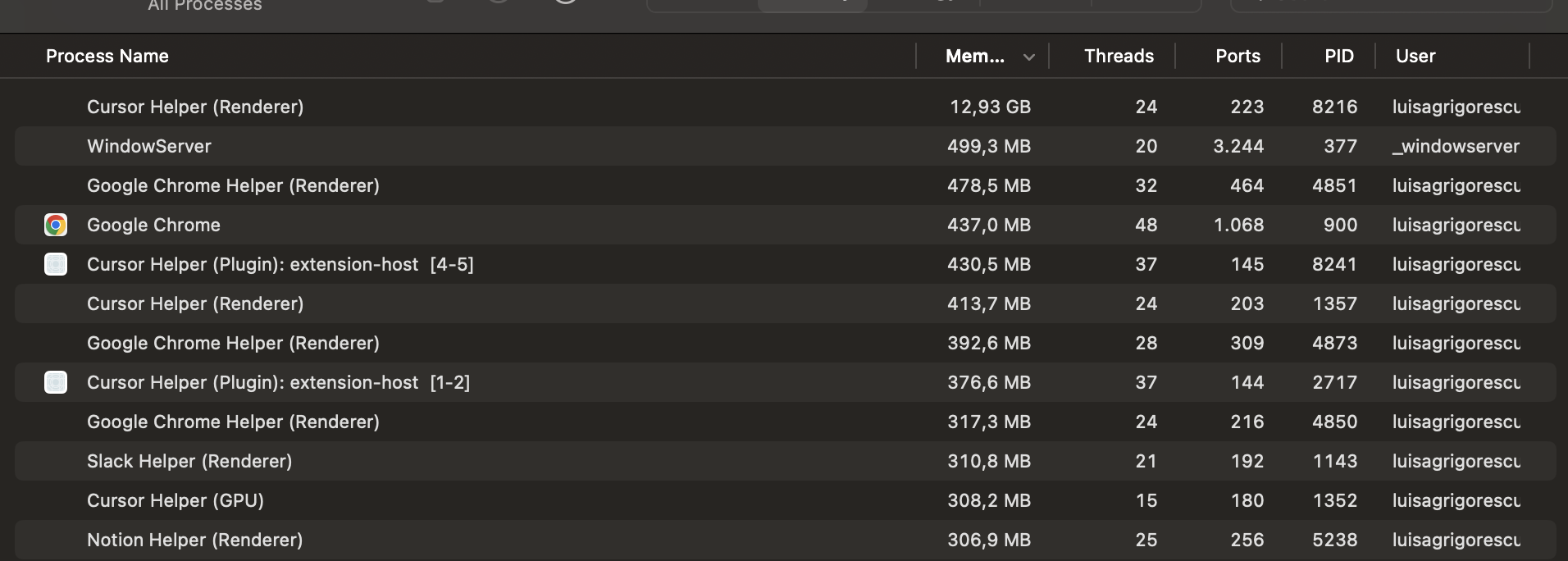
@Vibe-QA I have the same memory issues! I have only one instance of Cursor running at it goes all the way up to 14GB, then it freezes! Before the latest updates I could run 4-5 instances, and have agents running in the background with no problem!
1 Like
No changes to context/token logic.
2 Likes
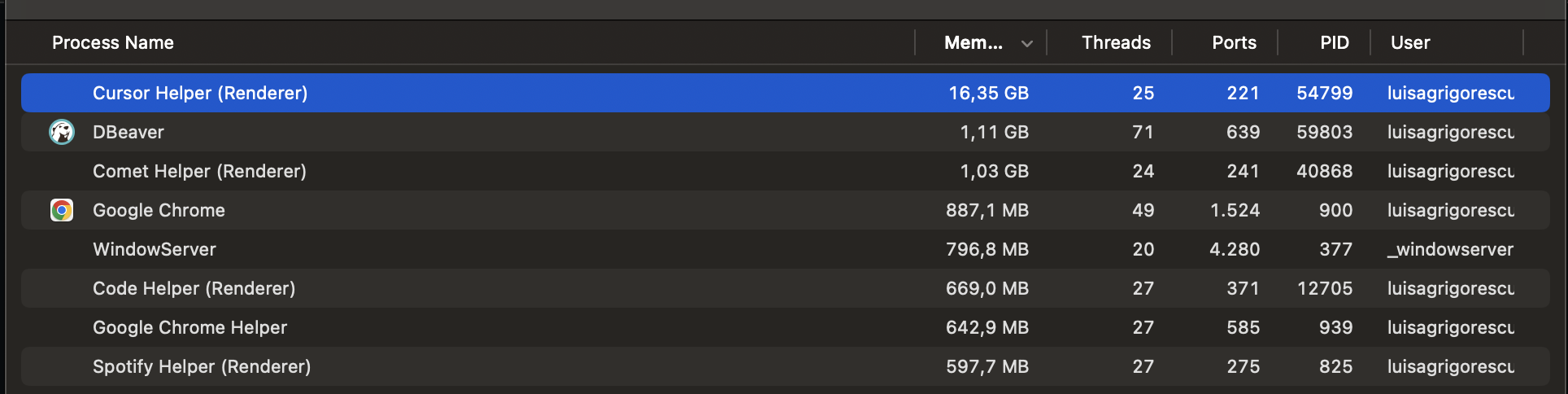
It’s getting better and better…now it takes 16GB after the latest update, I can’t use it more than 5 minutes…
I created an issue about this memory leak yesterday, tried all the solutions from there, but none works. It’s very frustrating that we are paying for this yet I can’t use it!
4 Likes
That’s why even though it’s late, it’s important to get a laptop or PC with lots of RAM, and possibly run under Linux and tune it for the specific usage of your development platform.
Guys, you’re still missing the main point behind the customer complaints. This isn’t a layout or UI issue. You can’t reduce all the feedback and complaints to layout/UI problems.
The real problem is poor product development management. Today it shows up as layout/UI, tomorrow it will be something else. The issue is that you’re pushing deployments without proper analysis or testing, basically using your paying users as testers.
3 Likes
I’ve been using the agent ui flow more and more. It is perfect for a personal project I have where I only care about “does this change work or not”.
I struggle with the agent ui much more in my work when I really need to see the changes.
The problem is the review flow.
The ‘review next file’ pop up in the editor is intuitive and makes sense.
I find whatever ui you’ve come up for in the agent layout/ui is a real struggle to understand what is going on.
I get confused between what I’ve already reviewed and what (if anything) is pending. I think this is because after I review, it goes to a commit screen which looks really similar?
I’m not sure if the review file I’m looking at is THE CURRENT CODE or if another agent has already modified it.
I’ve no real way to know if I’ve reviewed all changes.
I just use git diffs now of course, but I’d like a better, cursor-first, approach to code reviews from the agent.
If anyone has a good flow or process I’m missing, please let me know!
1 Like
I must be missing something? As a newbie coming to Cursor for the first time I am stunned at the apalling quality and lack of any real documenation or tutorials. For example, the new visual editor feature recently announced. From what I can see there are a couple of pages of basic marketing info on the editor, but absolutely no HOWTOs or in-depth tutorials. The Youtube video gives no detail - again just a marketing tool. If you are going to release new features please wait until you have proper documenation before you release - there is nothing more frustrating then trying to figure out how something works and being hit with dead-end after dead-end.
Stewart Bourke
1 Like
You realize that this is in the “feedback” category of the forum right? Going into a feedback thread and telling people not to talk about what they don’t like about Cursor does not make much sense. Also, by complaining about other people complaining, you are also complaining… only difference is they are complaining about the product, and you are complaining about them (and I guess now, I am complaining about you).
I use a MacBook Air (M3) with 8GB of RAM and it does great, have never noticed any performance issues.
I do delete old chats periodically, everything older than 2 weeks. Having a lot of chats built up seems to be the biggest factor for performance taking a nose dive.