Where does the bug appear (feature/product)?
Cursor IDE
Describe the Bug
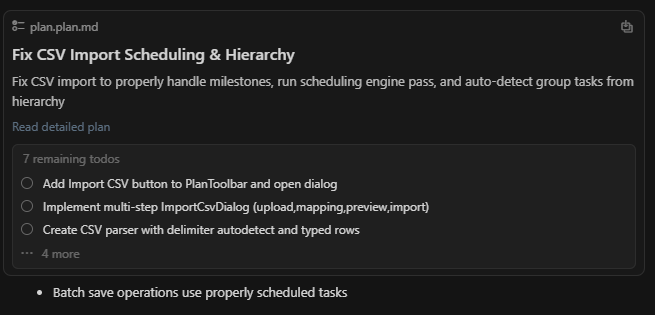
So If i use plan mode once in the chat, its done, i want to plan again on a similar part of the system, so form the context i remove the old plan, have it come up with a new one, in the chat it doesnt show the build button, but in the plan document it shows the build button.
Steps to Reproduce
in the same chat, do 2 plans or mroe than 1
Expected Behavior
show the build option/button in the chat
Screenshots / Screen Recordings
Operating System
Windows 10/11
Current Cursor Version (Menu → About Cursor → Copy)
Version: 1.7.54 (system setup)
VSCode Version: 1.99.3
Commit: 5c17eb2968a37f66bc6662f48d6356a100b67be0
Date: 2025-10-21T19:07:38.476Z
Electron: 34.5.8
Chromium: 132.0.6834.210
Node.js: 20.19.1
V8: 13.2.152.41-electron.0
OS: Windows_NT x64 10.0.26100
For AI issues: add Request ID with privacy disabled
f35d08b5-297f-4569-a849-5c7a2f66ffc2
Does this stop you from using Cursor
Sometimes - I can sometimes use Cursor