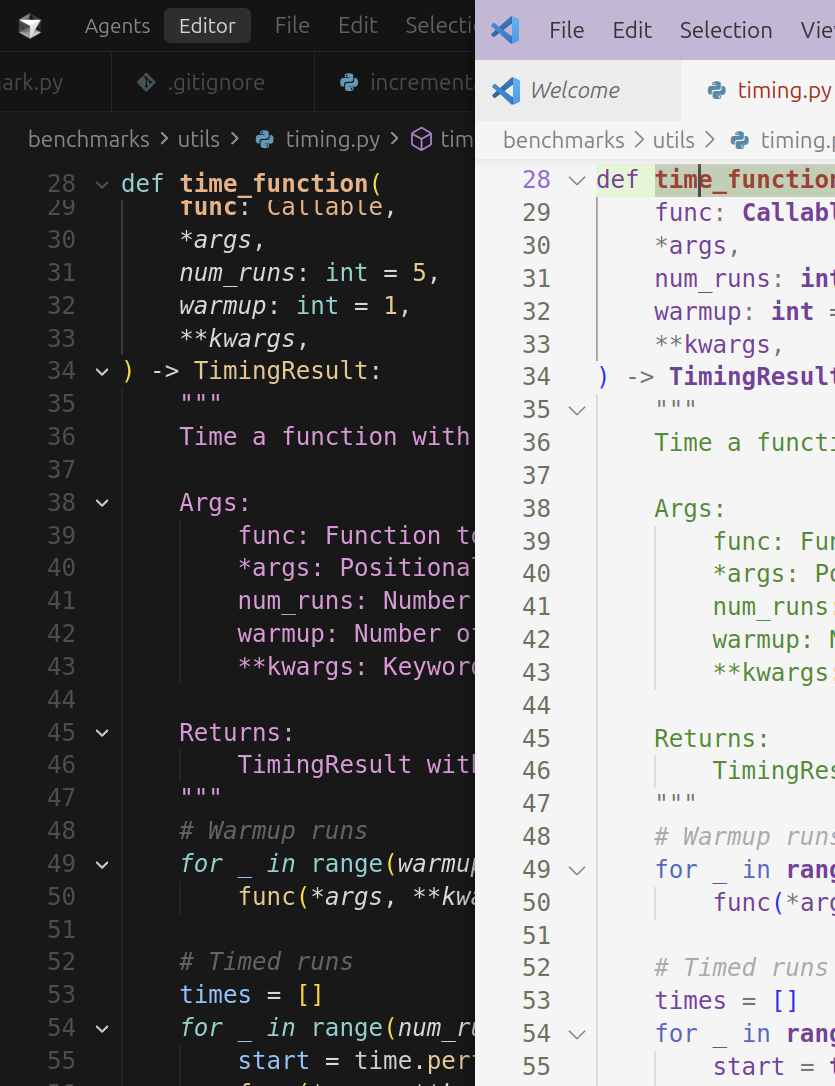
If you look at the attached image, clicking the top most ‘collapse’ button colapses the whole function in vscode (light mode) but only collapses the header in cursor (dark mode). look at the extra ‘collapsy’ buttons in the documentation string… why?
Expected Behavior
I just want it to work like vscode does. e.g. proper python folding
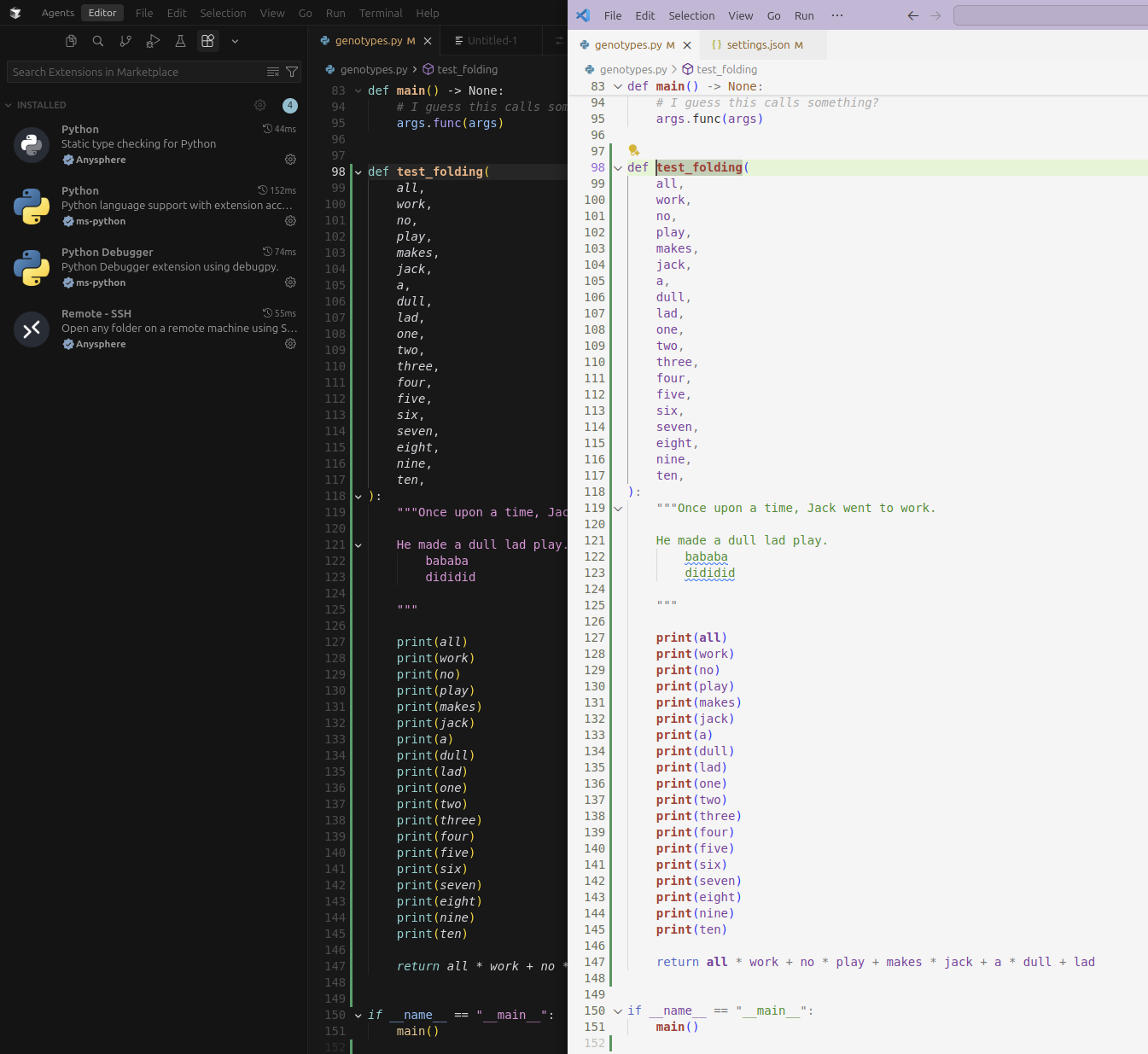
I just deleted everything under ~/.config/Cursor/User/settings.json and .vscode/settings.json literally just contains `{“editor.showFoldingControls”: “always”}.
You can see the extensions I have, and this is a local file. Yet, see the attached image in comparison to vscode:
Thanks for this. Makes me feel better to know that I’m not suffering alone! (Sorry everyone!)
Surely we can disable the Cursor Python Plugin thingy and add back the Microsoft pyright?
I see from a business perspective why they want to clone the open source python extensions and flavour them cursor, but when that comes at the cost of functionality, it’s not good business.