Describe the Bug
Hi,
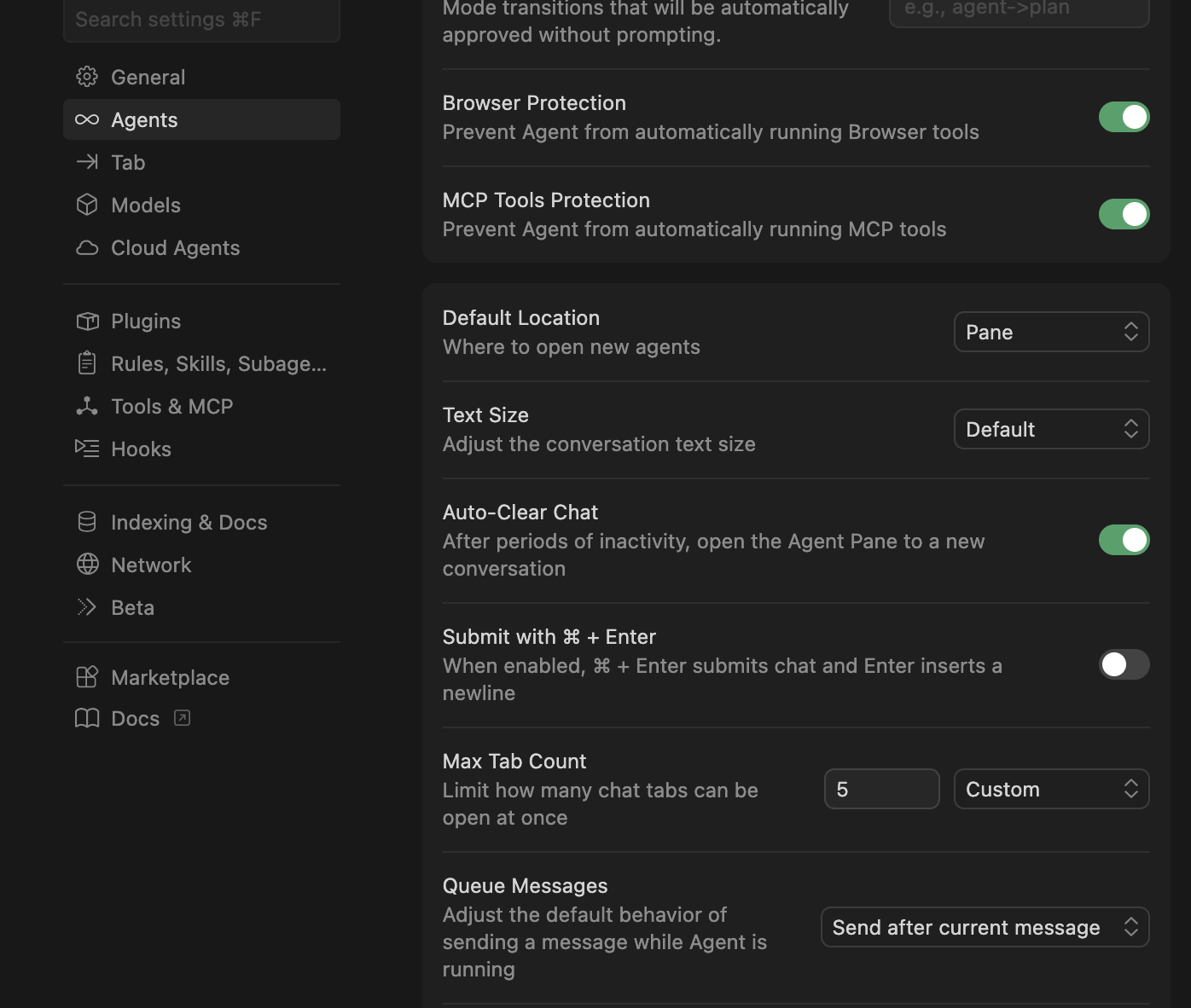
I found a small typo in the Cursor settings UI.
Location: Settings → Agents → Auto-Clear Chat
Issue: The Copy reads “Agent Pane” but should be “Agent Panel” (missing the letter “l”).
Hope this helps — easy fix!
Steps to Reproduce
Open Cursor
Go to Settings
Navigate to the Agents section
Look at the Auto-Clear Chat setting
The copy next to it reads “Agent Pane” instead of “Agent Panel” (missing the letter “l”)
Screenshots / Screen Recordings
Operating System
MacOS
Version Information
Version: 2.6.21
VSCode Version: 1.105.1
Commit: fea2f546c979a0a4ad1deab23552a43568807590
Date: 2026-03-21T22:09:10.098Z
Build Type: Stable
Release Track: Default
Electron: 39.8.1
Chromium: 142.0.7444.265
Node.js: 22.22.1
V8: 14.2.231.22-electron.0
OS: Darwin arm64 25.3.0
Does this stop you from using Cursor
No - Cursor works, but with this issue