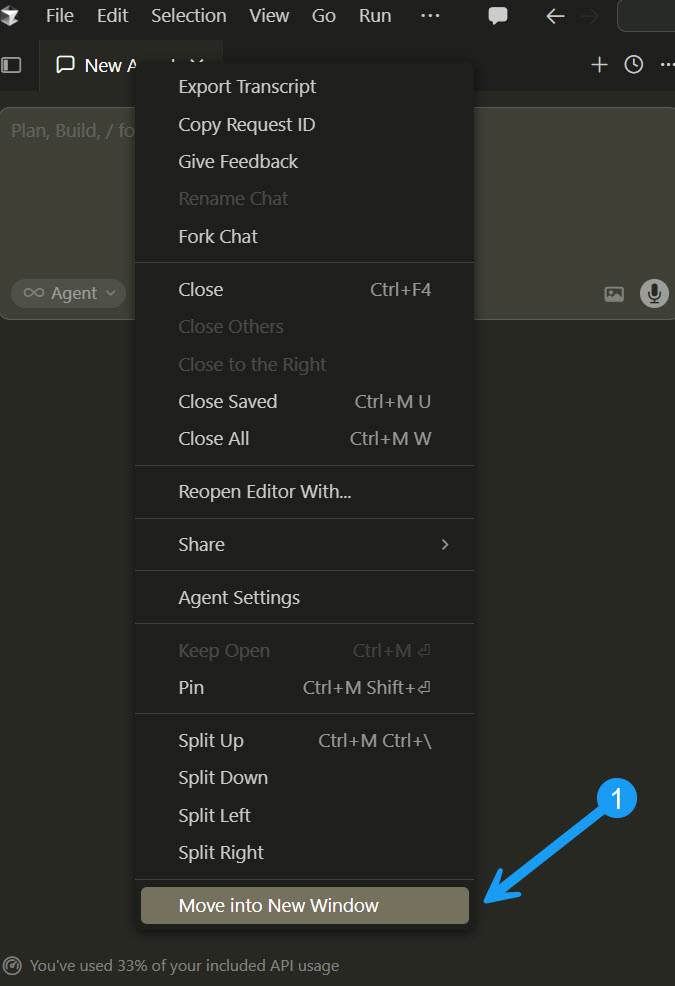
Thanks for the detailed write-up and screenshots — sorry for the frustration this is causing while typing in a detached chat window. We have a bug report open for this (it’s the same underlying issue as a few related reports where the caret gets stuck at index 0 in floating/detached agent windows, which makes new characters appear “backwards”). As a workaround in the meantime, keeping the chat docked in the main Cursor window — or dragging the tab back into the editor area instead of using “Move into New Window” — should let you type normally. We’ll follow up here as soon as there’s a fix to share.
To be upfront: we don’t have a fix yet, but the issue is still open and being tracked. It’s tied to the caret getting stuck at index 0 in detached agent windows, which is what makes text appear to type “backwards.” I know how disruptive that is, and I’m sorry it’s still affecting you.
For now, the most reliable workaround is keeping the chat docked in the main Cursor window — only the fully detached “Move into New Window” state triggers this.
Hi @Luciano_Soares! We have lots of things we’re working on - so we have to balance things like new model development, new feature releases, etc with bug fixes. It’s a delicate balance so we have to ruthlessly prioritize. This particular bug, while it may be annoying, is not our top priority. We do have it tracked though, so we can attend it when possible.
Hi all @here
I tried this again on Windows and I couldn’t replicate the problem. Can you try updating Cursor and seeing if you can still replicate the issue?
I am no longer seeing the originally reported erroneous behaviour, i.e.:
Right click on chat tab
Select ‘Move into New Window’
Drag window to other monitor
Type text into chatbox
The text will display backwards
However, as last user reported, I have also noticed that highlighting code in editor and pressing Ctrl + L does not add that code context to the chat (when the chat is in its own window).