Cursor IDE
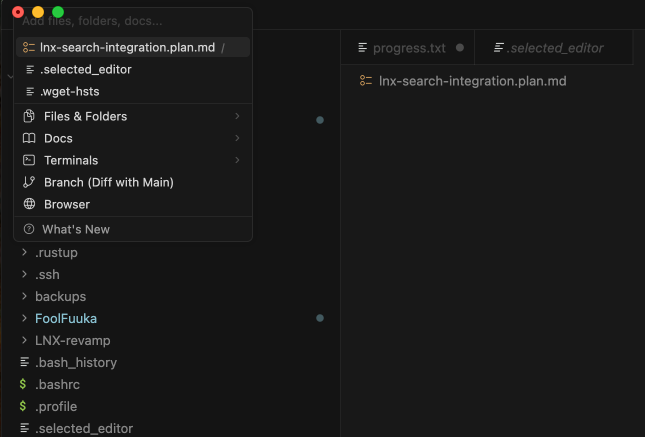
Chat context menu opens in wrong position.
Click on “@” button under chat input to open the context menu.
Note that you have to open it using this button to reproduce the issue. Opening via typing “@” works ok.
It should open at correct position in the chat panel.
MacOS
Version: 2.1.0-pre.5.patch.0
No - Cursor works, but with this issue
deanrie
November 4, 2025, 1:57pm
2
Hey, thanks for the report. I see the context menu positioning issue when using the @ button.
It looks like a UI positioning bug. Since you’re on a pre-release version (2.1.0-pre.5.patch.0), please try updating to the latest stable version and check if the issue persists.
As a temporary workaround, typing “@” directly should work.
I’ll pass this to the team to investigate. Let me know if the issue continues on the latest stable version!
Thanks for confirming.
It actually happened also before I upgraded to pre-release version.
I can workaround it, thanks.
Cursor IDE
The context menu of selecting different supplicants to the chat appears in the wrong spot. See image.
Stateful use of Cursor>Click the “@” for add context>Positional mismatch
To appear in the correct place
MacOS
Version: 2.1.0-pre.5.patch.0 (Universal)
Sometimes - I can sometimes use Cursor