Cursor 2.3 is focused on stability and polish, with the goal of making Cursor feel more solid day-to-day.
A couple of highlights:
Process separation: User-installed extensions now run in separate processes from built-in Cursor extensions like codebase indexing, so a crashy extension won’t bring down core functionality.
Layout customization: It’s now easier to customize your default layout across workspaces. Four default layouts are included (agent, editor, zen, and browser), and you can cycle through them with ⌘+⌥+⇥. Pane arrangements will also survive version upgrades.
Integrated browser: Fixed layout and menubar issues. Cursor Browser also now supports multiple tabs!
Chat loading: Fixed an issue where restarts or updates could cause past chats to become inaccessible.
We’d love your feedback!
Are things feeling smoother after the update?
What bugs do we still need to squash?
What paper cuts are you still hitting?
If you’ve found a new bug, please post it in Bug Reports so we can track and address it properly, but feel free to drop a link here for visibility.
After reviewing the changelog, I’m quite impressed. It’s clear that the Cursor team is truly listening to user feedback by prioritizing the stability of existing features before rolling out new ones. I look forward to seeing how these improvements enhance the overall workflow in this latest release.
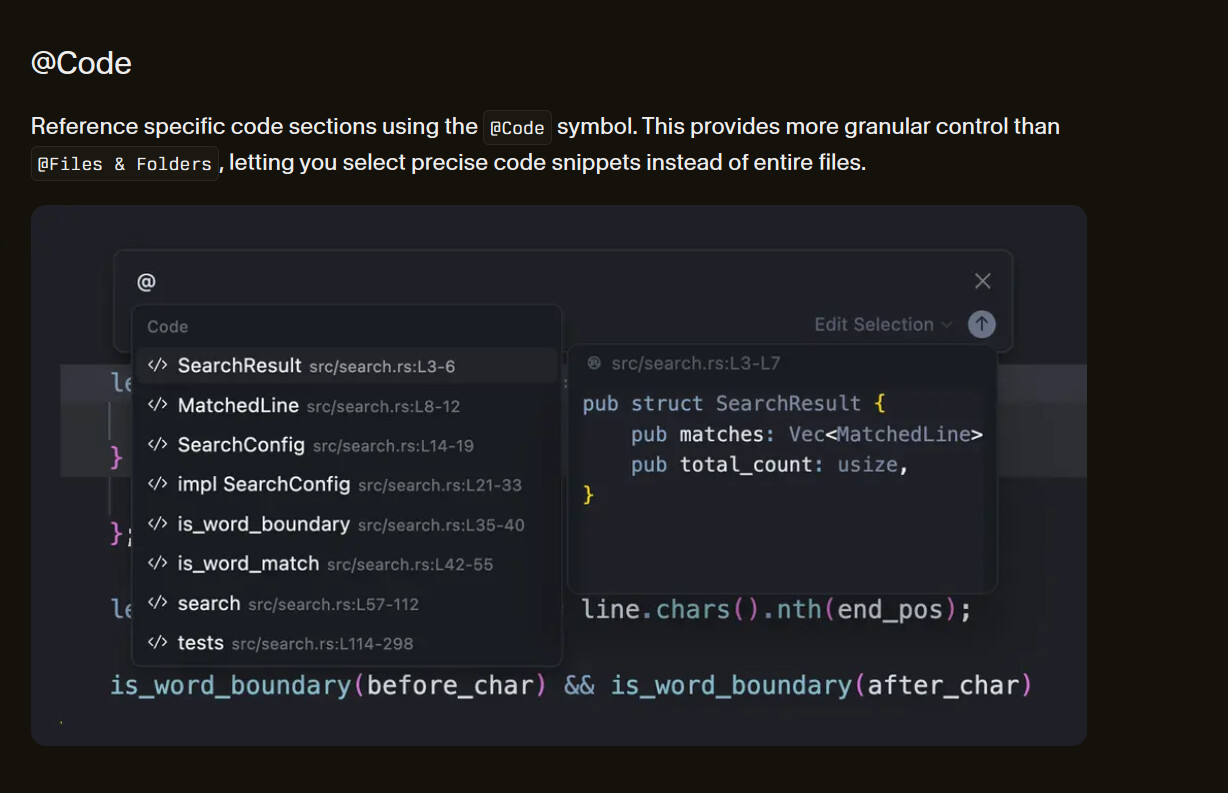
It was feedbacked by some users including me and is still in the docs (see pic above).
Experimental auto-complete in chat is not always reliable or slower.
Competitors still have this symbol reference (Github copilot, Antigravity…). I don’t see why Cursor isn’t putting it back.
Very impressed. I asked for something (which granted may have been a community request prior to me asking), but you implemented it in like a week. Well done team.
Still extremely difficult to use cursor on a vertical monitor. You have to “open chat in editor”, then drag the tab and “split down”. Even after that it’s unreliable and new chats will often open in sidebar again. Please just add an option that moves chat/agent etc sidebar to the top
Lol i try the nightly it really kinda buggy, i cant save the plan to workspace anymore because for some reason it ended up as an agent mode with the summary at the end, or maybe this is model behaviour ? im using opus4.5.
and did you remove reference to chat ? im quite often to change the chat if i feel the model got “dumber” so for summary i usually reference to chat for the summary, but now i need to export it first then reference to it.


 .
. .
.