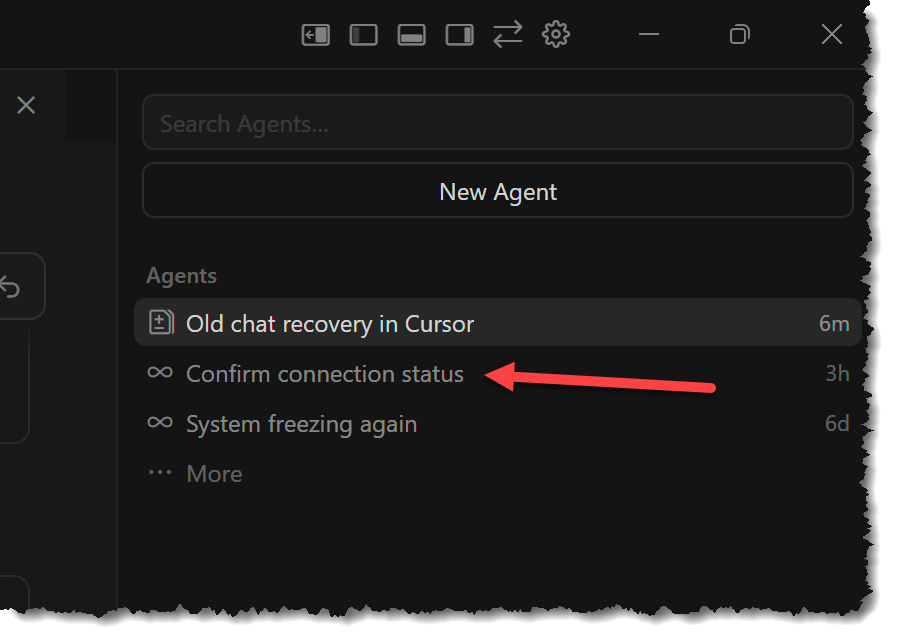
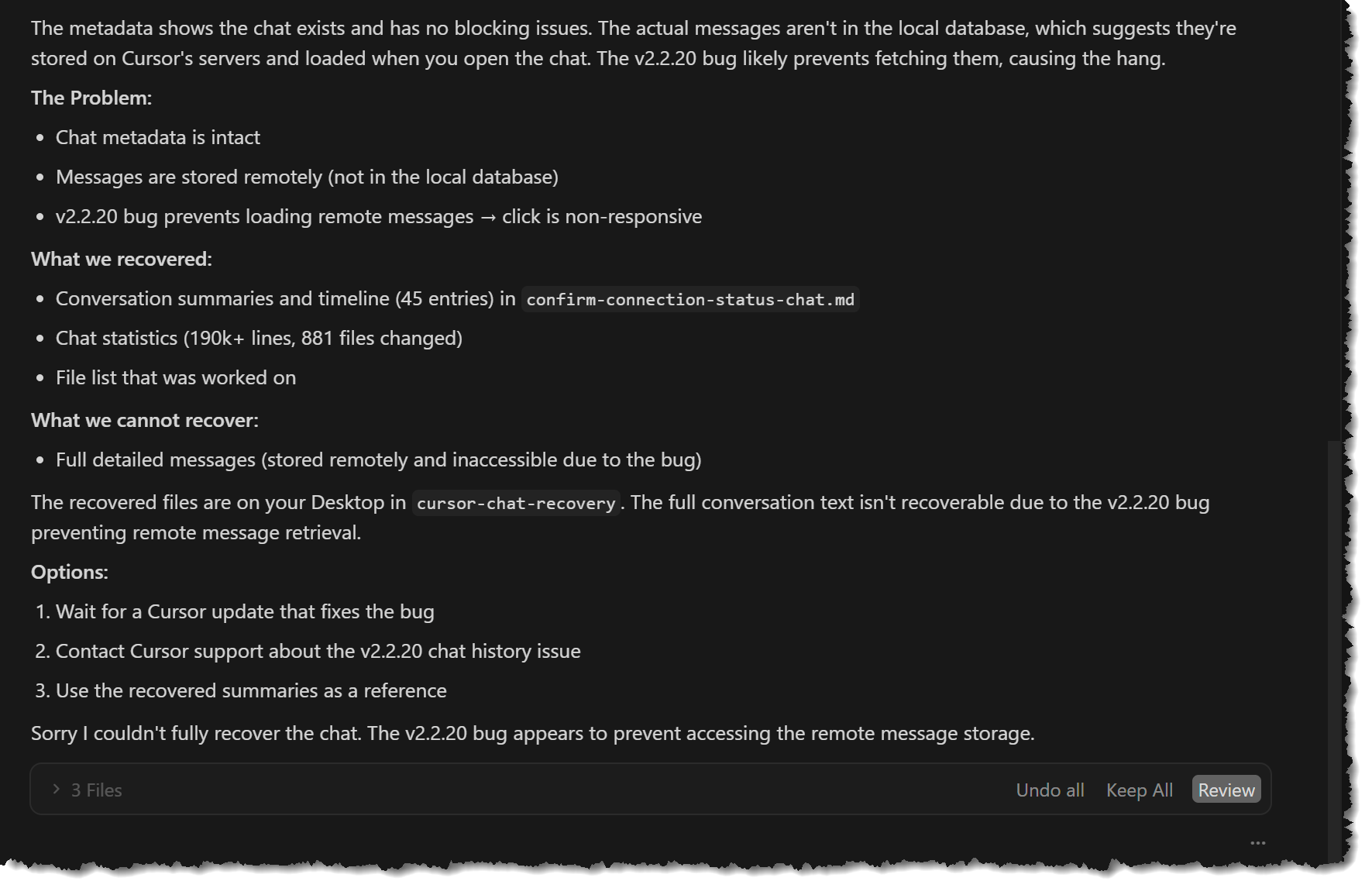
I tried to use the cursor to fix the cursor. The problem is that I have an enormous amount of contextual information in a chat that is now unable to load. The chat “Confirm connection Status” shows in the pane, (see image), but clicking on it is non-responsive. accoring to the chat (see next image), the chat is stored remotely, which i assume is in the cursor environment (is this accurate)? This is a known issues with V 2.2.20 (is that true?).
Bottom line, Cursor needs to recover this chat and let me know how to restore it in my Cursor client. I am unable to continue until you resolve this.
I don’t need this ticket simply “forwarded to engineering”. It must be resolved.
In the meantime, why don’t you roll 2.2.20 back to a more stable version?
hi @Work_Dre and sorry to hear about your chat issues.
This is a known issue affecting some users on version 2.2.x. We are already working on a fix for this issue. Until we release the update you have can try to recover them from your local database backup or from your external windows backup. Note that we do not store chats on our servers but they are only local on your machine.
Try this recovery method (from Cursor dev @AlexeyK):
Close Cursor completely
Navigate to C:\Users\YOUR_USERNAME\AppData\Roaming\Cursor\User\globalStorage\
Check if state.vscdb.backup exists
If it does, first copy your current state.vscdb somewhere safe
Replace state.vscdb with the backup file (rename .backup to just .vscdb)
Restart Cursor
This only works if the backup wasn’t overwritten after the corruption. You can check the file’s “Date Modified” to verify.
To clarify: Chat data is stored locally on your machine, not remotely on Cursor servers. The database files are in the globalStorage folder mentioned above.
Related thread with more context and our developers response:
If the backup file is small (~2MB) or was modified after the crash, the data may unfortunately be unrecoverable. Going forward, consider periodically backing up your machine.