Stuck in Review

Where does the bug appear (feature/product)?

Cursor CLI

Describe the Bug

When running in agent mode and the LLM writes or edits a file, oftentimes Cursor shows the Review button but fails to allow you to accept or keep or discard the changes. No workaround except to start a new conversation and lose the changes. Very frustrating.

Steps to Reproduce

Agent mode create or edit file(s) and wait until Cursor UI bug appears, not allowing any input on the files it wants you to review.

Expected Behavior

Allow for accept/keep/discard, etc.

Screenshots / Screen Recordings

Operating System

MacOS

Current Cursor Version (Menu → About Cursor → Copy)

Version: 2.3.34
VSCode Version: 1.105.1
Commit: 643ba67cd252e2888e296dd0cf34a0c5d7625b90
Date: 2026-01-10T21:17:10.428Z
Electron: 37.7.0
Chromium: 138.0.7204.251
Node.js: 22.20.0
V8: 13.8.258.32-electron.0
OS: Darwin arm64 25.2.0

For AI issues: which model did you use?

Agent: GPT-5.2

Additional Information

This has happened multiple times over the last 6 hours (Jan 10-11). First when I had 9 files that it said I needed to review and got stuck. Restarting Cursor doesn’t help. I had it build a prompt and copied that to start a new conversation and that worked for awhile until it decided to show the review bug again. I’m going back to another IDE as this has wasted a few hours of my time already.

Does this stop you from using Cursor

Yes - Cursor is unusable

1 Like

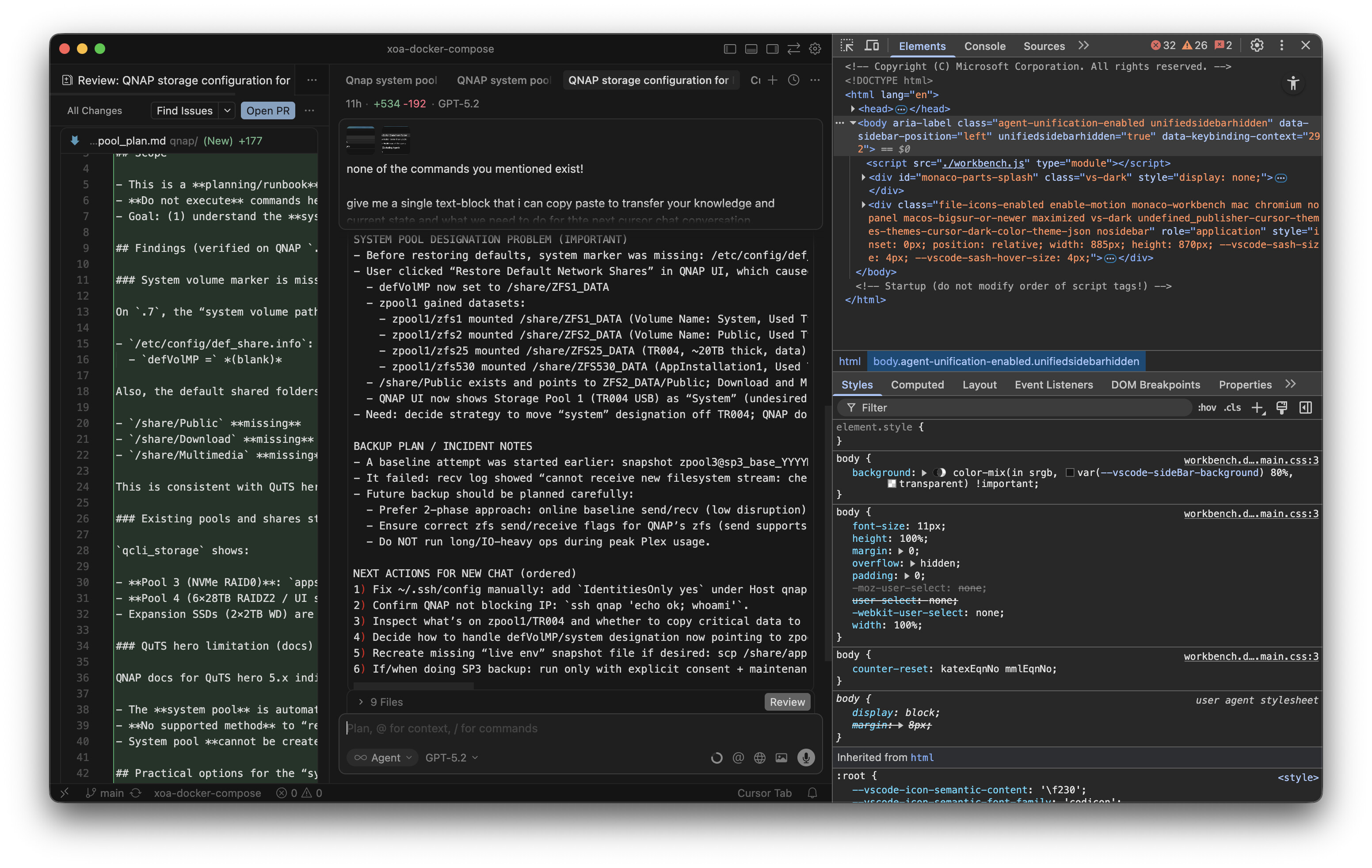
Hey, thanks for the report. I can see the screenshot with the Review stuck.

This is a known issue, and the team is working on a fix. Similar cases: AI Agent file review list accumulates stale files and doesn't sync with git status

Workarounds for now:

  1. Close this chat and open a new one
  2. Restart Cursor
  3. Check for errors in Help > Toggle Developer Tools > Console

To escalate to the team, can you share:

  • The Request ID from this session (chat > context menu > Copy Request ID)
  • A screenshot of the console errors from Developer Tools

Which workaround helped?

1 Like

Thanks @deanrie – as requested:

(One of the) chat session ids: bc990156-0120-4d46-855e-463ee18a741e

Restarting Cursor does not help. The only semi-workaround I found was starting new chat sessions but you lose changes and the issue reappears fairly quickly.

Dev Tools screenshots:

1 Like

Thanks for the request ID and console error screenshots. This will help the team investigate.

The console errors show a few issues:

  • ‘[transport] Connect error’ - network connection problem to the AI service
  • ‘Trusted Type expected’ - known bug in UI components (already fixed in a newer version)

Keep an eye on the main thread for updates. We’ll notify there once there’s a fix.

1 Like

I am facing the same issue and it’s very annoying. It’s showing more than 480 files to review. Files that I have already deleted. I can’t close it, I can’t mark as reviewed. We need a way to disable it or to close it.

This topic was automatically closed 22 days after the last reply. New replies are no longer allowed.