@deanrie had the latest update but this issue still here, please fix we want to have control of what we pinned
Btw its also conflicted with Save as shortcutkey on Mac, how you guys resolve this?
Open “Preferences → Open Keyboard Shortcuts”, then toggle “Record Keys”, hit the ⌘+⇧+S key, and unbind the “All Agents” tab in the results.
1 Like
Thanks Yurii, was able to do that and avoid the conflict.
1 Like
Same issue, it’s driving me nuts !!! Small screen, not many icons fit. Please fix, it makes no sense to keep it like that for so long !!!
1 Like

Title says everything. The “All Agents” option keeps pinning itself even when I unpin it countless times.
2 Likes
I am at version 1.7.4.4 and this issue has still not been fixed (at least for MacOS).
Can we get any update on this at all? @deanrie ?
3 Likes
1.7.46 has this issue too, I get that it’s meant to be made visible but I really only use cursor for the tab completion and would like to turn of this tab 
1 Like
Hey Cursor team, please consider persisting what has selected as visual and hidden parts of the UI. If I choose the “All Agents“ to be hidden. It should stay hidden.
I myself only use the AI pane.
My weekly comment in hopes of getting an update from Cursor on if/when this issue is fixed. Currently on MacOS w/ Cursor V1.7.52.
@deanrie ?
Thanks.
Version: 1.7.54
VSCode Version: 1.99.3
Commit: 5c17eb2968a37f66bc6662f48d6356a100b67be0
Date: 2025-10-21T19:07:38.476Z
Electron: 34.5.8
Chromium: 132.0.6834.210
Node.js: 20.19.1
V8: 13.2.152.41-electron.0
OS: Darwin arm64 24.6.0
Still happening. @deanrie, can we please get at least SOME update? 
Hey, thanks for your patience. This will be fixed in the next release.
4 Likes
Thank you! This is good news to hear
2 Likes
In new Update the “Agent” tab is gone. Thank you
1 Like
hey
this new layout completely broke my flow
- the agents sidebar is pinned, always visible on the left
- when I close a file I’m working on, the agents suddenly occupies the rest of the space
- when I open a new file, the agents sidebar doesn’t shrink; I have to get my hands off the keyboard and resize it manually using the mouse
I’m trying not to badmouth whoever came up with this idea, it’s just bad in so so so many ways but for now I’m gonna stop using Cursor and go back to Code and use Claude/Conductor because this is just so annoying I simply can’t use
Version: 2.0.38 (Universal)
VSCode Version: 1.99.3
Commit: 3fa438a81d579067162dd8767025b788454e6f90
Date: 2025-10-29T20:45:40.883Z
Electron: 34.5.8
Chromium: 132.0.6834.210
Node.js: 20.19.1
V8: 13.2.152.41-electron.0
OS: Darwin arm64 25.1.0
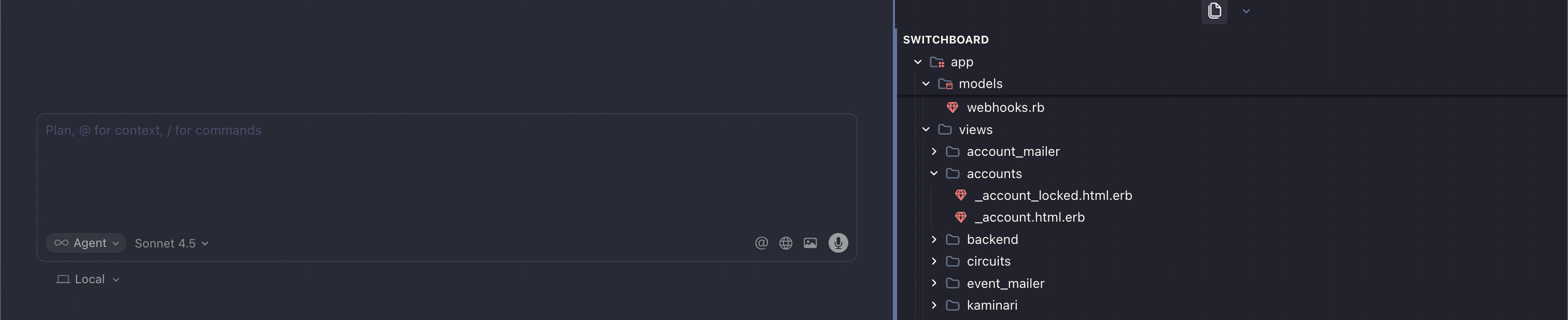
the latest update has now changed the UI to this, it unusable, same problem as i mentioned above, it was fixed some time ago
This topic was automatically closed 22 days after the last reply. New replies are no longer allowed.