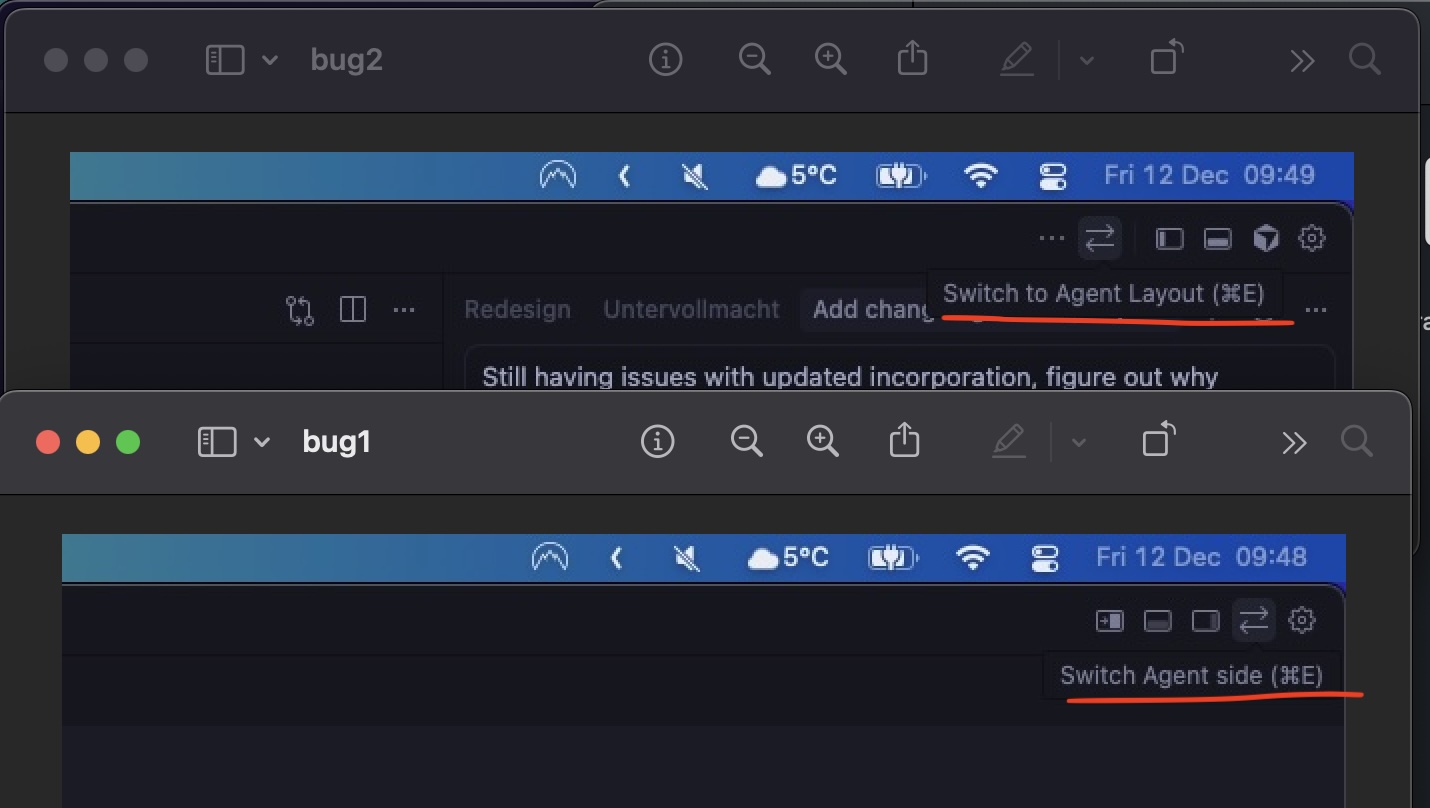
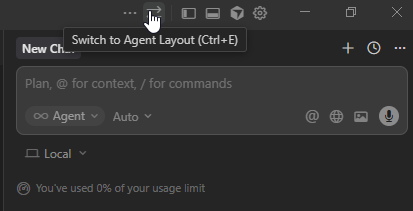
When you press the button with arrows in the top right corner, it switches to agent mode. The button then changes from “switch agent/editor mode” to “switch agent side.” However, the same button has two different uses, which is confusing. There’s no way to switch back to editor mode without pressing CMD+E. CMD+E works fine to switch between agent and editor modes, but the button won’t change from agent mode to editor mode.
Steps to Reproduce
press button to switch to agent mode, try switch back with same button
The “switch to agent layout” double arrow button can switch to agent layout, but then when in agent layout it does not switch back to editor layout. It only switches the side the agent is on. This is very confusing, and once in Agent layout there is no button to go to Editor layout without going into the Settings and choosing Editor layout.
After updates, when it changes your layout to Agent, there is not an easy way to go to Editor layout, and the double arrow button used to do that.
I actually liked that for one day there were buttons on the left that said Agent and Editor (or similar). I also liked that I could have the project bar open in editor mode but yesterday it seemed that having it open in editor mode meant you also got it opened in Agent mode, just moved to the right for no obvious reason. Yet another tiny button with a tooltip that is covered by the mouse cursor is not super awesome for my UX.
I think both views still exist separately, they only removed those two buttons (no sense IMO).
However on my macbook I still have those buttons, hopefully they stay.
Yes they both exist but IMO if it’s just a matter of inverting the left-right layout of the panes and you can’t actually have two different layouts/sets of open panes I don’t see the point. They might as well have made a button that was “swap agent and editor panels” which would have been better than reversing the entire left-right layout. (I don’t want to see the project view in agent mode but I do in editor mode. It allowed that for a day and now does not.)
There does not seem to be a way to switch back into editor mode from agent mode without having to go into the settings. The double-arrow button, which is supposedly the way to switch modes, says “Switch Agent Side” upon hovering, and it does exactly that. It seems that this button has been given a second function which completely blocks access to the first.
Steps to Reproduce
Go into agent mode
Attempt to switch back to edit mode by clicking the double-arrow button
Expected Behavior
Switches back into edito rmode
Operating System
Windows 10/11
Current Cursor Version (Menu → About Cursor → Copy)
+1, I updated cursor and it kicked me to agent mode. Now I can’t switch back, the Editor and Agent mode tabs that used to be in the window bar is no longer there.
On every update, Cursor seems to go to agent mode for me. In settings, it’s on Editor mode. I have to switch it back and forth to get it into editor mode again. Very annoying.