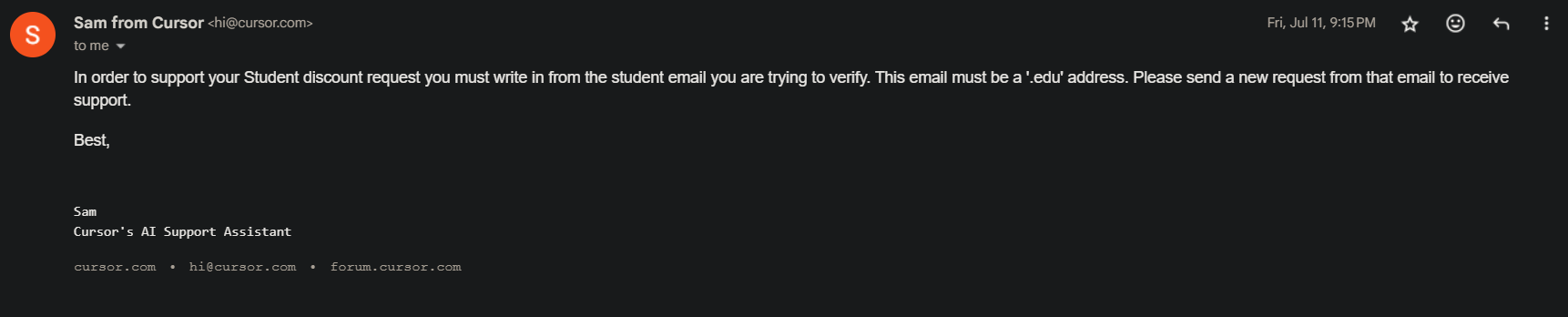
I’m a student enrolled in the Master of Science in Software Engineering (MSSE) program at Quantic School of Business and Technology. My university-issued email address is in the .edu format, but it does not have an inbox — it’s only used internally and cannot receive external emails.
I’ve already emailed support with my enrollment confirmation letter, but your AI bot keeps responding that I need to write from the .edu address. Since I can’t access the inbox, I’m stuck and unable to verify my student status.
Is there a way for me to manually verify my enrollment? I can provide:
Official Quantic enrollment letter (PDF)
Screenshot of my student profile or dashboard
Please advise on the next steps so I can complete my verification.
Hi @seAfnan@kwoerd thank you for the feedback. At this time a functioning .edu email is a requirement.
Due to volume of student program applications they can not be processed manually on our side. Therefore we work with SheerID who can validate university students but you must have an functioning email address as you receive verification link, approval and the discount link by email. You would also need that email address to have a student account in Cursor.
hi @seAfnan thank you for the details though as mentioned SheerID is performing the validations and only they can make approvals. From our side we take over only once SheerID approves your eligibility and sends you the discount link.
We at Cursor are not part of the verification process and can not intervene or reset it as it is managed by SheerID.
I simply went to apply and mistakenly didn’t realize I needed to be signed in to my .edu account. After realizing I was logged in to my personal email and not my student email, I simply tried to resubmit from my .edu email but was blocked for “too many attempts.”
I contacted SheerID and submitted proof of enrollment (class schedule and tuition receipt), but they referred me back to Cursor. Meanwhile, the Cursor bot keeps redirecting me back to SheerID, so I’m stuck in a loop.
All I need is for someone to reset the “max attempts” allowed to more than one attempt so I can re-apply with my .edu address.
Hi @condor I am trying to redeem the student offer, but after I get the “your account is verified and apply discount”, when I click the discount, the billing still shows 20$. For some reason, the discount is not applied. Could you please help me with this?
How did you pass the verification? After uploading my passport, it still shows that there is an error in the verification. I posted a message asking for help, but someone directly hid the post.
@kwoerd@seAfnan if I understand right you were not approved by SheerID. Until approval by SheerID we are unable to provide support as they are handling the verification process.
@sligogirl its not clear what your case is, could you please explain more detailed where in the verificaton process you are now?
I see, we do not have alternative processes as SheerID is handling the verification process. As there are many student verification requests we are unable also to manually process them.
I don’t think we need to upload the passport. For the student Id verification, if I remember correctly, I just had to fill in my student email, and sheer ID handled the rest.