QTom
August 20, 2025, 6:03am
1
Cursor 1.5.0 slow and often unresponsive
Any use allowed
MacOS
Version: 1.5.0
Yes - Cursor is unusable
deanrie
August 20, 2025, 7:03am
3
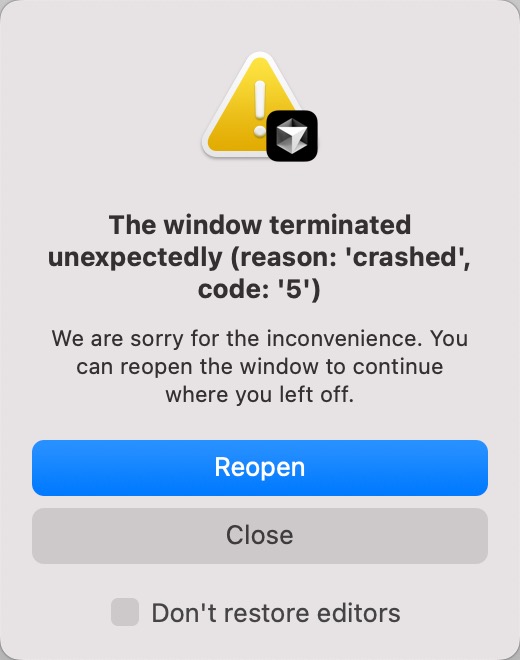
Hey, thanks for the report. Does this happen in all projects? Try opening another one or a blank Cursor window. Does the error still appear in that case? Also, try selecting “Don’t restore editors.”
QTom
August 20, 2025, 7:34am
4
I keep seeing this in my C++ project when using cmake-tools:
deanrie
August 20, 2025, 7:53am
5
Could you try renaming your project temporarily and then open the same project again? The issue might be related to the chat history.
QTom
August 20, 2025, 8:14am
6
After clearing all user-data, still crashing
deanrie
August 20, 2025, 8:36am
7
Is this the CMake Tools extension? Try installing our extension, it has the same features.
QTom
August 20, 2025, 9:54am
8
In the .vscode/extensions.json path, “ms-vscode.cmake-tools” as recommendations is a company-wide standard.
After using Anysphere’s C/C++ IntelliSense extension, I cannot see tools equivalent to CMake Tools and cannot quickly build C++ projects.
.vscode/extensions.json
{
// See https://go.microsoft.com/fwlink/?LinkId=827846 , for the documentation about the extensions.json format
“recommendations”: [
  "ms-vscode.cmake-tools", // https://github.com/microsoft/vscode-cmake-tools/blob/main/docs/README.md

  "llvm-vs-code-extensions.vscode-clangd",

  "vadimcn.vscode-lldb",

  "rogalmic.bash-debug" ,// macOS need \`brew install bash\`

  "alefragnani.Bookmarks"

\],
“unwantedRecommendations”: [
  "ms-vscode.cpptools", // Causes a large amount of disk space usage \~/Library/Caches/vscode-cpptools

  "ms-vscode.cpptools-themes",

\]
}
condor
August 20, 2025, 10:11am
9
For C++ Extension cc @ravirahman
QTom
August 21, 2025, 1:33am
10
I found that I am using the same solution as the C++ Extension Package you mentioned. I have always combined it this way when using VSCode. Which is a completely different solution from cpptools. The new 1.5.1 version still crashes, not sure if it’s due to the extension or something else, and the CPU usage is very high.
condor
August 21, 2025, 4:32pm
12
Could you check Help > Open Process Explorer and post here a screenshot if the consumption is within an extension or within other IDE parts.
QTom
August 21, 2025, 4:41pm
13
1.4.6 Everything is running smoothly
QTom
August 22, 2025, 4:34am
14
CMake tools Wait a long time and eventually Cursor crashes!