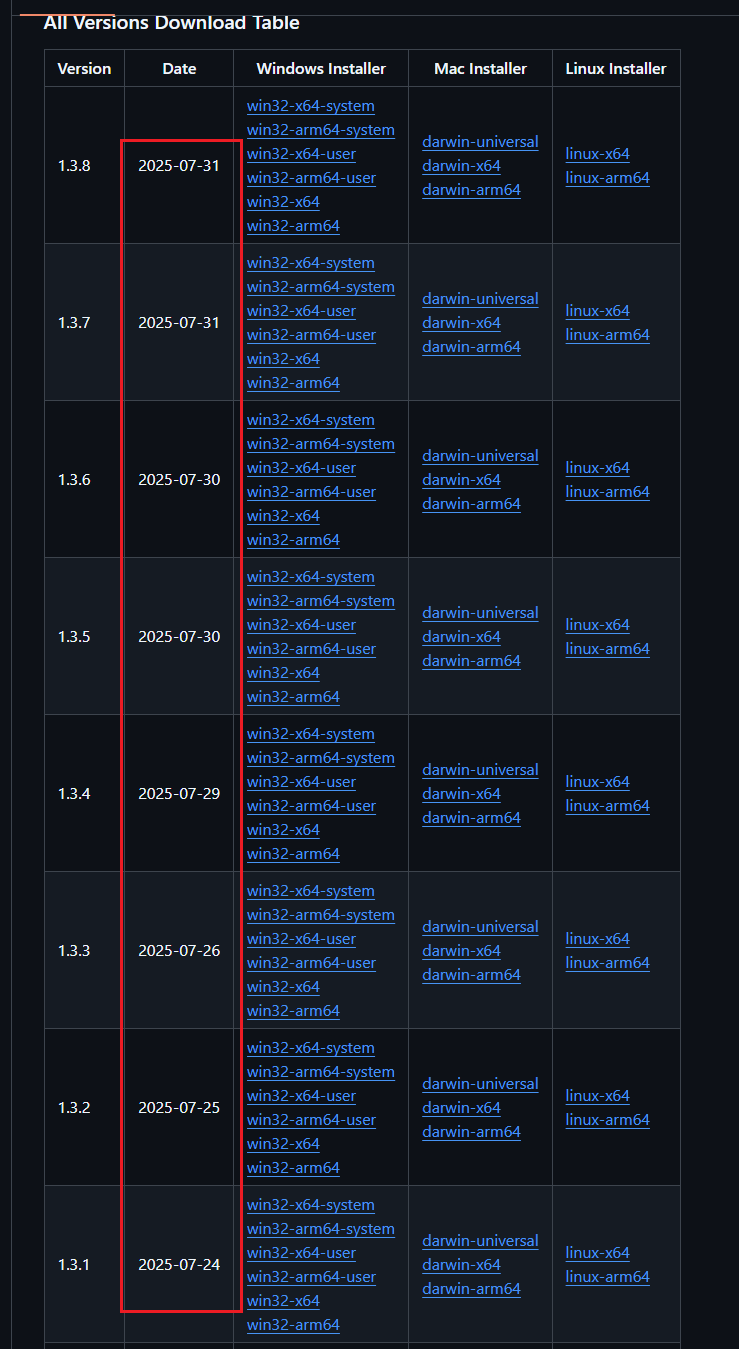
Since the Cursor staff wants to pretend this isn’t an issue and unlist my previous thread, I’ll just keep posting it until they keep their word and look into the issue.
Cursor crashes with the innodb error every single ■■■■■■■■ time. It’s been like this for months. And you keep releasing updates EVERY DAY, which is mind numbingly dumb and frustrating and I am forced to manually update from this repo: GitHub - oslook/cursor-ai-downloads
Your support never replies to emails, either.
This issue has been on GitHub, as well. I am not the only one.
Steps to Reproduce
Use Cursor. Update Cursor. Cursor crashes for the millionth time.
Its happening because 2 versions of the same update is attempting to install. When running cursor and trying to update, check Task Manager and search for cursor, you will see 2 setups running, kill the bottom one to update Cursor.
I’ve read the threads, I know why it happens and obviously have found workarounds, but it doesn’t make it any easier to use, especially when the Cursor team for some insanely dumb reason pushes out an update nearly every single solitary day.
This is not the sign of a healthy development team. Feels like they are bailing water out, otherwise I see zero reason for updates to be released daily. And for someone who is using the tool and means I need to reinstall every single time that happens, it’s getting pretty ■■■■■■■ tiresome.
There’s NO option to disable auto-update, isn’t it funny how that works?
I finally tracked down a thread on Reddit that provided a way; we’ll see if it ACTUALLY works, since there’s users saying they still had auto-updates happening even after this:
If it wasn’t for the Cursor’s own users debugging the software they pay for, I don’t know how this IDE would survive another week!
I’m only doing it so I can literally use the product. I’m stunned this team can’t figure this out. I guess its just proof that the more things change, the more things stay the same…LLMs didn’t move the needle at all.