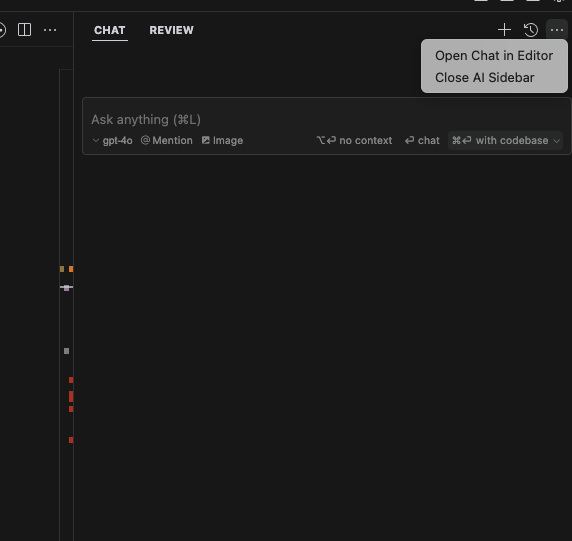
There used to be an x button to close it but now its gone and I need to click the three dots and then click again.
3 Likes
1 Like
Is there any way to bring this X back via a setting? Recently it went away for an unknown reason but I really prefer clicking X to remove the pane rather than doing a keyboard command.
It’s extra odd because Cursor on one of my computers has the X and the other computer does not.
Hey, which version of Cursor are you using? You might have hidden the activity bar, and in that case, the close button also becomes hidden.

Thanks! This did reveal to me a secondary close option but not the primary one. My activity bar was at the bottom, but you had to hover the “New Chat” or chat name to reveal the X, whereas on my other Cursor the X is always present in the upper corner. Same hidden primary X behavior when I move activity bar to the top
Both cursor versions are 0.49.6
Difference shown below, one has the primary X and one does not.

