Window not responding 1.4.3

Describe the Bug

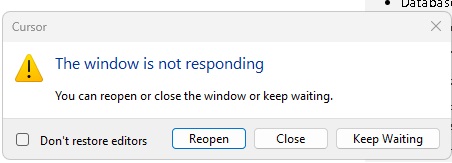
In a new chat editing a file less than 30k I get the usual Window not responding.

I see you also removed the option of clicking accept whilst the files were edited and now I have to wait til its finished, I get an Accept all, then I get the window not responding issue.

Steps to Reproduce

Start a new chat and edit a file 30+k or more. Window appears.

Expected Behavior

Window not responding appears

Screenshots / Screen Recordings

Operating System

Windows 10/11

Current Cursor Version (Menu → About Cursor → Copy)

Version: 1.4.3 (system setup)
VSCode Version: 1.99.3
Commit: e50823e9ded15fddfd743c7122b4724130c25df0
Date: 2025-08-08T17:34:53.060Z
Electron: 34.5.1
Chromium: 132.0.6834.210
Node.js: 20.19.0
V8: 13.2.152.41-electron.0
OS: Windows_NT x64 10.0.22631

Additional Information

Going back to the previous version doesnt have the issue.
If I dont touch the Window not responding issue and wait for the Accept All to disappear then press keep waiting, I can continue to use cursor. But I have gone back to the previous version which didnt have this issue.

Removing the Accept options and leaving it til the end, probably not the best choice.

Does this stop you from using Cursor

No - Cursor works, but with this issue

Threads like this are super common now, it is hard to keep track whether the developers have acknowledged there is a problem and are working on a fix.

Without any guidance, we’ll just have to assume it is a too bad too sad scenario….

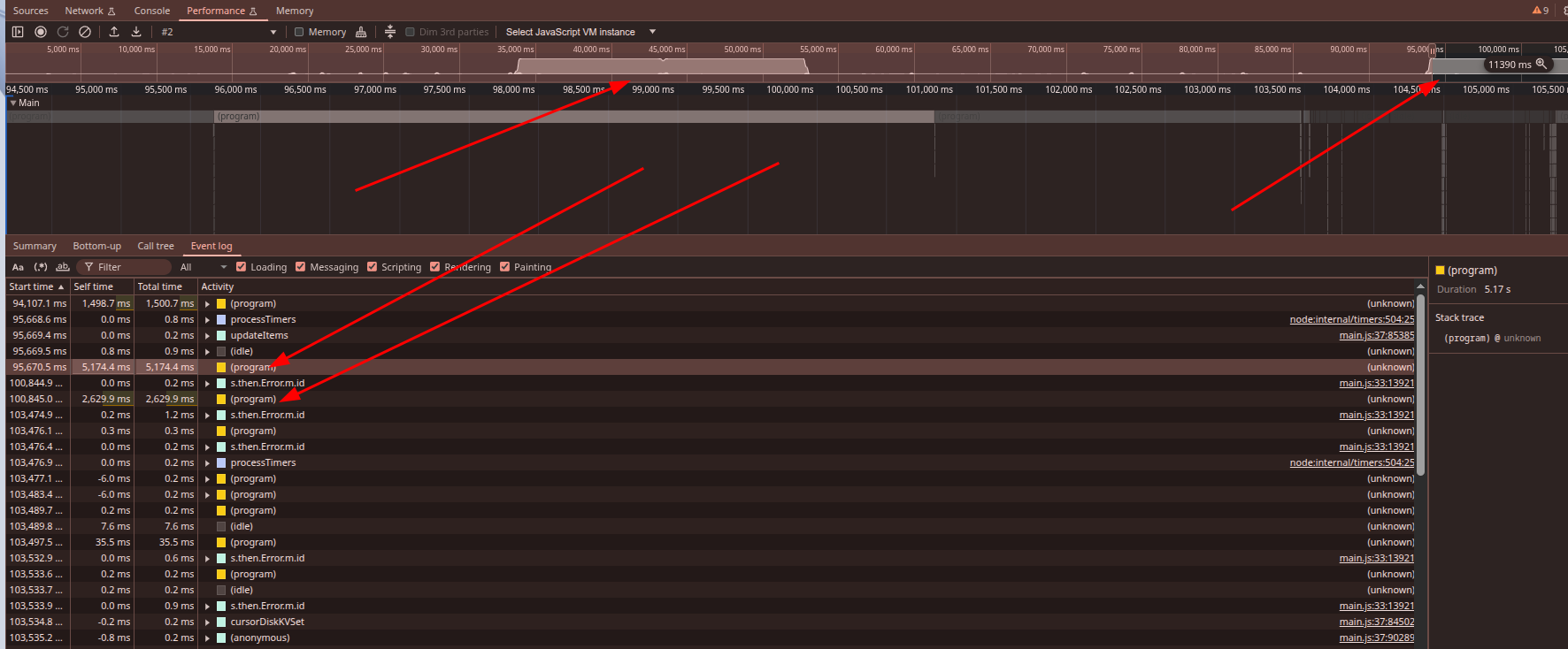
FWIW, i was profiling cursor when it S&&ts the bed, and it looks like the CPU maxes out periodically causing the UI to lock:

My CPU has never maxed out with cursor, I’ve gone back to the previous version and it doesnt have that issue. Wont be long before others complain there is an issue.

same problem running cursor on powerfull machinne today with update it’s freezing so often afte while of using cursor now it freeze every prompt, specially after prompt is finished and all edditing done so i wonder why it freeze after ? do they send all my HDD to cursor server after every prompt ? so werid that all updates are fast but after all is done it freeze

devs do something

They are leaking consoles.

Just restart the IDE and it should resolve.

@zackees that isn’t a solution…. what is a solution that seems to be working so far is this thread here:

Implementing this has significantly improved the experience… hopefully the cursor team applies this to the next build!

1 Like

Please try Cursor Settings > Beta > Update Access: Early Access

I have the same issue, easily reproduced every single day since upgrading to 1.4.3 last week.
Will follow up with findings tomorrow here.

Freezing behavior present in 1.4.3 is not present in 1.4.4 (early access).
Exact same workflow today as yesterday and 1.4.4 behaves the same as release before 1.4.3.
1 Like

This topic was automatically closed 22 days after the last reply. New replies are no longer allowed.